Accessing the EN-204 via a Web Browser
37
5.4.3.1 Display Settings
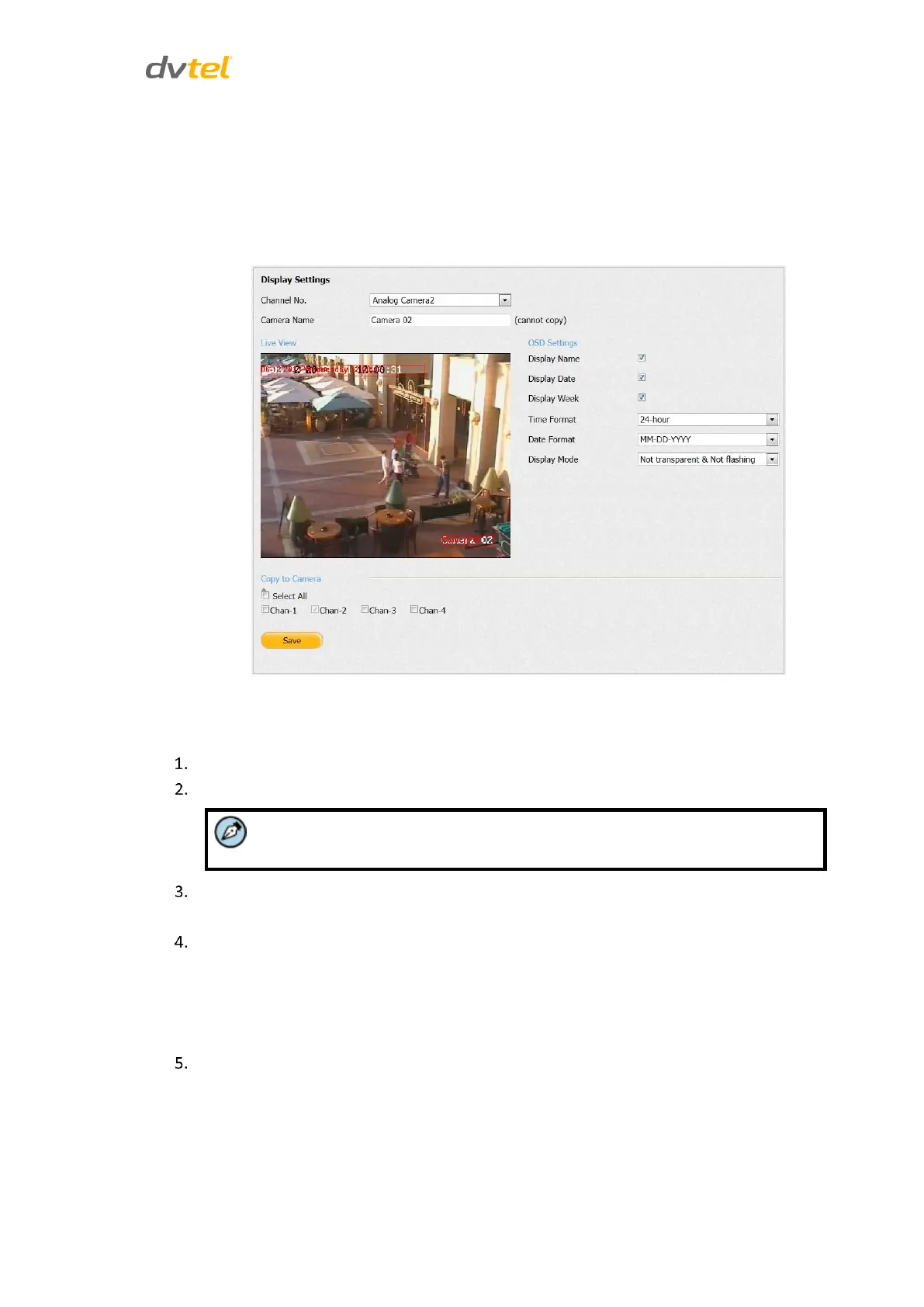
The Display Settings screen is used to configure the On-Screen Display (OSD) settings that are
overlaid on the video image.
From the Configuration sidebar, select Camera Settings > Display Settings. The Display Settings
screen opens.
Figure 38: Display Settings Screen
To configure On-Screen Display settings
From the Channel No. drop-down list, select a camera.
In the Camera Name text box, enter a friendly name for the camera.
This must be a unique name.
In the OSD Settings area, check the options that you want to display on the screen: Display
Name, Display Date, Display Week, Time Format, Date Format, and Display Mode.
To configure the settings on another camera, do one of the following:
Repeat the above steps for each camera.
Check Select All to copy the settings to all cameras.
Check the camera checkbox to copy settings to a specific camera.
Click Save.



 To Next Page