EN-204 User and Installation Guide
32
From the Configuration screen sidebar menu, select the following tabs to configure settings:
Local Computer Configuration (page 32)
Encoder Configuration (page 33)
Device Parameters > Time Settings (page 34)
Camera Settings (page 36)
Network Settings (page 59)
Serial Port Settings (page 77)
Alarm Settings (page 80)
Exception (page 86)
User Management (page 87)
Storage Management (page 90)
Maintenance (page 91)
5.4.1 Local Computer Configuration
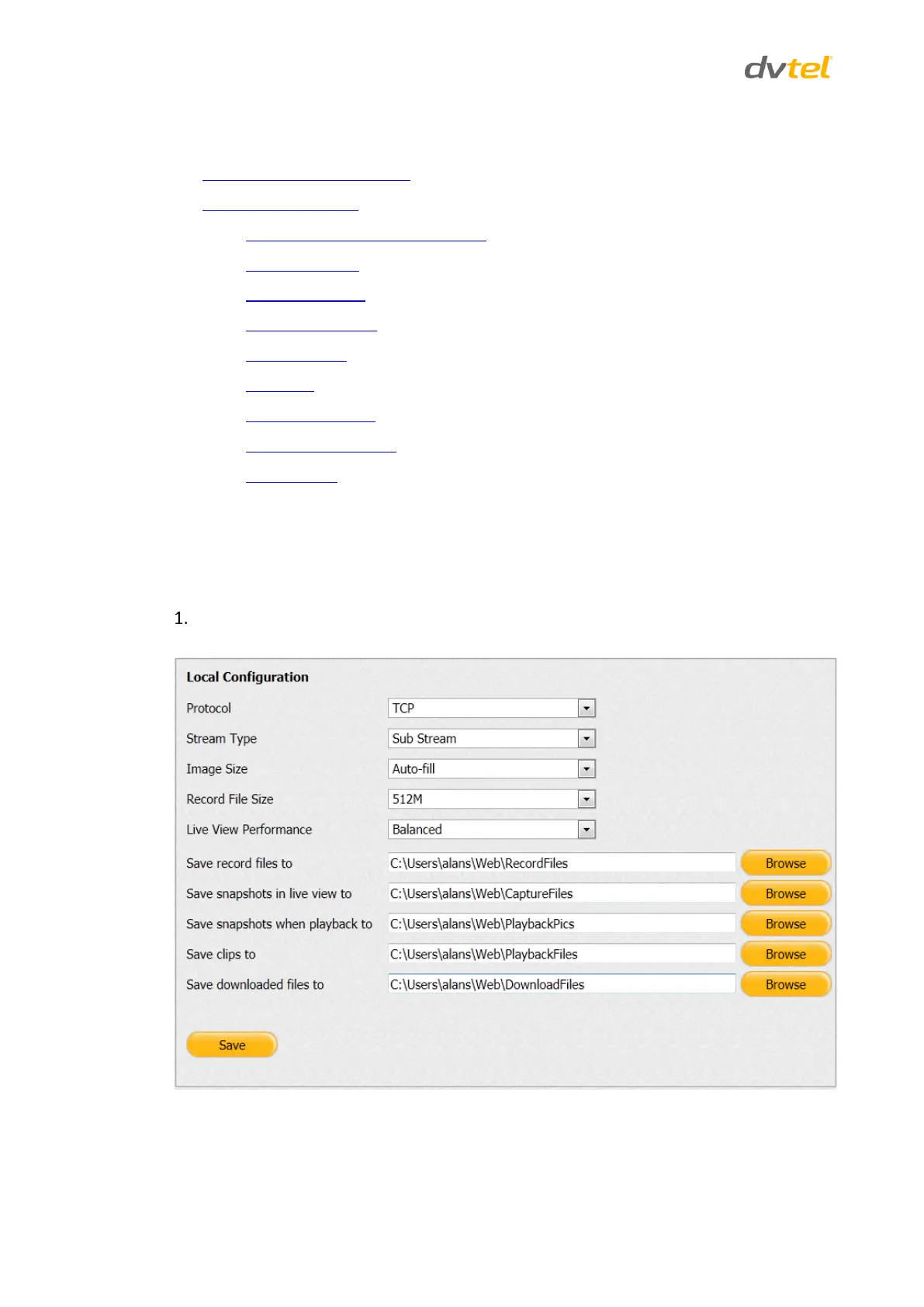
The Local Configuration screen is used to configure the client PC to operate with the encoder.
To set local computer parameters
From the Configuration sidebar menu, select Local Computer Configuration. The Local
Configuration screen opens.
Figure 35: Local Configuration Screen



 To Next Page