EN-204 User and Installation Guide
52
To set a privacy mask
From the Channel No. drop-down list, select a camera.
Check Enable Privacy Mask.
To create a privacy mask, click the Draw Area icon.
Drag the mouse over a zone in the live video image.
You can draw up to four privacy mask areas in the same scene.
Click again to stop drawing.
Click the Trash icon to clear all motion detection areas.
Repeat steps 3-6 for each zone and for each camera.
Click Save.
5.4.3.8 Tamper-proof
The Tamper-proof function enables you to create an alarm to notify of potential camera
tampering.
To activate the Tamper-proof function
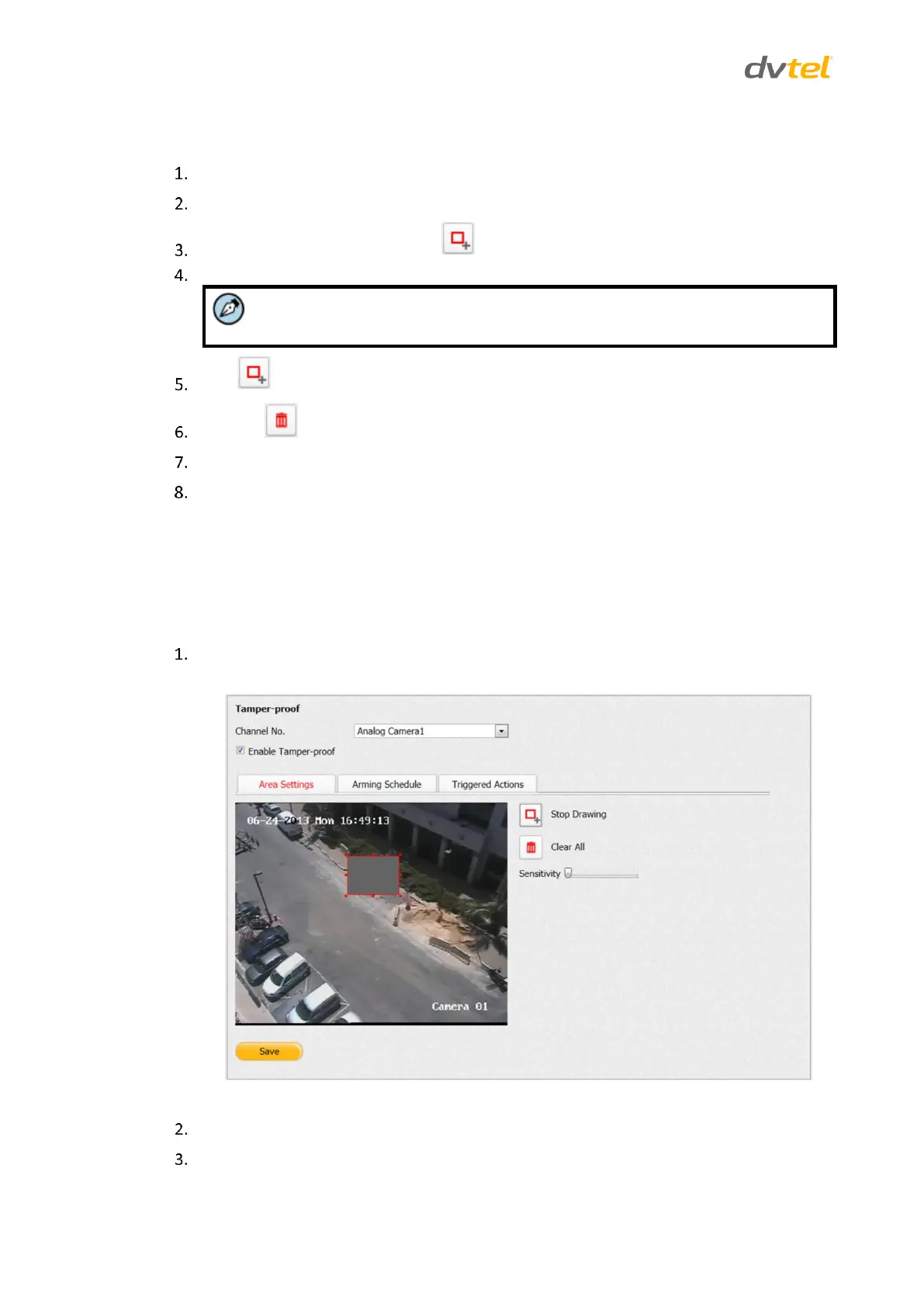
From the Configuration sidebar menu, select Camera Settings > Tamper-proof.
The Tamper-proof screen opens on the Area Settings tab.
Figure 52: Tamper-proof Area Settings Screen
From the Channel No. drop-down list, select a camera.
Check Enable Video Loss Detection.



 To Next Page