Accessing the EN-204 via a Web Browser
63
5.4.4.3 Email
The encoder can be configured to send an Email notification if an event triggers an alarm.
Refer to the following sections for events that can trigger an alarm:
Setting the Motion Detection Triggered Actions (page 47)
Setting the Video Loss Triggered Actions (page 50)
Setting the Tamper-Proof Triggered Actions (page 54)
External Alarm Inputs (page 80)
Exception (page 86)
Before configuring Email settings, check that:
There is an SMTP mail server on the local area network (LAN).
The network is connected to either an intranet or the Internet.
DNS Server settings are configured in the Network Settings > TCP/IP screen.
To configure Email settings
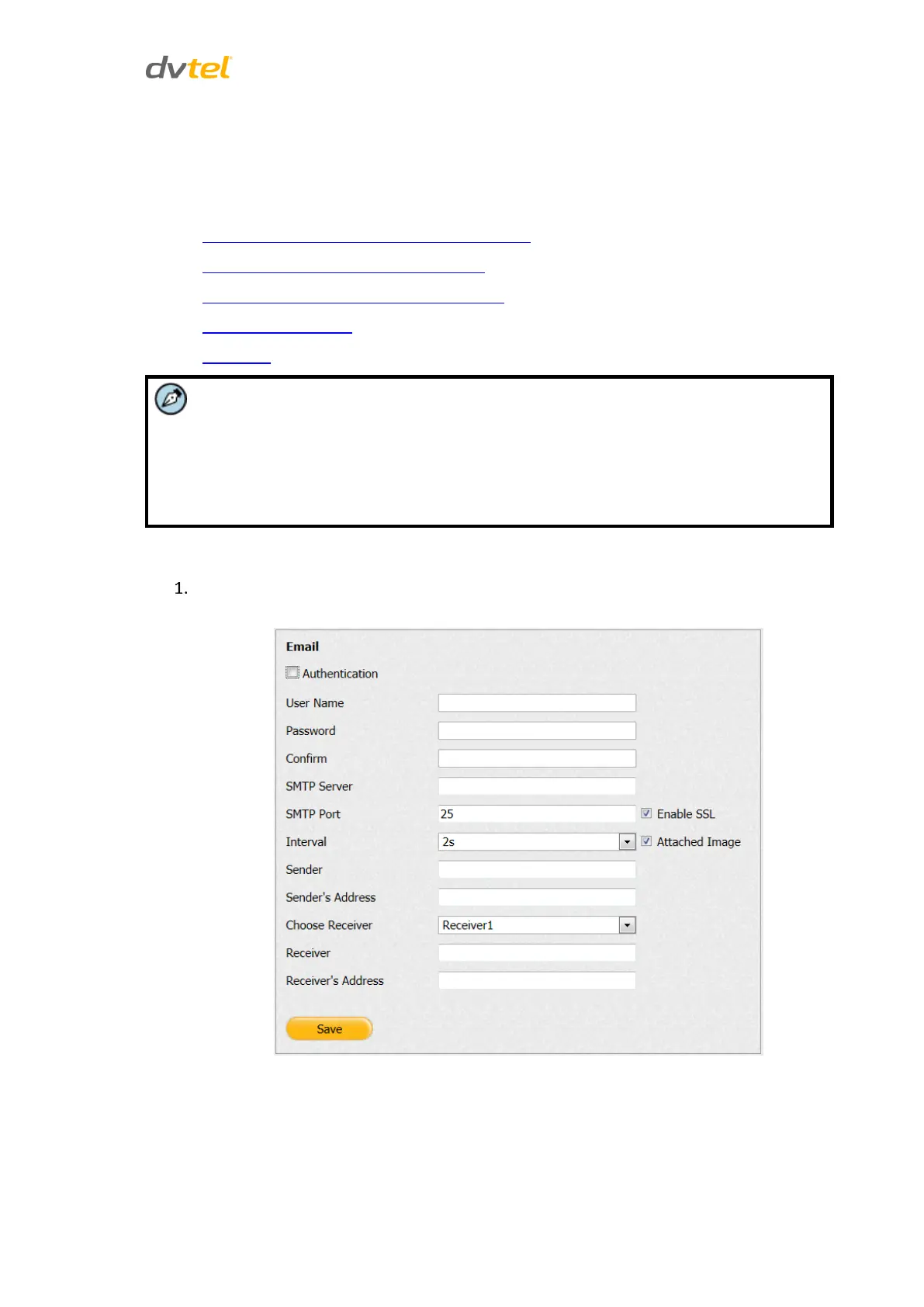
From the Configuration sidebar menu, select Network Settings > Email. The Email screen
opens.
Figure 63: Email Screen



 To Next Page