EN-204 User and Installation Guide
56
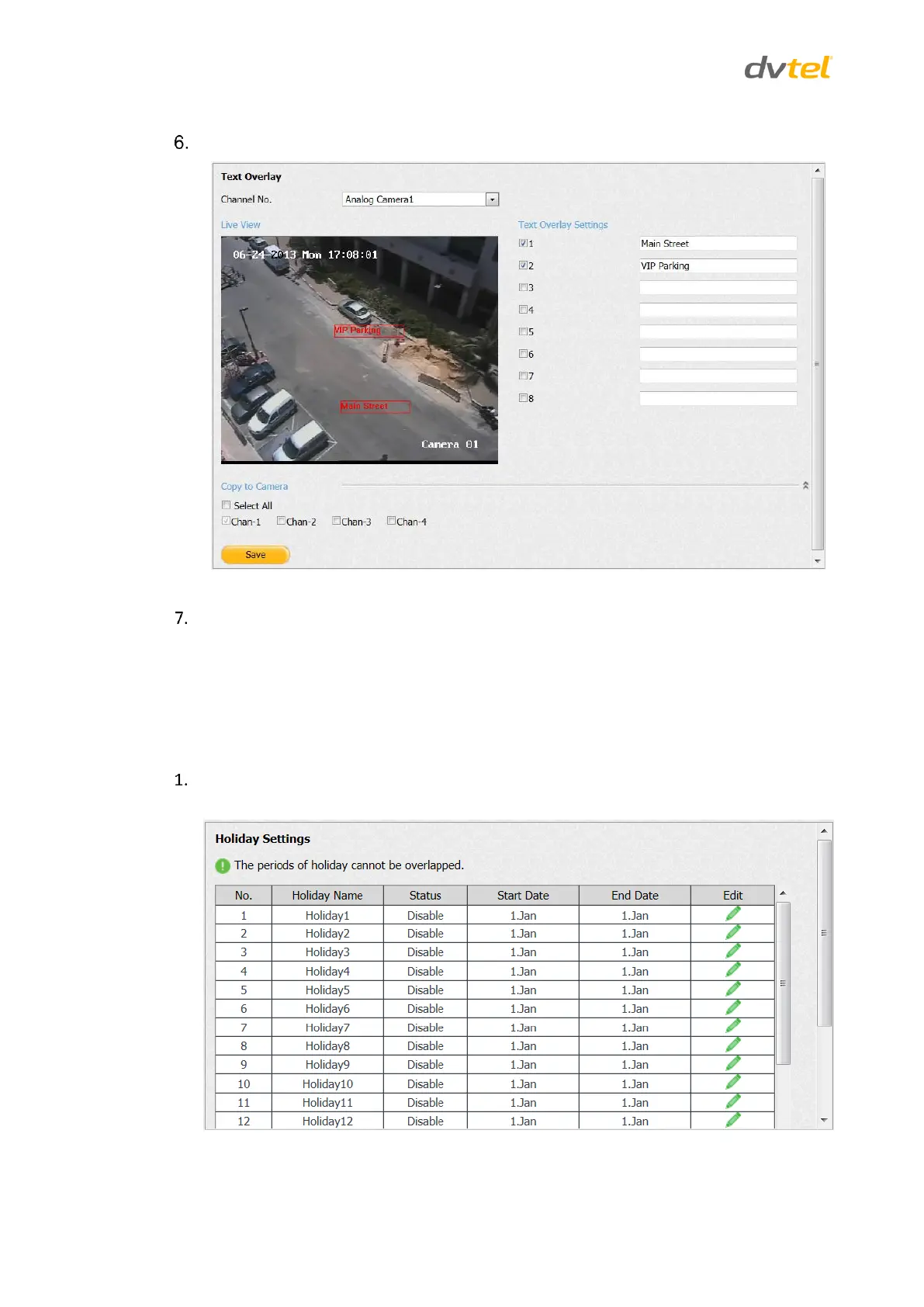
Click Save. The edited text is displayed in over the image.
Figure 56: Image with Text Overlay
Move the text location on the screen by dragging the text frame.
5.4.3.10 Holiday Settings
Use the Holiday Settings screen to set certain days with a different recording schedule. Up to 32
holidays can be set.
To activate the Holiday Settings function
From the Configuration sidebar menu, select Camera Settings > Holiday Settings. The
Holiday Settings screen opens.
Figure 57: Holiday Settings Screen



 To Next Page