Accessing the EN-204 via a Web Browser
79
To configure the RS-485 port
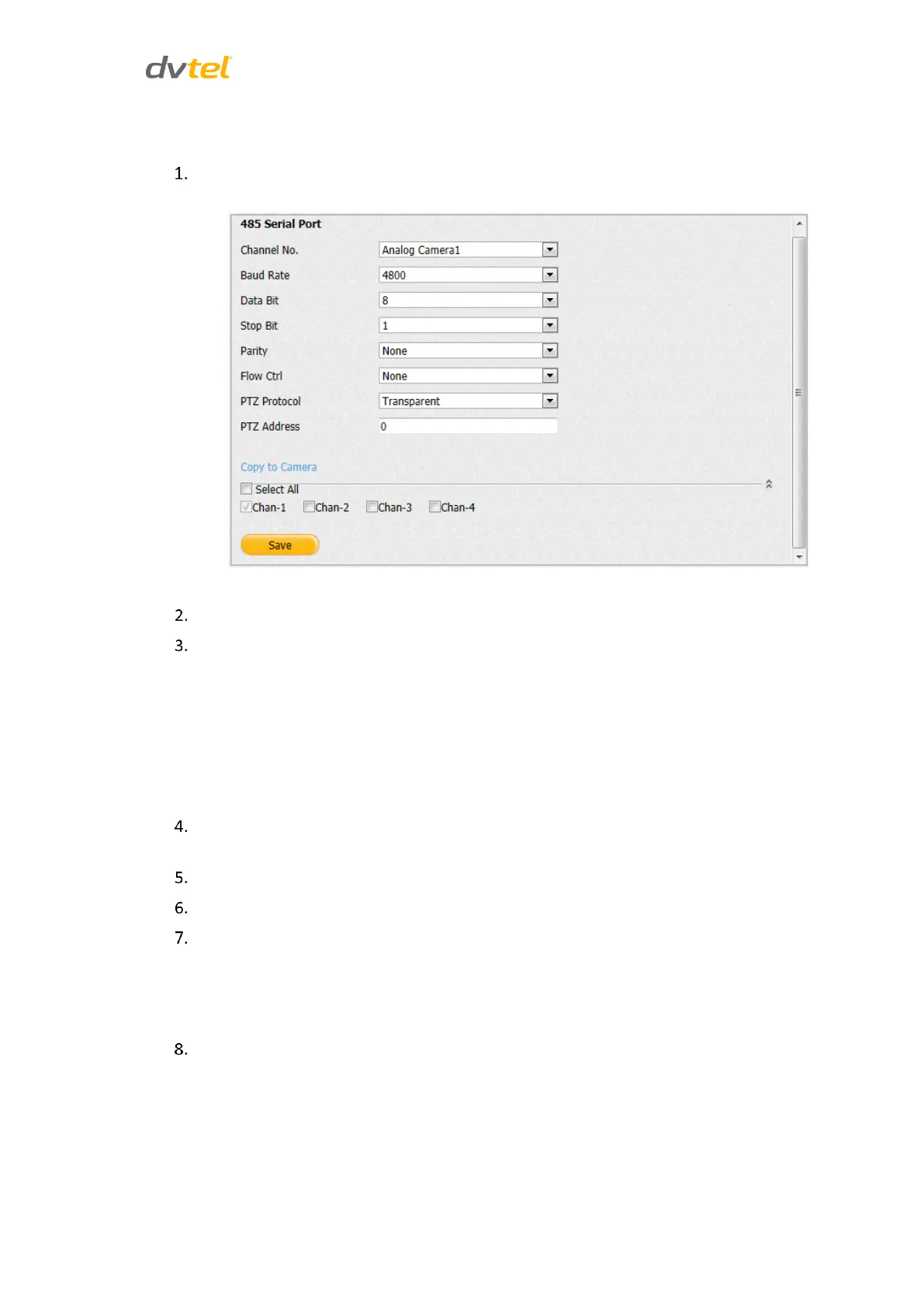
From the sidebar menu, select Configuration > Serial Port Settings > 485 Serial Port. The
485 Serial Port screen opens:
Figure 78: RS-485 Settings Screen
From the Channel No. drop-down list, select a camera.
Configure the following settings from the drop-down list. Default settings are:
Baud Rate – 4800 (select from 300-115200)
Data Bit – 8 (select from 5-8)
Stop Bit – 1 (select 1 or 2)
Parity – None (select None, Even, or Odd)
Flow Control – None (select None, Hardware, or Software)
Verify that the PTZ Protocol is set to Transparent on the encoder. Set the PTZ Protocol in
the Video Management System according to the PTZ camera manufacturer’s instructions.
When finished, click Save.
Enter the PTZ Address in the text box.
Repeat the above steps for each camera or do one of the following:
Check Select All to copy the settings to all cameras.
Check the channel number of the camera(s) to which you will copy
settings.
Click Save.



 To Next Page