Accessing the EN-204 via a Web Browser
81
To configure external alarm input settings
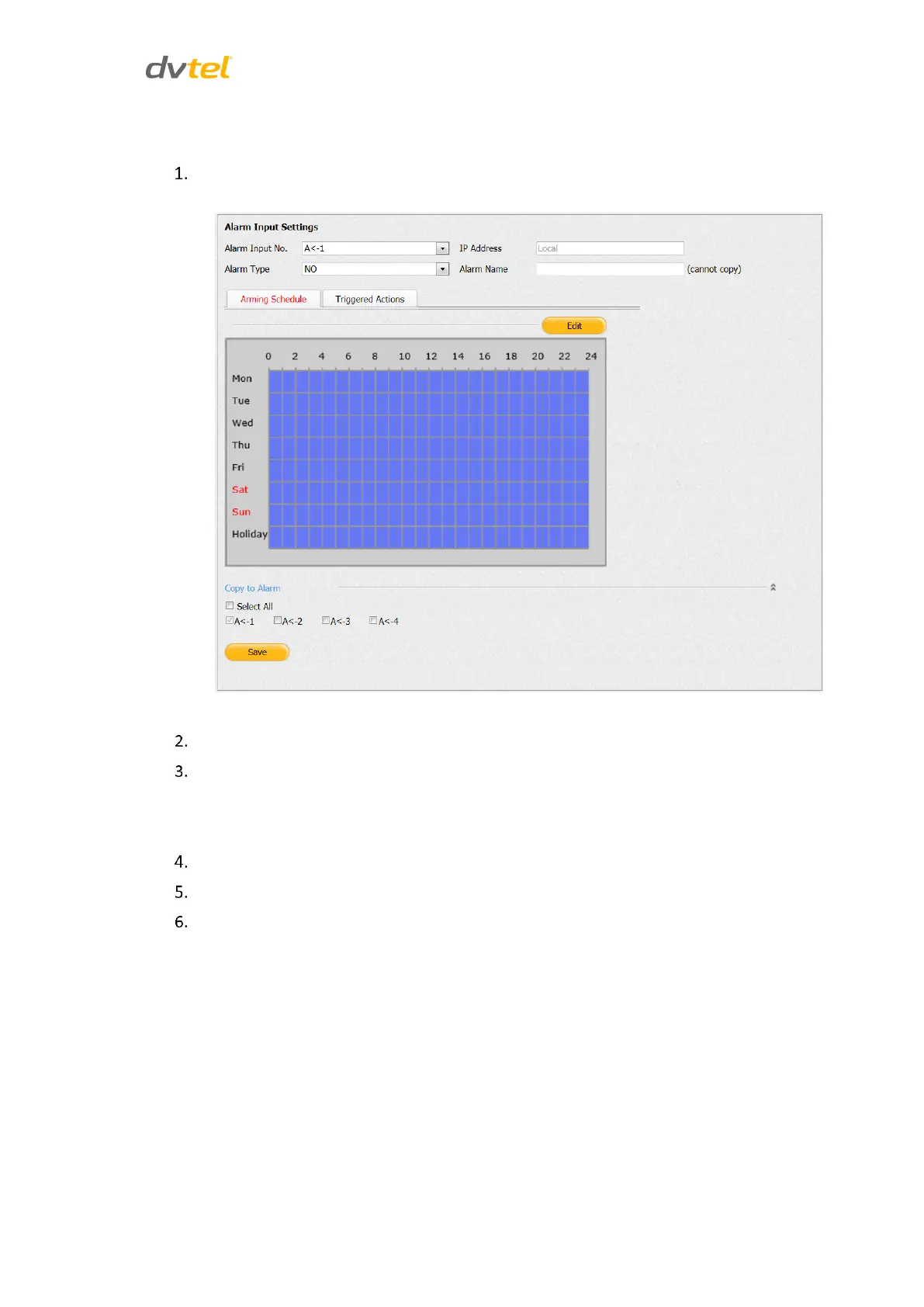
From the sidebar menu, select Configuration > Alarm Settings > Alarm Input. The Alarm
Input Settings screen opens on the Arming Schedule tab:
Figure 79: Alarm Input Arming Schedule Tab
From the Alarm lnput No. drop-down list, select an alarm (A<-1, A<-2, A<-3, or A<-4).
From the Alarm Type drop-down list, select one of the following:
NC – Normally Closed
NO – Normally Open
Enter the unit’s IP address in the text box.
In the Alarm Name text box, enter a friendly name for the alarm.
Click Edit. The Edit Schedule Time screen opens. See Figure 47: Edit Schedule Time Screen
(page 47).



 To Next Page