Dymax BlueWave® 200 Version 3.0 User Guide
Setting Up the BlueWave 200
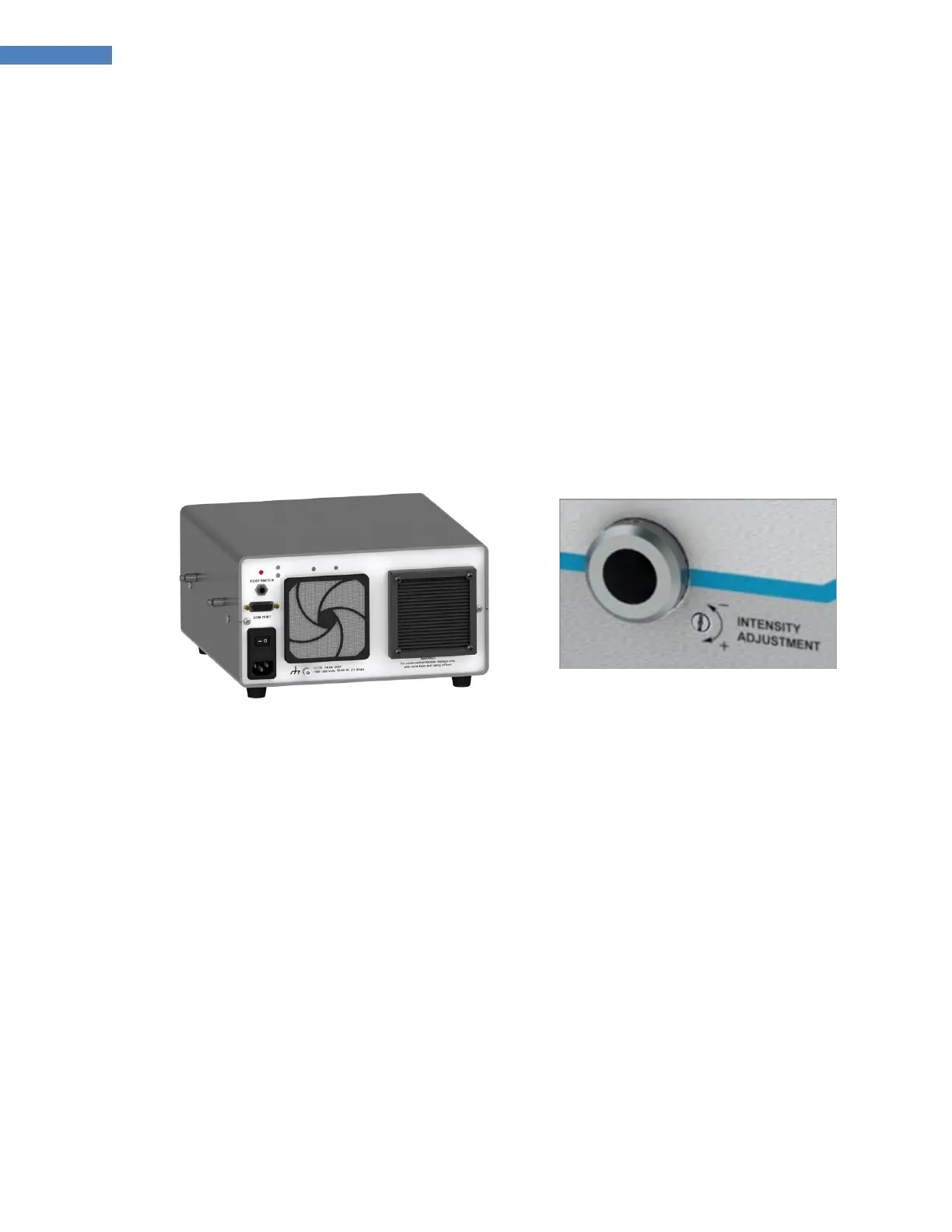
1. Connect the Power Cord to the Power Receptacle on the rear of the BlueWave 200. Plug the Power Cord
into a grounded wall outlet.
2. If you will be using a Foot Pedal, connect the Foot Pedal to the Foot Pedal Connection (Figure 3) on the
rear of the BlueWave 200. A ground stud is also provided on the back of the BlueWave 200 if additional
grounding is desired.
3. Remove the protective cover from the BlueWave 200’s Lightguide Mount (Figure 4).
NOTE: Always have a Lightguide or the protective cap engaged in the Lightguide Mount. UV light can
escape when the Shutter is activated.
Figure 3. Cable Connections,
BlueWave 200 Rev 3.0 Rear Panel
Figure 4. Lightguide Mount,
Protective Cover Removed
4. Remove the Protective End Caps from the Lightguide. Visually inspect the two ends of the Lightguide to
verify that no foreign material is present. The ends of a Dymax liquid-filled Lightguide can be cleaned with
isopropyl alcohol as required to remove foreign material and deposition from outgassing.
5. Insert the large end of the Lightguide into the Lightguide Mount until it snaps into place (Figure 5). A
Lightguide Seated Indicator Icon will illuminate when the Lightguide is properly installed and the
BlueWave 200 is turned on.
WARNING! Engage the Lightguide in the Bezel before the light is turned on, and remove the
Lightguide from the Bezel only after the light is turned off to avoid the possibility of exposure to the light.
Lightly tighten the setscrew for safety.
6. Fasten the Lightguide into place by lightly tightening the Setscrew located on the Lightguide Mount
(Figure 6). A Hex Wrench is provided with the system for this purpose. The Setscrew should be tightened
gently to prevent damage to the Lightguide.
IMPORTANT: To ensure proper operation of the Shutter, be sure to completely insert the Lightguide
into the Lightguide Mount prior to tightening the Setscrew. Be sure to lightly tighten the Setscrew to
ensure the Lightguide remains in place during use.



 To Next Page