Dymax BlueWave® 200 Version 3.0 User Guide
Bulb life is reduced each time the system’s bulb is turned
on. Avoid repeated cycles that shorten bulb life by
leaving the unit on through breaks.
If the amount that the Bulb has been on exceeds 2,000
hours, the BlueWave 200 will shut down and display a
special screen prompting you to replace the Bulb. Refer
to “Bulb Replacement Warning” (Page 28).
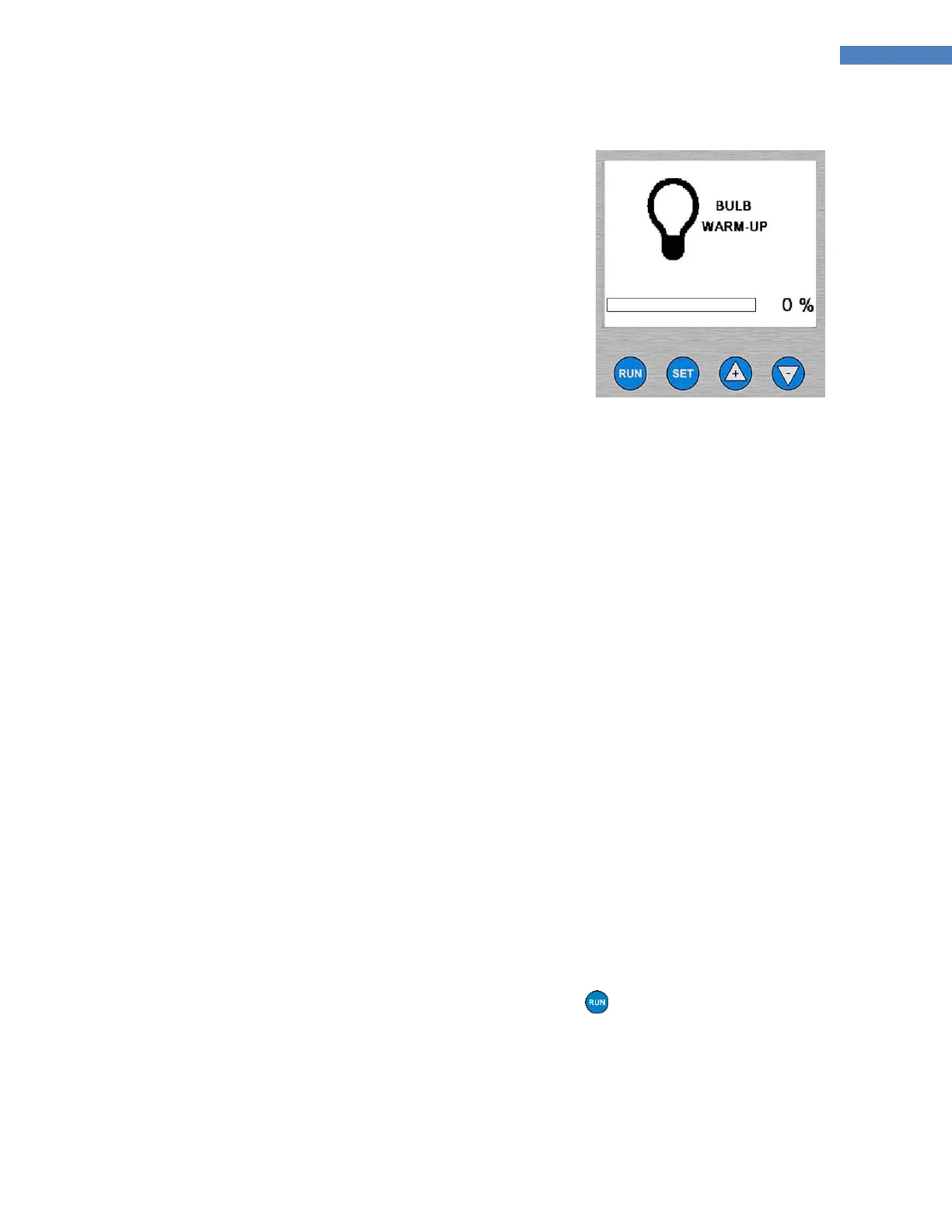
4. It can take up to 300 seconds (5 minutes) for the Bulb’s
temperature to stabilize. (Figure 10)
5. The BlueWave 200 continually checks the performance
of the Bulb in addition to keeping track of its usage. If
any problems are detected, the LCD will show special
screens. Refer to “Solving Problems” (Page 31).
Figure 10. Bulb Warm-Up Screen
Setting an Operating Mode
Introduction to Operating Modes
Your BlueWave 200 has three basic operating modes: Manual Mode, Timer Mode, and PLC Mode.
Manual Mode: The shutter opens whenever the foot pedal or the run button on the front panel is pressed.
When the shutter is open, UV light passes through the lightguide. The shutter remains open only as long as the
foot pedal or run button is pressed. When the foot pedal and run button are released, the shutter closes and
no UV light passes through the lightguide.
Timer Mode: The shutter opens for a specific time period each time the foot pedal or run button is pressed.
You must set the specific time by adjusting the timer’s value on the screen. Momentarily pressing the foot
pedal or run button starts the timer and opens the shutter. When the shutter is open, UV light passes through
the lightguide. When the timer counts down to zero, the shutter closes, and the timer resets to the value that
you set and is ready for another exposure cycle.
PLC Mode: An external PLC (Programmable Logic Controller) controls the unit. The PLC provides Input Signals
to the BlueWave 200 to control the bulb and shutter. The PLC monitors the status of the unit by reading
Output Signals provided by the BlueWave 200. The PLC is typically programmed to start other machinery when
the BlueWave 200 becomes ready, or perhaps start the BlueWave 200 when other machinery is ready. The
Input Signals and Output Signals are present through the 15-pin connector marked “Com Port” located on the
back panel.
NOTE: A timed exposure can be interrupted with the Foot Pedal or the Button on the front panel.
Choosing an Operating Mode
NOTE: Upon power-up, your BlueWave 200 will default to its last configuration settings.



 To Next Page