Dymax BlueWave® 200 Version 3.0 User Guide
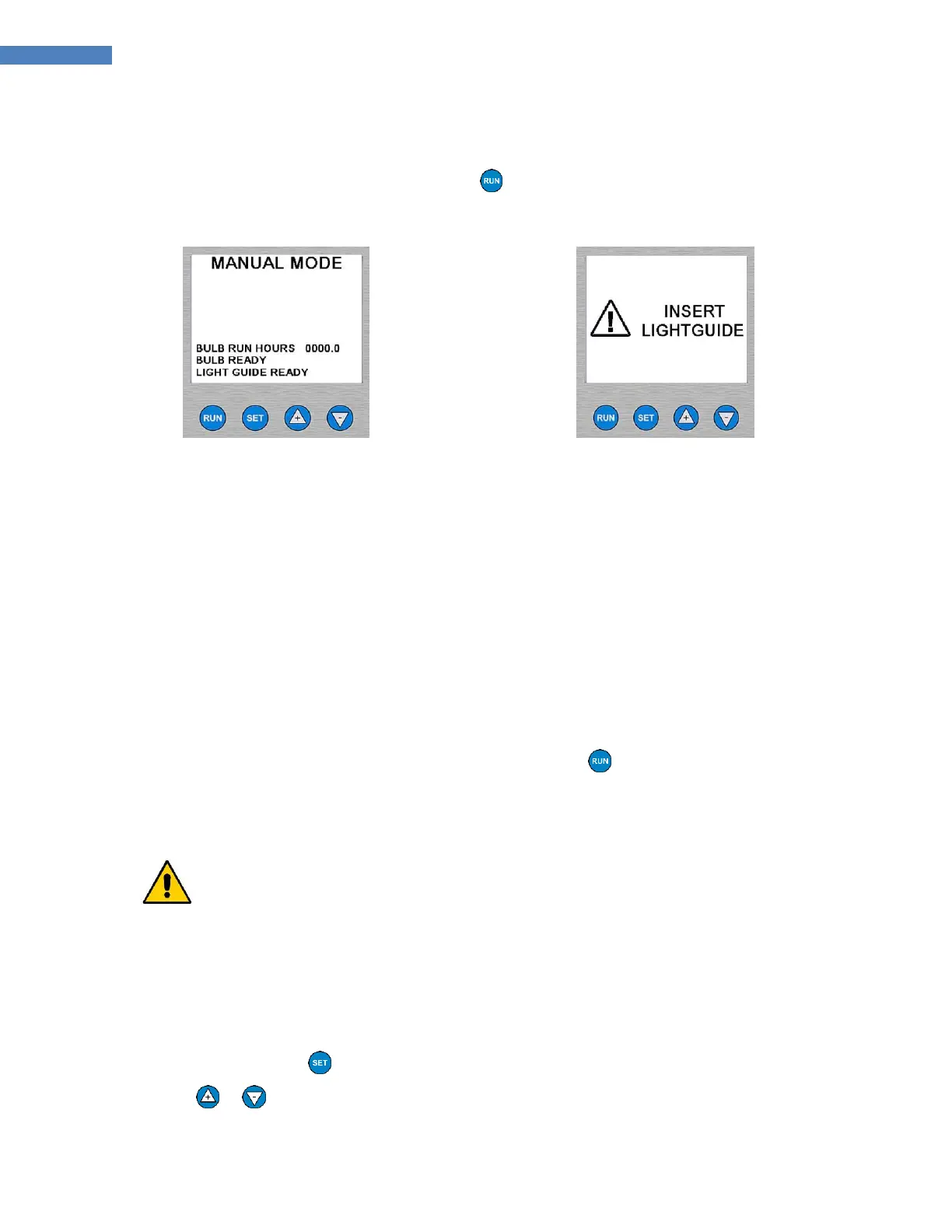
NOTE: If the Lightguide is not inserted, the Shutter will not open. The LCD Screen will display a temporary
message to insert the Lightguide (Figure 25).
4. To stop exposure, release the Foot Pedal or the Button on the front panel.
Figure 24. Manual Mode Screen
Figure 25. Lightguide Error Screen
Operating in Timer Mode
Timer Mode Description
Timer Mode means that the shutter opens for a specific time period each time the foot pedal or run button is
pressed. You must set the specific time by adjusting the timer’s value on the screen. Pressing the foot pedal or
run button starts the timer and opens the shutter. When the shutter is open, UV light passes through the
lightguide. When the timer counts down to zero, the shutter closes. Once the exposure cycle is completed, the
timer is automatically reset to the value that you set. The BlueWave 200 is immediately ready to accept
another foot pedal or run button press to open the shutter.
NOTE: A timed exposure can be interrupted with the Foot Pedal or the Button on the front panel.
We recommend you follow the instructions in “Setting the Intensity” (Page 27) periodically.
Procedure to Adjust Timer
CAUTION! Always wear protective goggles or a face shield when working near UV light. Never
look directly at the light exiting the lightguide.
1. Ensure the BlueWave 200 is in Timer Mode. (Figure 26)
NOTE: If the BlueWave 200 is not in Timer Mode, follow the instructions in “Choosing an Operating Mode”
(Page 13).
2. If the time on the screen is correct, skip to Step 8. Otherwise you need to adjust the Timer to the correct
value by following the next step.
3. Press and release the Button.
4. Use or Arrows so that “ADJUST TIMER” is flashing. (Figure 27)



 To Next Page