Dymax BlueWave® 200 Version 3.0 User Guide
Setting the Intensity
The bulbs used to power all high-intensity UV light-curing spot lamps degrade with use. Intensity, therefore,
decreases as the bulb ages. Using the BlueWave 200’s patented intensity adjustment feature, users can
eliminate this variation by manually increasing output intensity to offset this degradation.
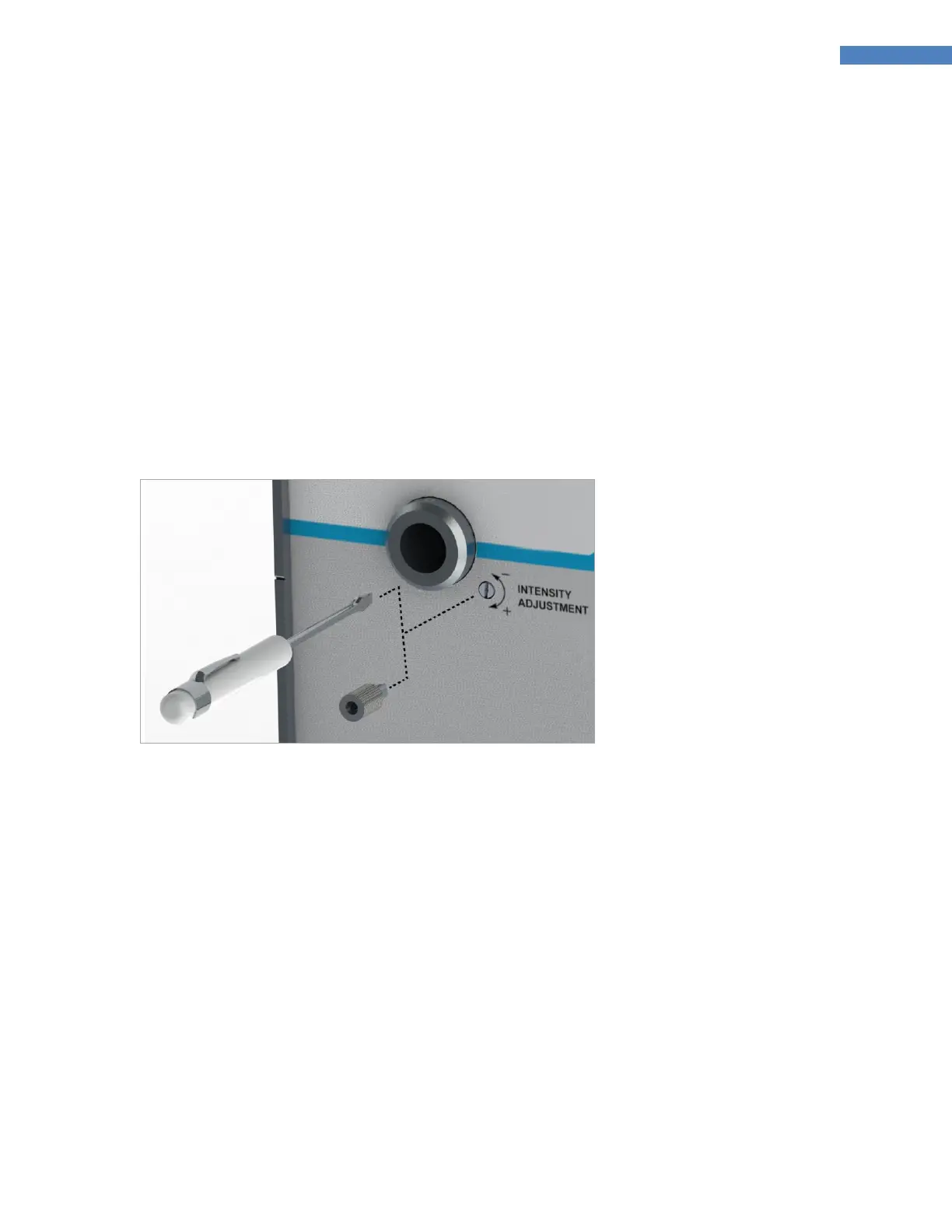
The intensity can be adjusted with a flat-head screwdriver or the removable Intensity Adjustment Knob
(Figure 37). The Intensity Adjustment Feature is useful for both validation and control.
1. Set the BlueWave 200 to operate in Manual Mode. Refer to “Choosing an Operating Mode” (Page 13).
2. Use the Foot Pedal to open the Shutter.
3. With the Shutter open, adjust the Intensity Adjustment Screw as required to achieve the desired output
intensity.
Figure 37. Adjust Intensity with a Tool or the Removable Knob
Setting Up the Curing Process
Methods
Prior to production, Dymax advises customers to conduct testing to determine the time and intensity required
to fully cure their resin in their specific application. Typically, users validate by one of the following methods:
Set Exposure Time, Determine Intensity - Users can specify a cure time and through empirical
testing, determine the intensity required to achieve full cure. As with any manufacturing process, it is
advisable to incorporate a safety factor.
Set Intensity, Determine Exposure Time - Users can specify intensity and through empirical testing,
determine the exposure time required to achieve full cure. As with any manufacturing process, it is
advisable to incorporate a safety factor.



 To Next Page