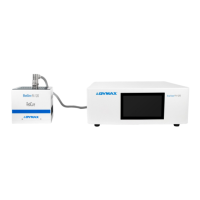
Dymax BlueWave® 200 Version 3.0 User Guide
System Cleaning
The unit’s outer surfaces and front panel can be cleaned using isopropyl alcohol or a mild detergent cleaning
agent. Do not use an abrasive cleaner as it will damage the unit surfaces.
Solving Problems
Troubleshooting
WARNING! Only qualified maintenance personnel should attempt the following procedures:
Table 3. Troubleshooting Chart for BlueWave 200
Visually inspect all input/output
connections and Fuses (i.e. Power
Cord, Bulb).
Bulb beyond useful life of
2,000 hours
Replace the old Bulb with a new
Bulb/Reflector Assembly. Reset the
Bulb Hour Meter and re-test.
Replace the Bulb/Reflector Assembly
if required (typical life = 2,000
hours).
Main line Fuse blown
(nothing in BlueWave 200
operates)
Remove the Fuse from the Power
Receptacle and check it with an
Ohmmeter.
Replace the Fuse if defective.
Low
Output
Intensity
or
Fails To
Cure
Adhesive
In Allotted
Time
Use a Radiometer (ACCU-CAL™ 50 or
equivalent) to measure output
intensity.
Replace the Bulb/Reflector assembly
if beyond useful life (typical = 2,000
hours).
Transmission loss in
Lightguide too great
Compare the lightguide output
against a new lightguide (or use the
Dymax lightguide simulator) to
determine transmission loss.
Contaminants on
Lightguide
Visually examine ends of Lightguide
for contaminants.
Clean with Lightguide Ends with
isopropyl alcohol (or equivalent).
Heavy deposits on liquid
Lightguides may be removed with
a razor blade. Replace the
Lightguide if it cannot be cleaned.
The Bulb/Reflector
Assembly is not installed
properly
Visually check to make sure the
Bulb/Reflector Assembly is seated
flush in the Bulb Mount Assembly
(any error in installation could cause
low output).
Properly install the Bulb/Reflector
Assembly.



 To Next Page