GENERAL SPECIFICATIONS
DYNATRON SOLARIS
®
PLUS SERIES | SERVICE MANUAL REV. 6 | AUGUST 29, 2017 124
Software Updates
When Soware updates to the Solaris Plus devices become available, updates can be made quickly and easily by completing
the following steps:
1. Turn o the console.
2. Insert the SD card supplied by Dynatronics into the SD CARD slot on the back of the console (ngers of the SD card
facing up, label side down).
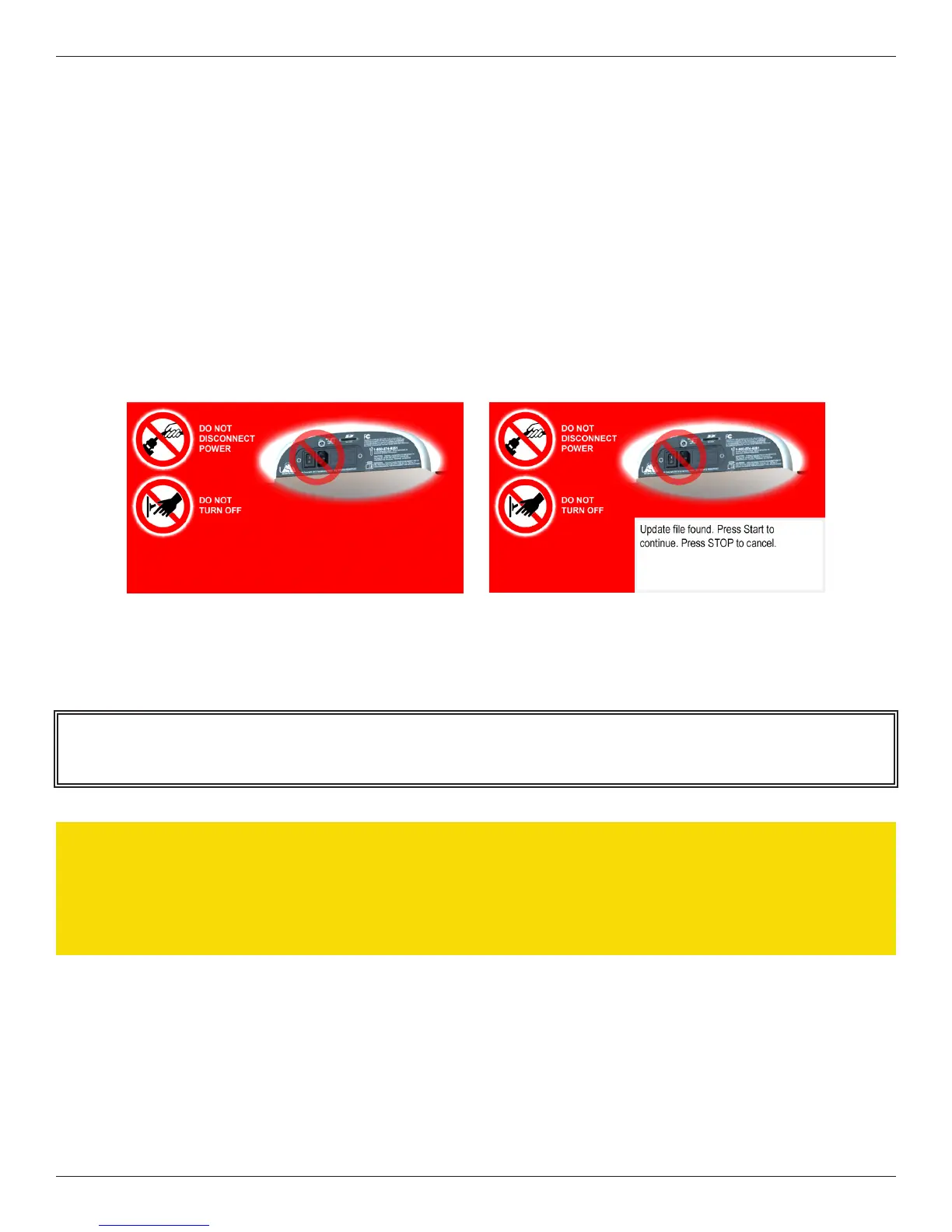
3. Turn on the console. ere will be a 3 to 4 second pause while the card syncs with the Solaris Plus system soware. A
RED screen will appear with the following warnings: “DO NOT DISCONNECT POWER,” “DO NOT TURN OFF”
4. Press START to begin the download. Follow the instructions on the screen.
5. Remove the SD card from the SD CARD slot by gently pressing on the card. Turn o the console.
Solaris Plus Soware Update Screens
NOTE: All custom defaults will remain eective aer the new soware is downloaded.
CAUTION
e download process erases the device memory. If the download process is stopped for any reason prior to
completion, call Dynatronics for further instructions.








 To Next Page