DYNATRON SOLARIS® PLUS PHYSICAL FEATURES
DYNATRON SOLARIS
®
PLUS SERIES | SERVICE MANUAL REV. 6 | AUGUST 29, 2017 11
9. TREATMENT WINDOW TOGGLE KEYS: TOGGLE KEYS are located below the ve TREATMENT WINDOWS.
Pressing the Toggle Key directly below a window allows one to choose an output channel, and select treatment
parameters for the treatment in focus. A treatment is in focus when the name of the treatment appears in the center
of the TREATMENT DISPLAY SCREEN and the name of the modality is highlighted green in the channels window.
10. CHANNELS WINDOW / CHANGING THE FOCUS TREATMENT
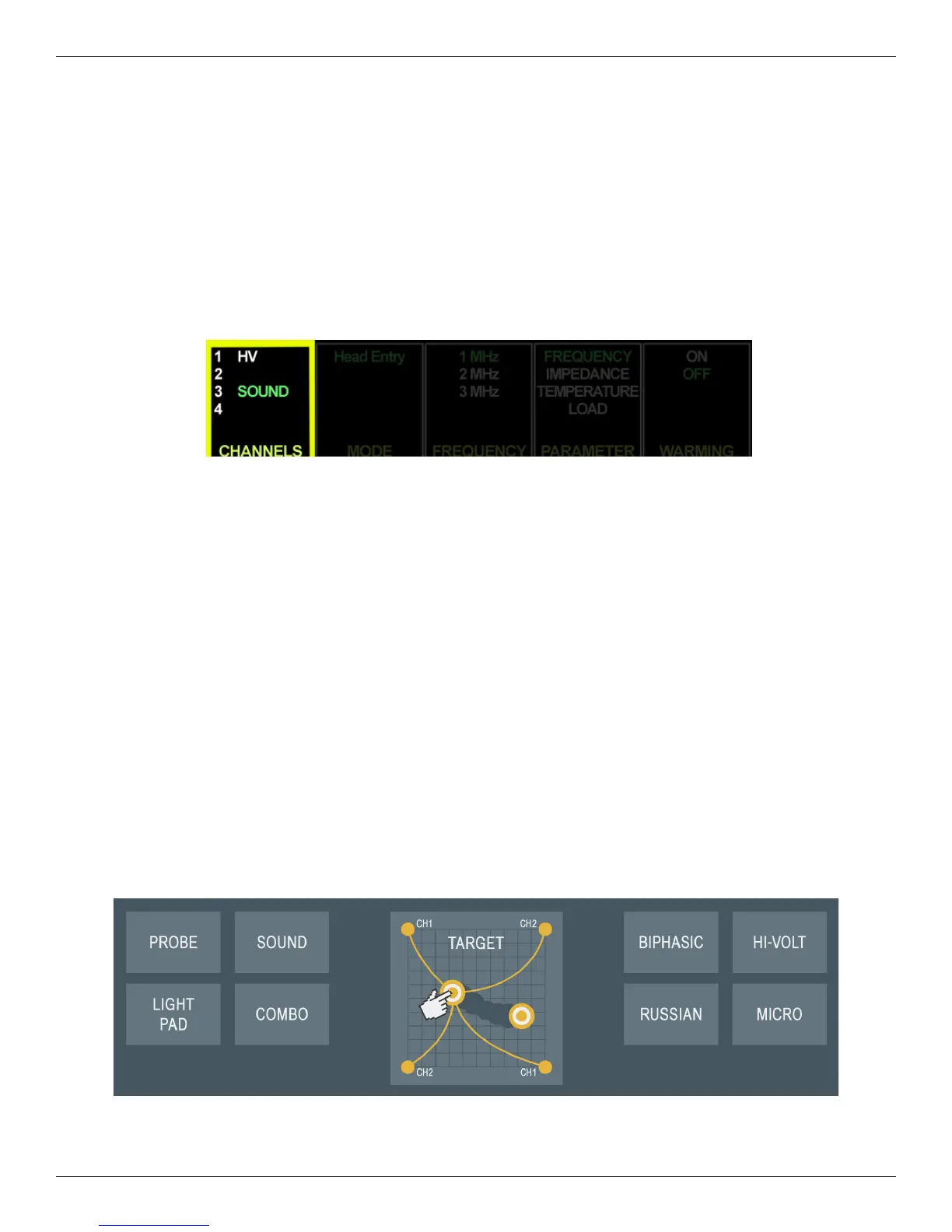
One of ve TREATMENT WINDOWS, this window lists the available channels/jacks: 1,2,3,4, HV (High Volt, Probe
(MultiStim), Sound, LT Pad or LT PD1(2) indicates Light Pad, and LT Probe or LT PB1(2) Light Probe. Some
treatment jacks do not appear in the CHANNELS window until the accessory device is inserted into the Solaris Plus
console, for example Light Probe, Light Pad, ermoStim, and Sound.
e Channel Number/Indicator lights in the CHANNELS window identify which output channels/jacks are
currently in use. e channel(s)/jack illuminated in GREEN indicates the focus treatment and the time, intensity,
and other treatment parameters for that active treatment appear on the Treatment Display Screen. A Channel/
Indicator illuminated in YELLOW identies a channel/treatment is in use and delivering current, but is not in
focus. e intensity, and treatment parameters are not displayed at this time (only one channel’s parameters may
be displayed at a time). A treatment’s parameters may only be modied when the treatment is brought into focus.
To bring a treatment into focus, press the CHANNELS TOGGLE key below the CHANNELS window to select a
channel to be brought into focus. When the channel is in focus, the name will be illuminated GREEN. If a treatment
that is active but not the focus treatment times-out, the text in the CHANNELS window will change from YELLOW
to WHITE. A channel running in the background will change from YELLOW to ORANGE when the stim output is
in “rest” mode (Russian or Biphasic).
11. TARGET PAD: e Solaris Plus TARGET feature is engineered to precisely pinpoint a patient’s pain. As the nger
is glided across the TARGET touchpad, the patient identies the point of greatest pain. When the TARGET point is
identied, the nger is lied from the Target Pad and the selected TARGET is locked in place. TARGET is available
with Interferential or any four pad stim treatment.








 To Next Page