Available Pages
FlightDEK-D180 Pilot’s User Guide 4-3
Horizon line, pitch and roll indicators
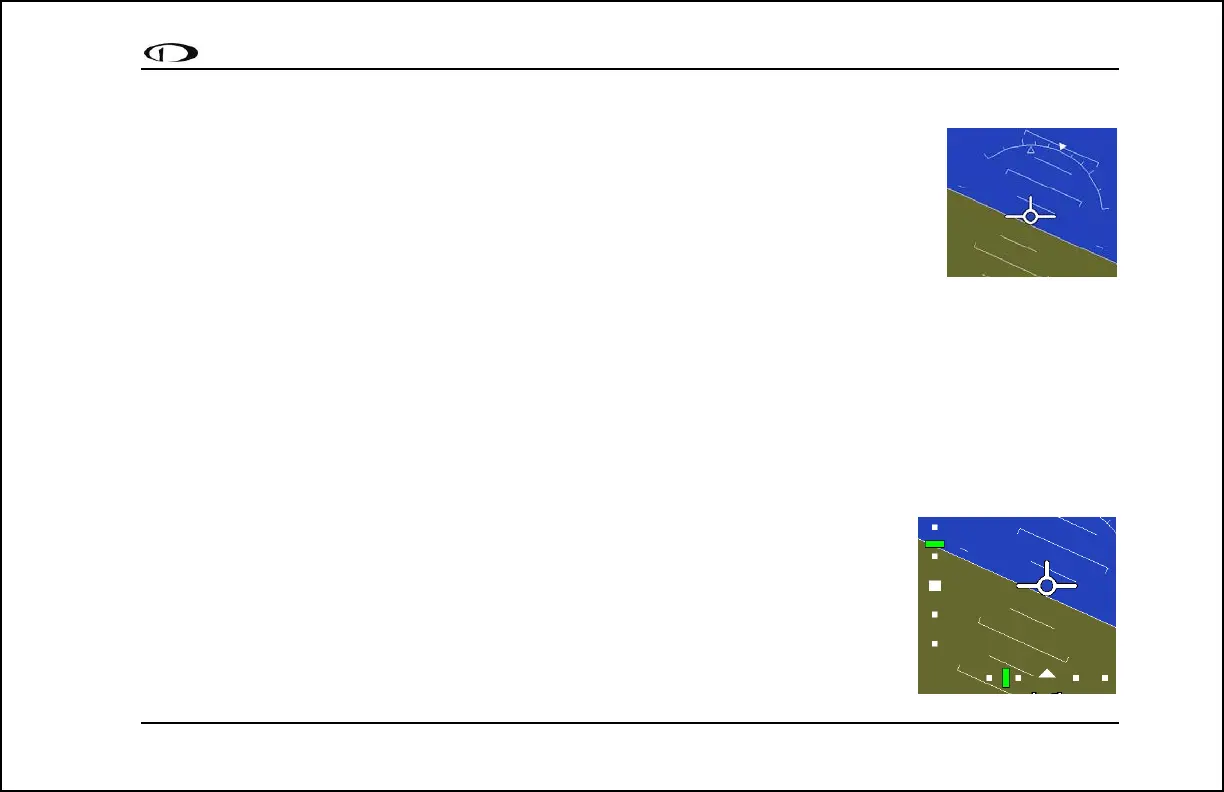
Bounded on the top by blue, and on the bottom by brown, the horizon line behaves in much the
same way as a traditional gyro-based artificial horizon. Unlike a mechanical artificial horizon, the
FlightDEK-D180‘s horizon has no roll or pitch limitation. The horizon line stays parallel to the
Earth’s horizon line regardless of attitude. The parallel lines above and below the horizon line are
the pitch indicator lines, with each line indicating 5 degrees of pitch. The end of each 10º pitch
indicator line has a hooked barb that points towards the horizon line to aid attitude awareness.
The roll scale has tic marks at 10, 20, 30, 45, 60, and 90 degrees of roll. In the CLUTTR menu
(described on page 5-7), you can choose between a stationary roll indicator and one that rotates along with the horizon.
The stationary roll indicator (type 1 in the EFIS > SETUP > CLUTTR > ROLL menu) has an internal arrow which
moves to stay perpendicular to the horizon, like a jet EFIS presentation. The moving roll indicator (type 2) rotates the
scale about a stationary internal arrow which points to the current roll angle on the scale, like most mechanical attitude
instrument presentations.
Please see the ADAHRS Operation section on page 2-4 for important information about the theory of operation for the
attitude and external data sources.
CDI/Glideslope Indicators
When the FlightDEK-D180 is receiving CDI or glideslope information from a GPS or NAV
radio, they can be displayed on the main EFIS display as well as the on the full HSI page (as
described in the HSI Operation section on page 6-1). The data source is chosen on the HSI
page using the NAVSRC button; the EFIS and HSI CDI/GS displays are always synchronized
to the same source. There is no way to change the source on the EFIS screen.
On the EFIS page, these two items are enabled via the EFIS > SETUP > CLUTTR menu
under a single item, which can be set to either CDI:N, CDI:Y, or CDI+GS.



 To Next Page