SkyView SE Pilot’s User Guide - Revision I 4-1
4. PFD Operation
One of the main functions of SkyView SE is its Primary Flight Display (PFD). This chapter
highlights the layout of the PFD page, its symbology, and contains instructions for adjusting
bugs.
SkyView’s PFD requires data from an SV-ADAHRS-200/201 module. If installed,
SkyView’s heading will be determined by the SV-MAG-236 Remote Magnetometer.
The heading/track, altitude, vertical speed and indicated airspeed bugs are used to
control the SkyView Autopilot.
PFD Page Layout
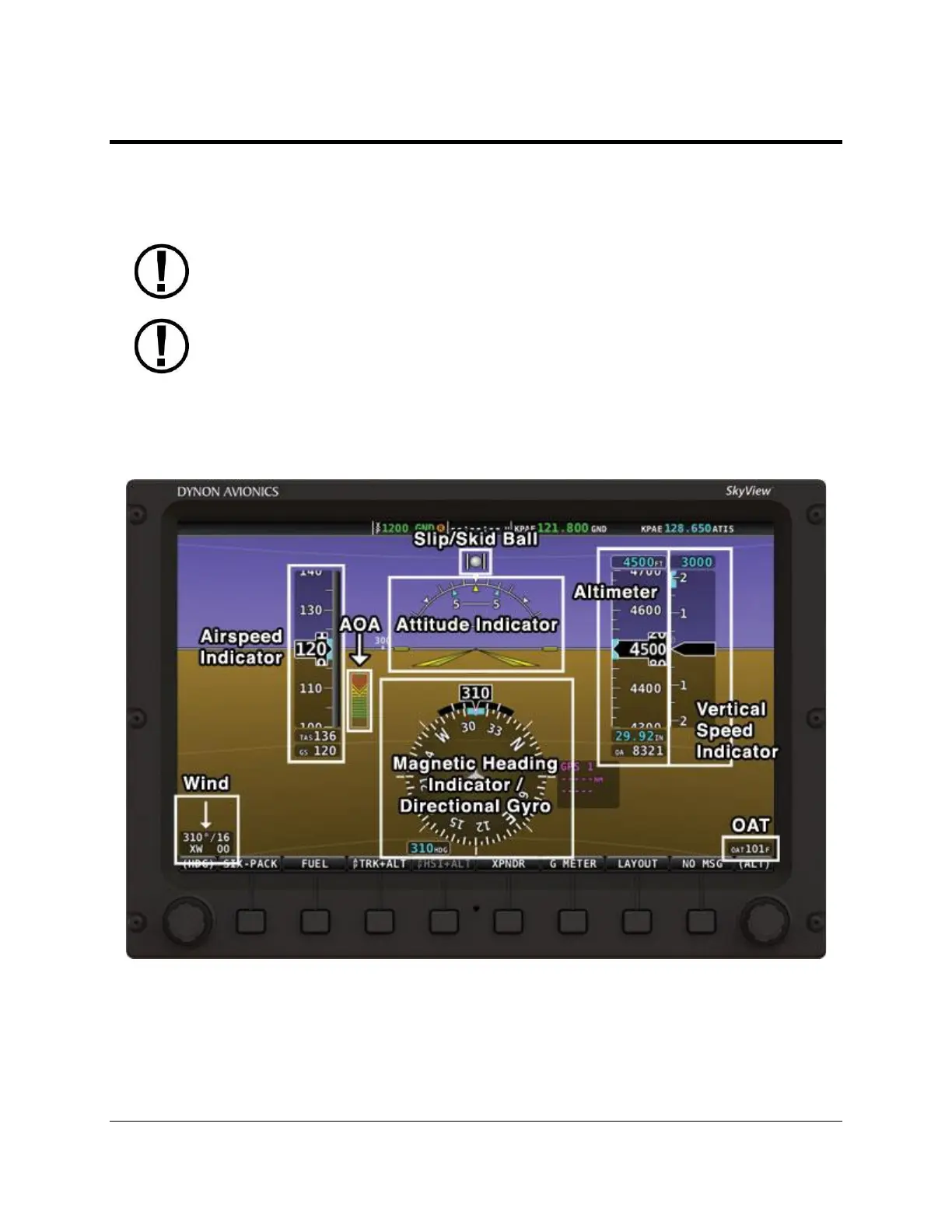
The PFD Page as shown in Figure 10 displays important flight information.
Figure 10 – SkyView SE Primary Flight Display (PFD)



 To Next Page