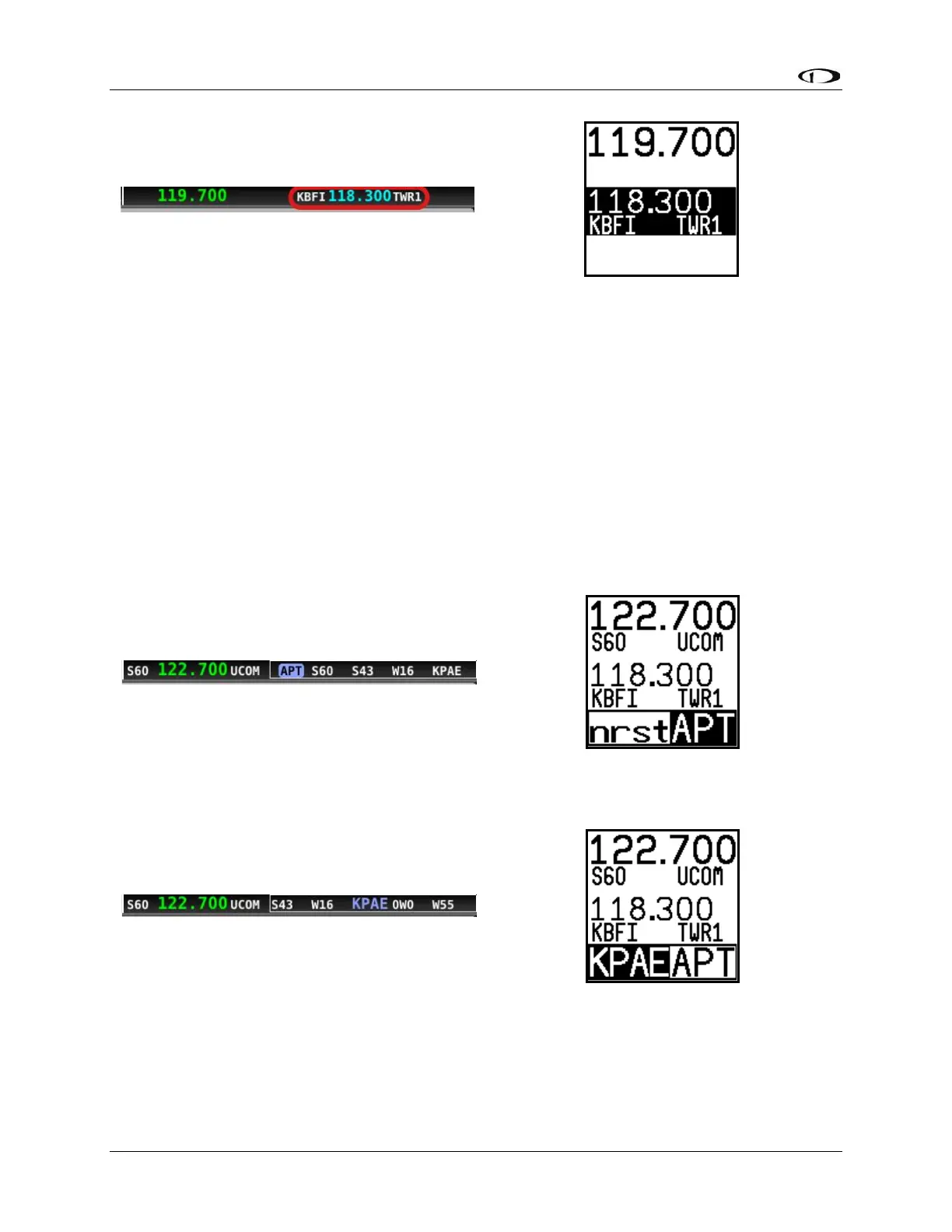
Loading Airports to the SkyView SE Com Radio
The SV-COM-760, -T25/T8, -425 radio's most unique and innovative feature is its ability to load
airports onto the control panel. Once an airport is loaded, single presses of the TWR, ATIS, GND,
and ATC buttons automatically tune those frequencies (to the standby location) for that airport.
Loading Airports via the COM Control Panel
By Nearest
• Press the APT button once. NRST APT is displayed on the control panel, and the top bar
shows a list of the nearest airports within 75nm of your current location:
• Press the dual concentric knob on the control panel to load the airport to the control
panel (or press APT to cancel your selection)



 To Next Page