EMS Operation
5-4 SkyView SE Pilot’s User Guide - Revision I
Combined twin-engine widgets are useful for laying-out Engine pages with 50% and smaller
page layouts. They have two pointers or tick marks, indicating left and right engines. Combined
engine widgets are configurable using the Screen Layout Editor. These widgets should have
been configured during installation.
Synchroscope
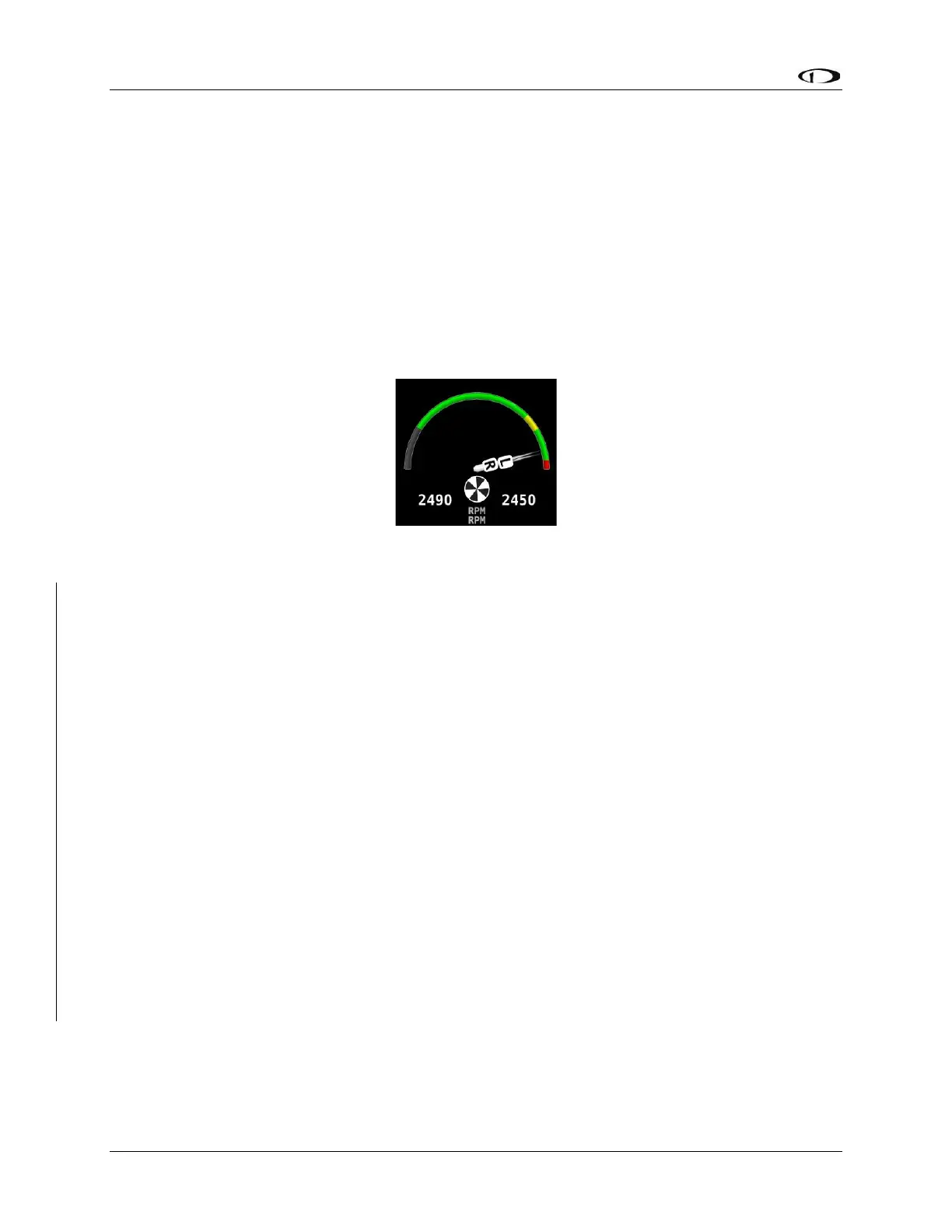
The Synchroscope is used to help synchronize engine RPMs in twin-engine aircraft. It should be
located near the RPM widget (see Figure 39). When the Synchroscope is rotating clockwise, the
right engine is turning faster than the left. When the Synchroscope is rotating counterclockwise,
the left engine is turning faster than the right. This indication is configurable using the Screen
Layout Editor. These widgets should have been configured during installation.
Figure 39 – Example of a Synchroscope and a Combined RPM Widget
Rotax 912 / 912 iS / 915 iS Behavior
912 Oil Temperature and Tachometer
SkyView can be configured to adjust the oil temperature and tachometer gauges for the Rotax
912 engine dynamically to reflect limitations that Rotax specifies for that engine. When this
behavior is turned on (per the SkyView Classic / SE / HDX System Installation Guide), the
tachometer and oil temperature behave in the following ways:
When OIL TEMP < 120° F, the TACHOMETER displays these ranges:
• 0-1400 and 4000-6000 RPM in RED
• 1400-1800 and 2500-4000 RPM in YELLOW
• 1800-2500 RPM in GREEN
When OIL TEMP > 120° F, the TACHOMETER displays different ranges:
• 0-1400 and 5800-6000 RPM in RED
• 1400-1800 and 5500-5800 RPM in YELLOW
• 1800-5500 RPM in GREEN
• The alarm type for the tachometer is the “self-clearing” type.



 To Next Page