EMS Operation
SkyView SE Pilot’s User Guide - Revision I 5-3
Combined CHT/EGT Widgets
Most of the graphical engine widgets present information from a single engine sensor. An
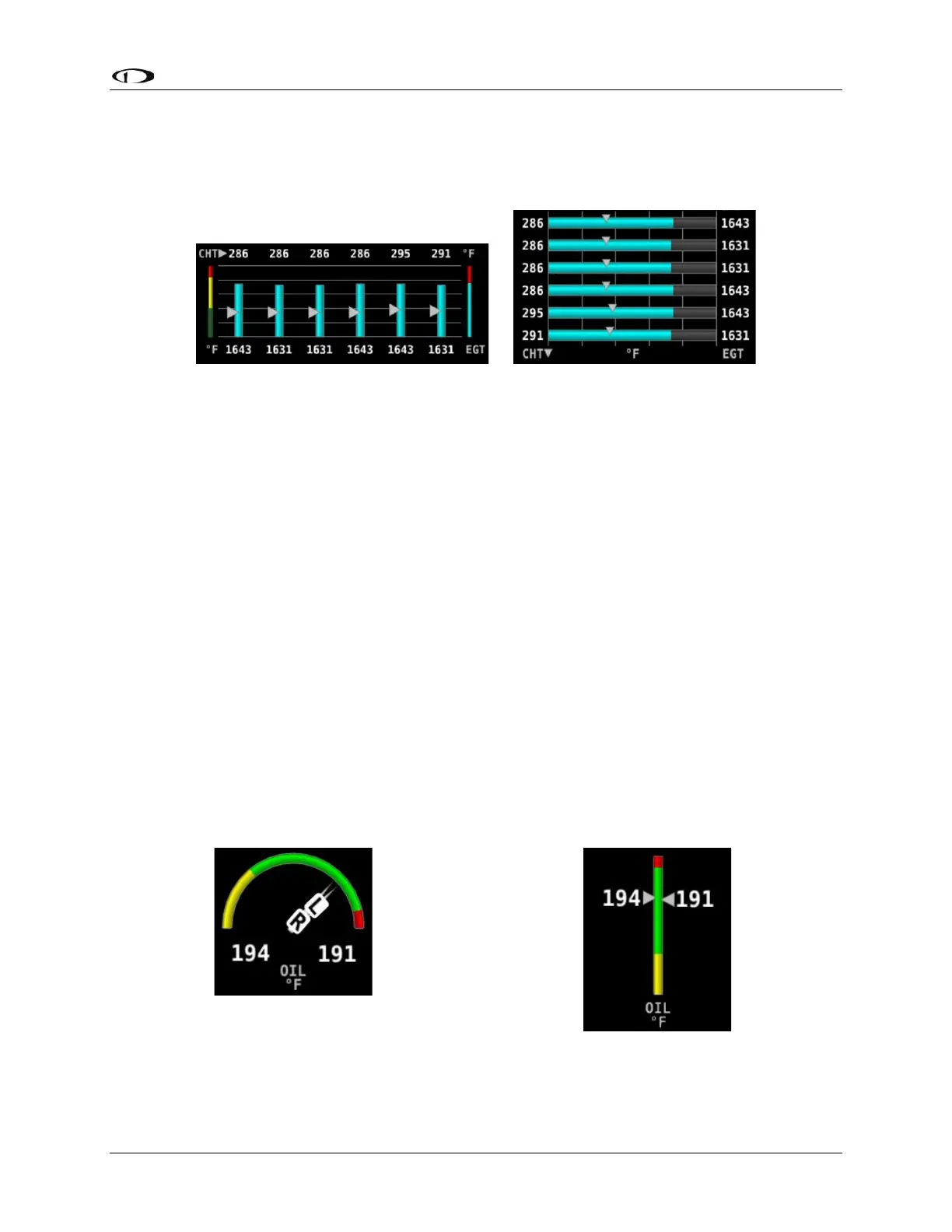
exception is the combined CHT/EGT widget shown in the figure blow.
Figure 37 – Example of Combined CHT/EGT Gauge (Vertical and Horizontal Styles)
This combined CHT/EGT widget displays all of the engine’s CHTs and EGTs in one compact
gauge. EGTs are displayed numerically down the right side of the gauge. They are represented
graphically by the solid bar graph. CHTs are displayed numerically on the left side of the gauge.
They are graphically represented by the white “tick marks” that overlay the EGT bars. When
caution or alarm points are red, this tick mark changes colors with the numbers. This
representation allows all CHTs and EGTs to be displayed in a way that affords quick comparison
of their values, whether raw data or a graphical comparison is preferred.
Combined Twin-Engine Widgets
The following functions can be placed on an Engine page as combined widgets:
• Oil Pressure (OIL PRES)
• Oil Temperature (OIL TEMP)
• Fuel Pressure (FUEL PRES)
• Main Fuel Flow (MAIN FLOW)
• Amperage Load (LOAD AMPS)
• Manifold Air Pressure (MAP PRES)
• Turbine Inlet Temperature (TIT TEMP)
• RPMs (RPM RPM)



 To Next Page