ESC Reversing Setup
DX
series,
NX
series,
iX
series
1. Begin with the transmitter bound to
the receiver.
2. Power ON the transmitter.
3. Set switch H (throttle cut) to prevent
accidental motor operation.
4. Set elevator and aileron to high
rate.
5. Set Flight Mode to AS3X (The
menu will not open if the Flight Mode is
set to SAFE).
6. Power ON the aircraft. A signal bar
appears on the transmitter main
screen when the telemetry information
is being received.
7. From the main screen navigate to
the last screen past the telemetry
screens, the Avian Programming menu
(Avian Prog).
8. Configuration in the Avian
Programming menu is done by moving
the elevator and aileron stick. Follow
the on-screen prompts to access the
menu. Move the stick up or down to
move through the menu, left or right to
change a setting.
9. Set BRAKE TYPE: Reverse
10. Set BRAKE FORCE: 7
11. Set THRUST REV: Select the
channel you designated for thrust
reversing in your transmitter. CH7 is
the selection by default, but do not use
this default option if you are using
Aux2/Ch7 for SAFE Select.
12. Select EXIT W/ SAVE to save your
selections
Model Assembly
Landing Gear Installation
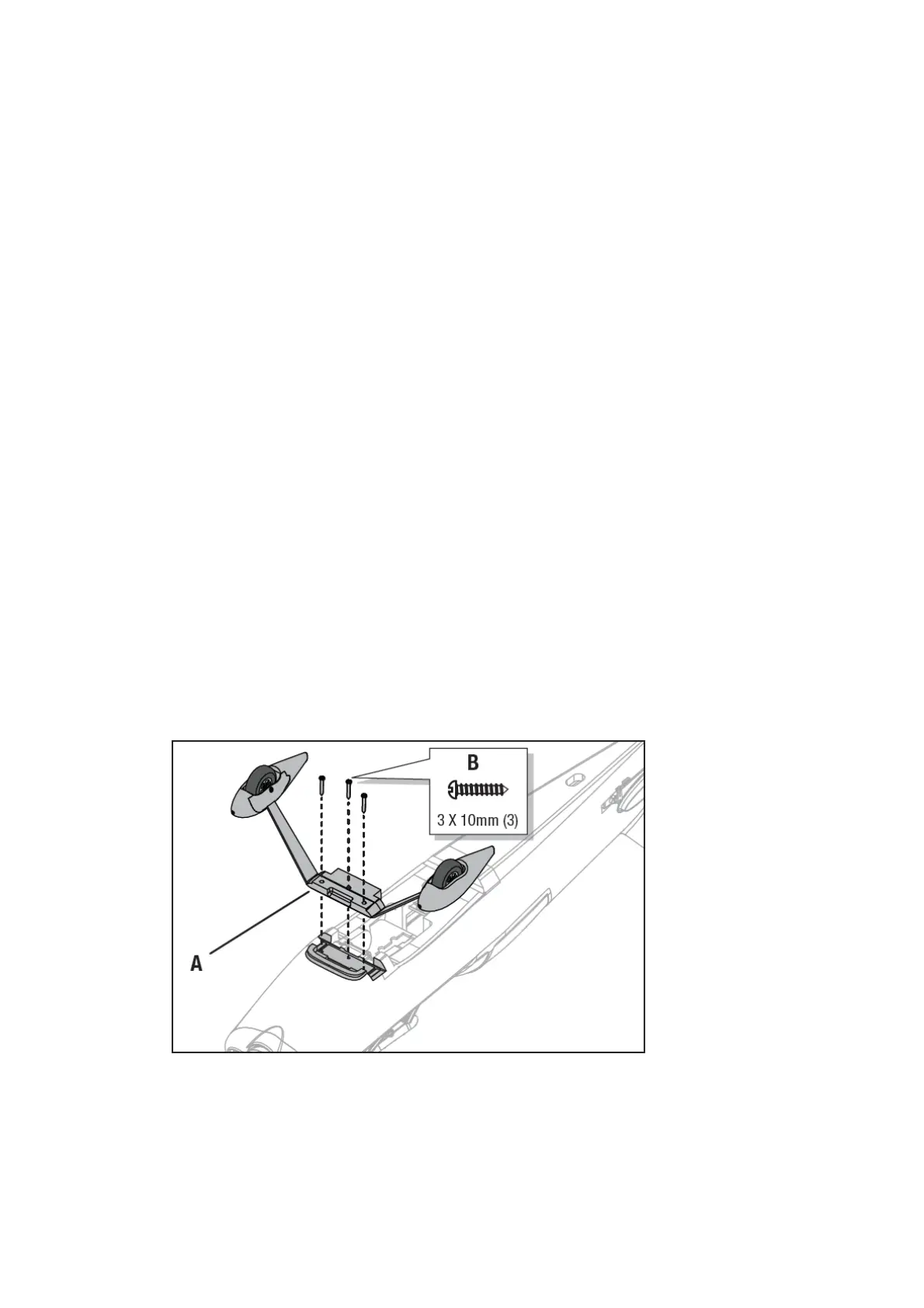
Install the landing gear assembly (A) on the fuselage and secure in place using 3 screws (B). Disassemble in reverse order.
Horizontal Stabilizer Installation
IMPORTANT: The Ultimate 3D includes two tail tubes to accommodate the use of a 3s or 4s battery. The lightweight composite tube is
recommended to achieve correct CG when using a 3S battery. The metal tube is recommended to achieve correct CG when using a 4S
battery.
1. Slide the horizontal tail tube (A) into the hole in the rear of the fuselage.



 To Next Page