42
K800000000EJ 020650A0 170512
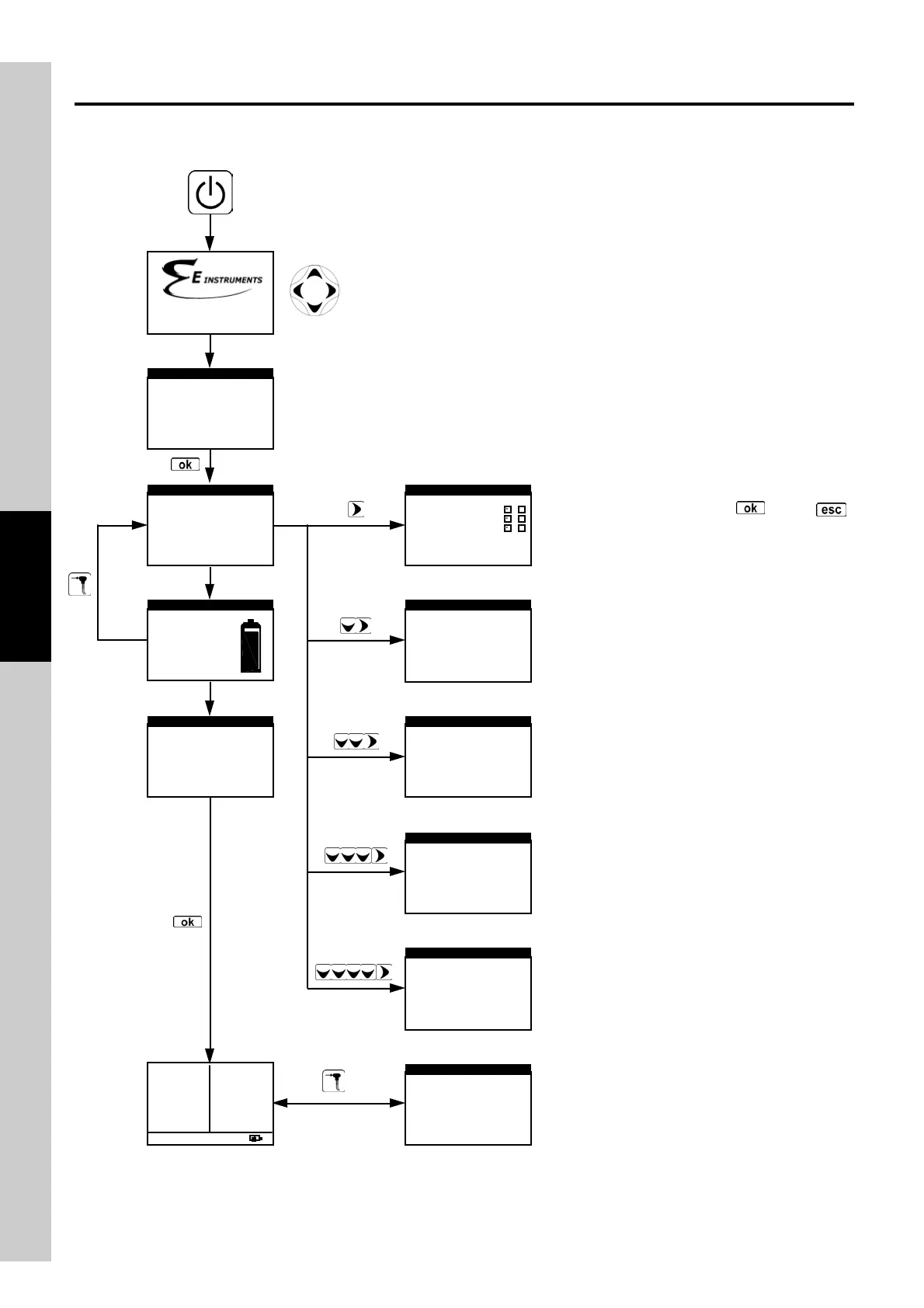
4.16 Flow Chart - Configure Analysis Menu
In the Select menus the cursor indicates the
active value.
In this phase one can either select the test
operator and/or change the name displayed
(refer to Configure Menu).
At this point the user can select the analysis
mode - automatic or manual; if automatic mode is
chosen the test time and printout f ormat must
also be set.
The Configure Analysis Menu can also be
accessed after auto-calibration is complete.
Setup the report printing, selecting the number of
copies and the type of report to print.
►Mem.: 001
Fuel: Natural gas
Oper.:
Rep.: full
Mode: manual
MEMORY
When depressed for at least 2 seconds, turns the instrument on.
Autozero cycle end
Adjusts the display contrast.
Or
automatically, after 10 seconds.
►Natural gas
L.P.G.
Diesel oil
# 2 Fuel oil
Methane
▼
FUEL
►1:
2:
3:
OPERATOR ID
►Copies
Model
PRINT SETUP
full
1
►Mode
AUTOMATIC ANALYSIS
manual
WARNING
Insert the gas probe
in the chimney
AUTOZERO STARTED
WARNING
Now it is OK
OKOK
OK to
Insert Probe in
Stack
AUTOZERO STARTED
►Mem.:001
Date:19/10/10
Time:18.22
Name: John Smith
RECALL MEMORY
1
2
3
D
S
A
AA
A
Autozero: 25
Bat.:94 ٪
Time:11.33
Date:09/18/03
BATTERY STATUS
►Mem.: 001
Fuel: Natural gas
Oper.:
Rep.: full
Mode: manual
MEMORY
►RefO
2
Auto:001 ▼
O
2
4.2٪
CO
2
9.3٪
Xair 1.25
Tf 190.1C
Ta 15.4C
∆T 74.7C
Eff 83.4٪
Loss16.6٪
CO 146p
NO 40p
NO
X
51p
Or
automatically, after 10 sec.
BTU900
SN:00001 Ver:1.00
Key analyzer parameters can be configured
during auto-calibration. The ' ' and ' '
key s respectiv ely confirm and cancel any
effected modifications and take the user back to
the previous level menu.



 To Next Page