18
K800000000EJ 020650A0 170512
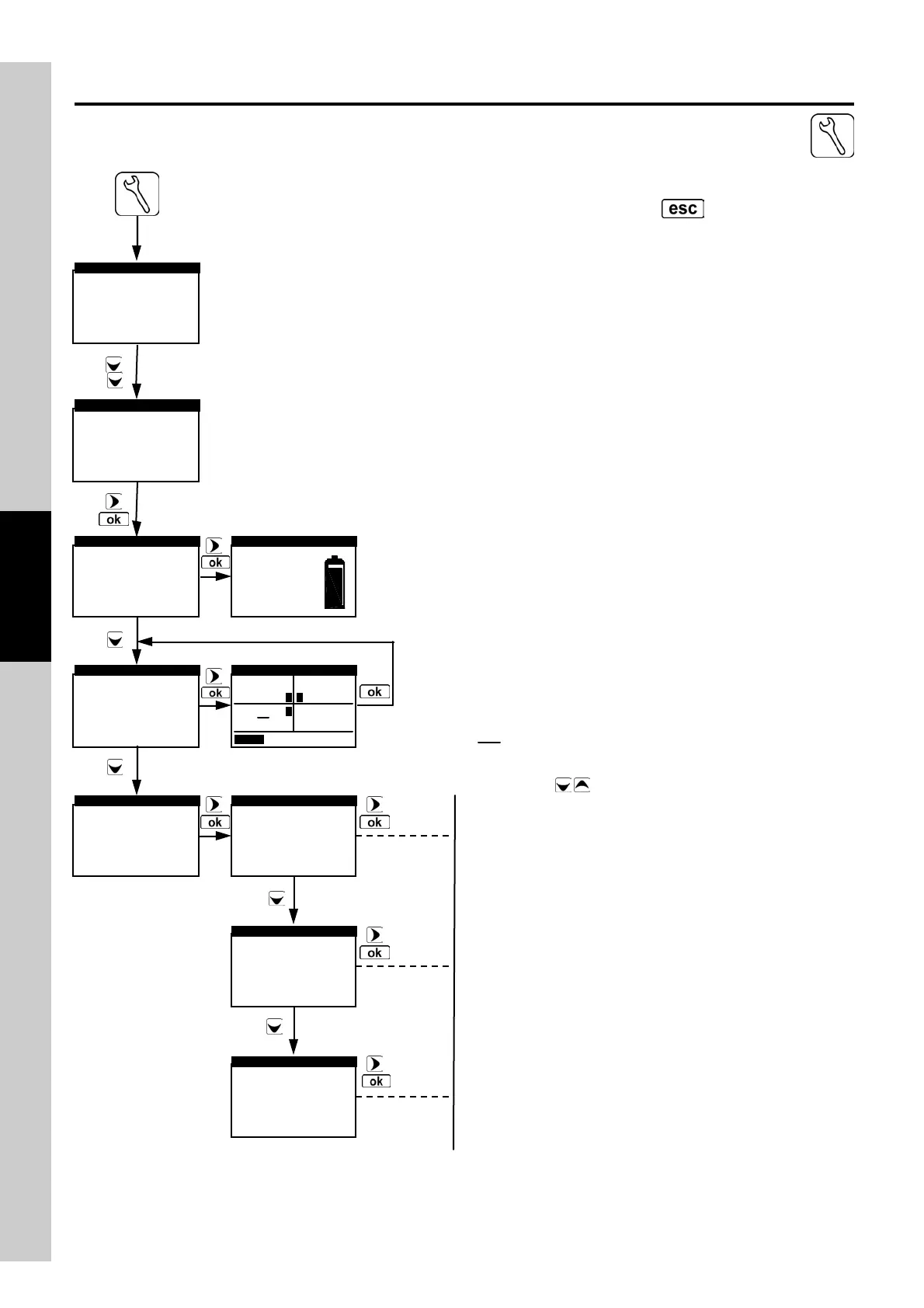
4.8.1 Flow Chart - Info Menu
Activates the Info Menu.
To return to the previous screen,
press .
►Battery status
Sensors Config.
Sensors diagnostic
Gas Path Check
Memories diagnostic
▼
INFORMATION
Bat: 91 ٪
Vbat:7.82 V
BATTERY STATUS
Battery status
►Sensors Config.
Sensors diagnostic
Gas Path Check
Memories diagnostic
▼
INFORMATION
Battery status
Sensors Config.
►Sensors diagnostic
Gas Path Check
Memories diagnostic
▼
INFORMATION
►1:O
2
ok
2:CO ok
3:NO ok
SENSOR DIAGNOSTIC
1:O
2
ok
►2:CO ok
3:NO ok
SENSOR DIAGNOSTIC
1:O
2
ok
2:CO ok
►3:NO ok
SENSOR DIAGNOSTIC
The battery symbol filling up means that battery charging is
ongoing.
This screen page shows, f or each position, the following
messages (example referred to the sensor in position 2):
CO Sensor configured OK
□→CO Sensor missing or non communicating
CO→□ New sensor detected
CO Sensor detected in a wrong position
SENSORS TYPE
QUIT
1 3
2
O
2
NO
CO
Use arrows to scroll the parameters of each selected
cell. Here below are the data which can be display ed
through the sensors troubleshooting menu:
Type: Ty pe of sensor
Revision: Sensor revision index
Date code: Production batch
Gas: Gas measured
Serial: Sensor serial number
Manufacturing date: Production date
Calibration date: Calibration date
Is: Sensor Is current
Ia: Sensor Ia current
Furthermore, under sensor troubleshooting mode, the
instrument can display the status of each single cell (here is
an example) visualized after the v isualization of the
measured gas:
Ok: No problem detected
missing The sensor has not been detected
data err Sensor memory data error
Unknown The instrument FW needs to be
updated
pos err Sensor installed in the wrong
position
cal err Calibration error
curr err Currents out of range
non config This sensor is not to be used
because it has not been accepted in
the page 'ty pe of sensor'.
Analysis config.
Instrument config.
►Information
CONFIG/INFO
►Analysis config.
Instrument config.
Information
CONFIG/INFO



 To Next Page