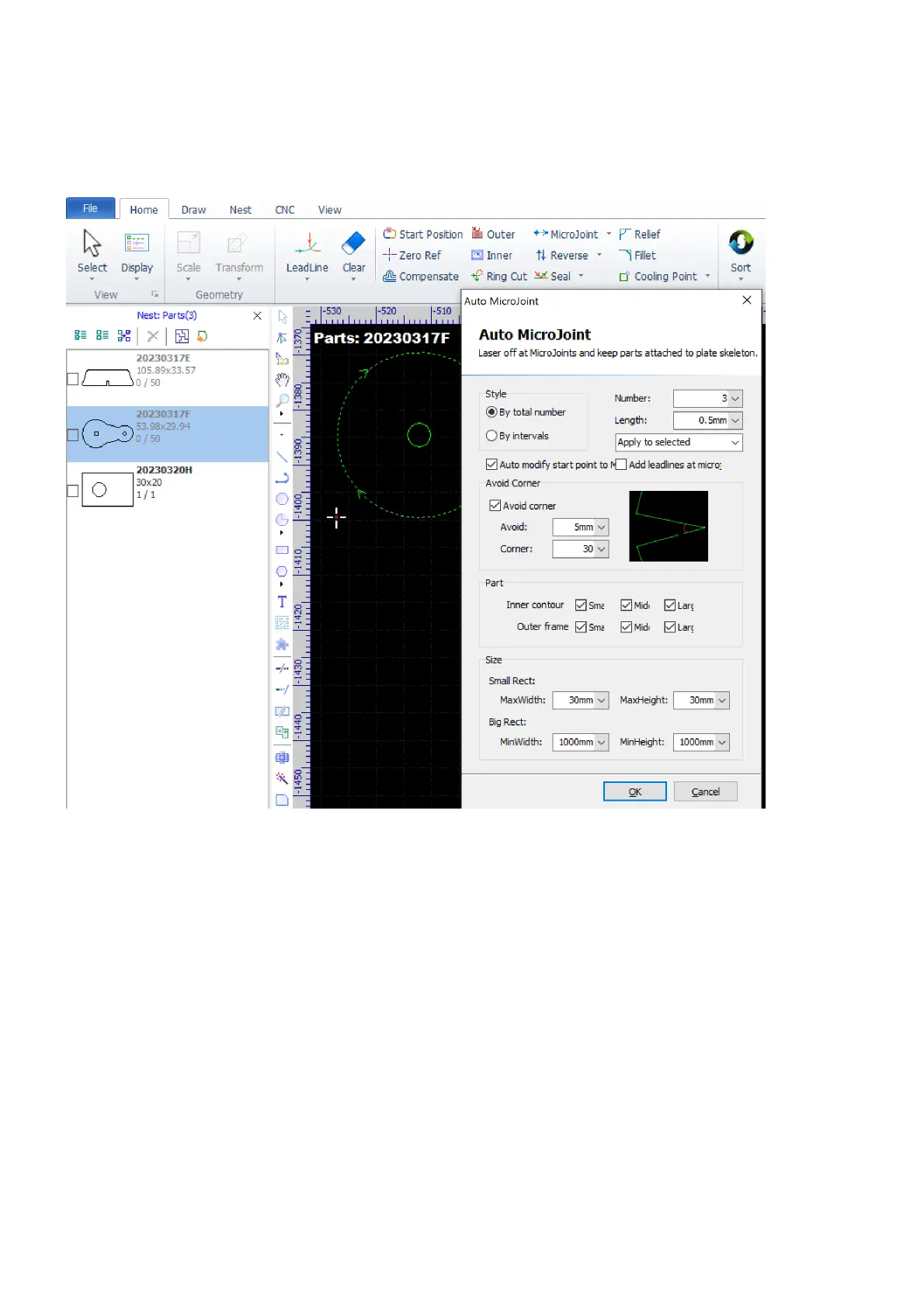
Set Microjoints Automatically
If you want to add several microjoints, especially on large contours, you can select the contours and then
select the command Auto MicroJoint in the pulldown-menu Home>MicroJoint.
In the pop-up dialog, choose how to set microjoints. If you choose By total umber, set the number of
microjoints in the option Number; if you choose By intervals, then set the distance between each microjoint
in the option Interval. Set the length of microjoints in the option Length. Choose to set microjoints on the
selected contours or on all contours. Check the option Auto modify start point to MicroJoint if you want to
change the start position to a microjoint.



 To Next Page