Technology in CypCut
As soon as the parts are ready, you can set and then check technology, get the parts ready for machining.
Hints for Setting Technology
When and Where to Set Technology
In general, different parts need different technology. So it is the best time to set technology after planning
parts in the part library. You can set technology on parts separately in the part library before they are nested
onto sheets together.
If there is just a single kind of parts, or a few different kinds of parts and they are intended to be applied with
a same group of technologies, then you can do that in nest results after nesting.
On the other hand, some technologies, which will change the original drawing elements, can only be set in the
drawing window before the parts are added to the part library.
Contour Type
A part is generally composed of a bunch of closed contours, the largest contour found counts as the outer
contour, all the others are inner contours. Contour type is an attribute of a contour identifying if it is an outer
contour or an inner contour. Some technologies, i.e. lead-ins and lead-outs, kerf compensation, are set on
parts according to contour types.
The software automatically recognizes outer and inner contours when importing a parts file.
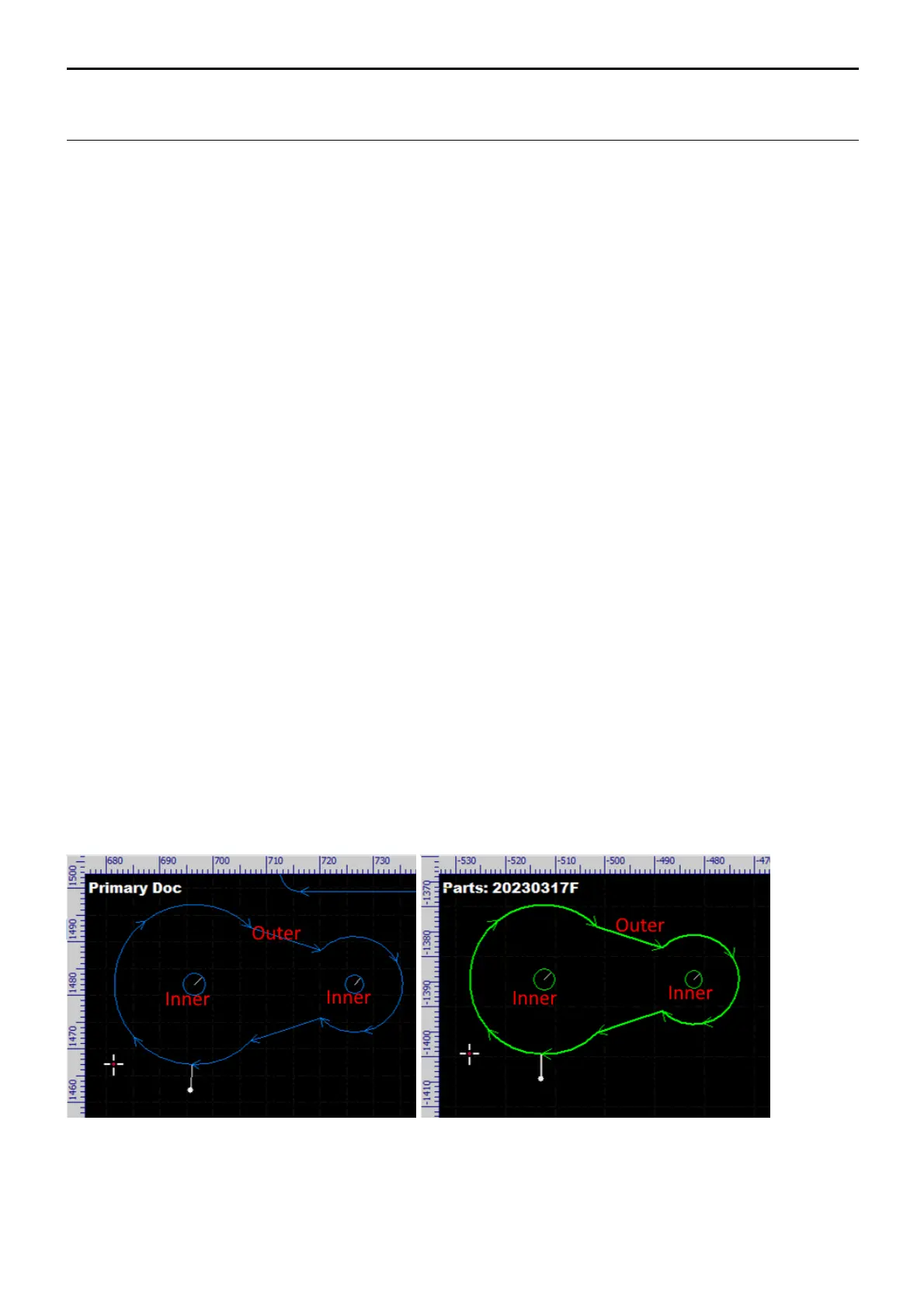
The picture on the left shows importing a part into the drawing window (we set lead-ins, shown in white, on
the part for presenting the contour types clearly). The outer contour starts cutting from the outside, the inner
contours start from the inside. The picture on the right shows importing a part directly into the part library,
same results.



 To Next Page