Cutting Parameters
A set of appropriate cutting parameters is one of the most important technology for getting good machining
results. You can set a large group of parameters, e.g. laser power, cut speed, focus position, assist gas, etc,
which can control almost every single detail of a cutting process.
Layers
A set of cutting parameters, associated with a layer, will be applied automatically to the parts which are
assigned to the layer.
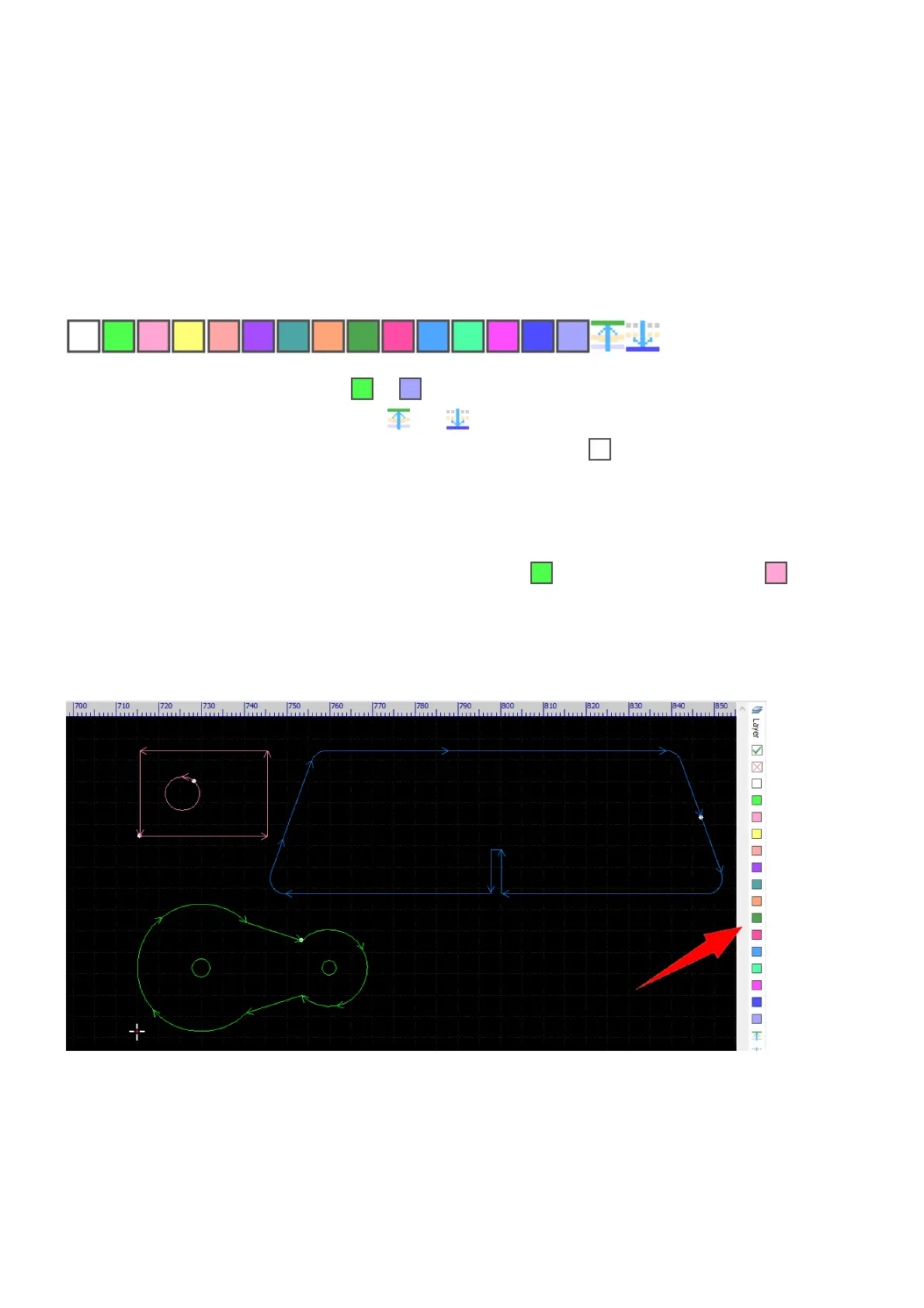
There are 17 layers in CypCut, the layer to are 14 normal layers which can be machined and have no
effect on the processing sequence; the layer and are two special layers which can be machined and
will be processed at the beginning and at the end of a job; and the layer is the background layer which
would not be machined but for annotation.
In general, different materials with different thicknesses should be machined with different set of cutting
parameters. In practice, we recommend creating a one-to-one mapping between the most commonly used
materials and the first 10 layers, e.g. 1mm stainless steel to layer , 3mm stainless steel to layer , and
temporarily assigning other materials to the 4 layers left when necessary. When setting technology, all you
need to do is just assigning the parts of a material to the mapping layer.
To assign a part to a layer, select the part and then click on the button of the layer's color.



 To Next Page