Part Library
For machining a demo, a single part, or a small amount of different parts, you can just go ahead for setting
and checking technology, and then machining after preparing the parts in the drawing window. But for
machining a large amount or a batch of parts, you should add them to and plan them in the part library for
nesting first.
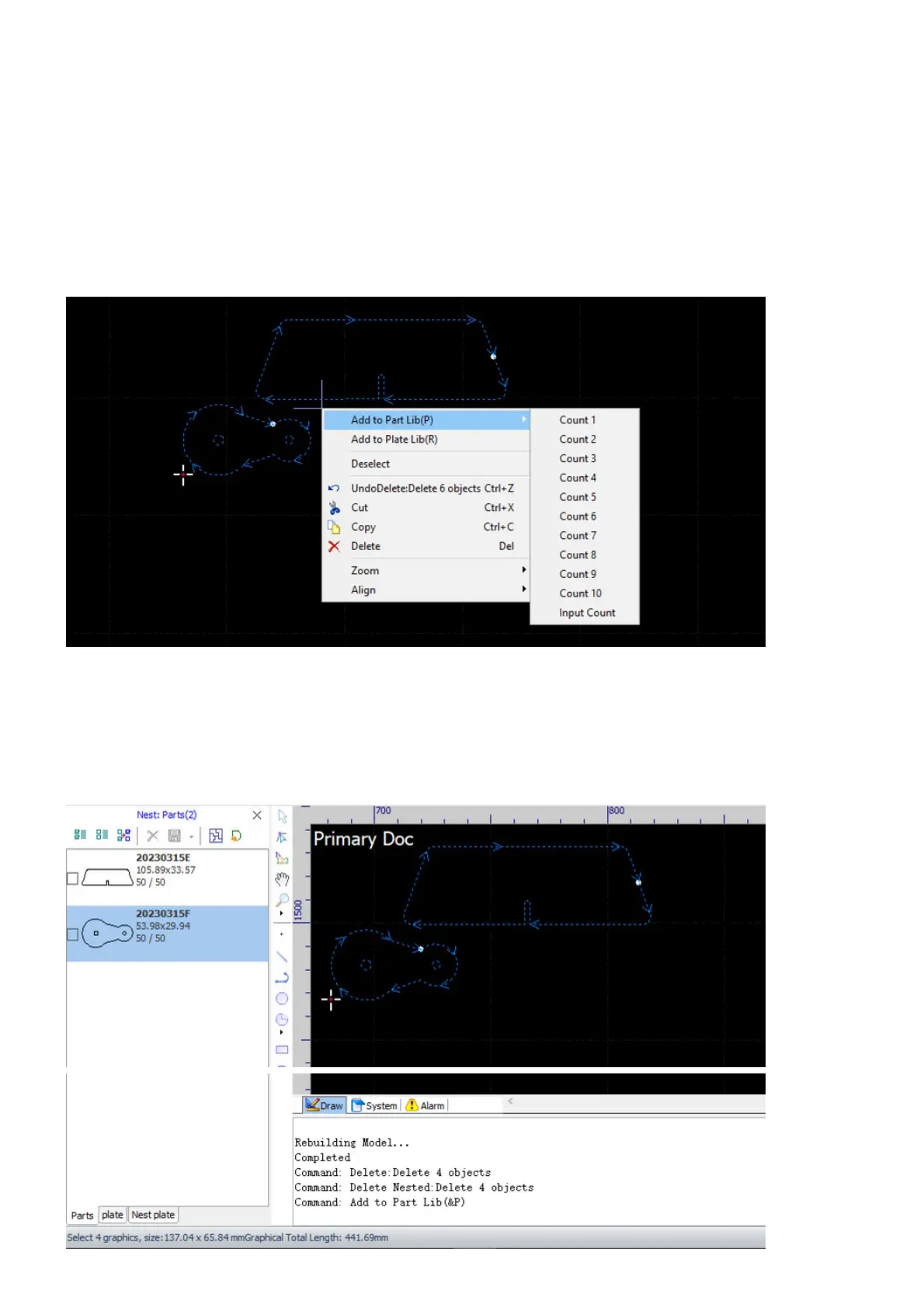
Select all the parts you plan for nesting in the drawing window, right-click to bring up the context menu,
select the menu command Add to Part Lib, and then select or input the count of the parts to be produced.
We have already talked about this topic and the issues you may encountered, refer to Import into the Part
Library for more information.
After adding or importing parts to the part library, you will see a parts list in the tab Parts of the Nest Panel.
There are three tabs in the Nest Panel, we will cover the other two in the next section.



 To Next Page