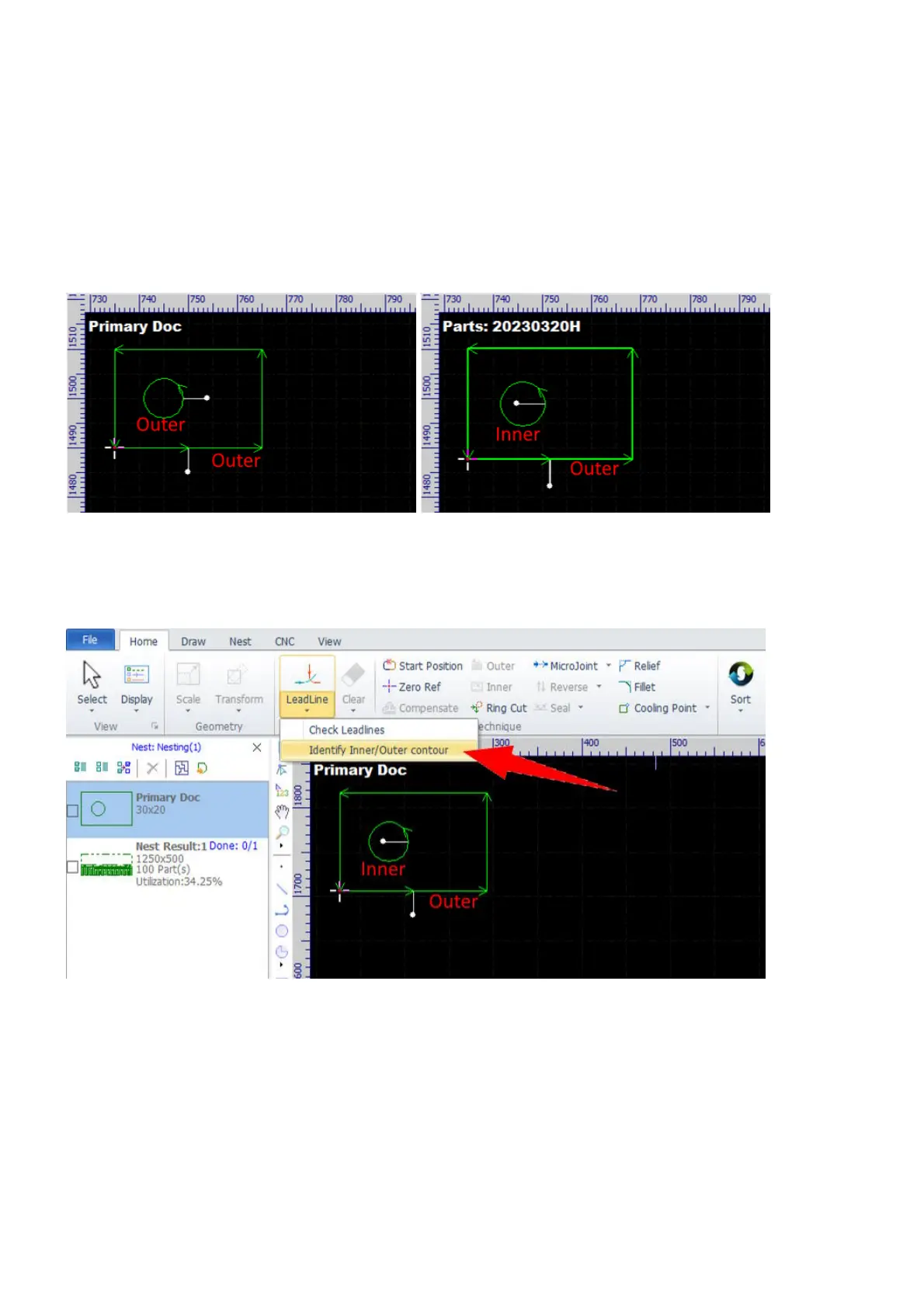
While constructing a part, the software treats all contours as separate ones. By default, all closed contours
count as outer contours no matter one contour is included in another or not, and all open contours count as
inner contours. The software reconsiders their contour types when they are added to the part library as a
whole, a part.
The picture on the left shows constructing a part in the drawing window (we set lead-ins as above). All of the
two contours count as outer contours. The picture on the right shows that the small circle counts as an inner
contour after they are added to the part library.
If you want to go machining directly from the drawing window after constructing, e.g. in the case of
machining a demo or a single part, select the command Identify Inner/Outer contour in Home>LeadLine
to tell the software to reconsider contour types.



 To Next Page