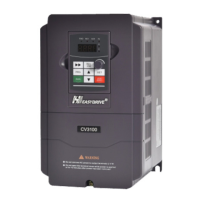
CV3100 series and MINI series high performance general purpose inverter instruction manual
4-7
③ Functional parameters examining mode
Under this mode, press
/▼ key or key to choose parameters need to be
modified or selected, such as P0.08,P5.02.
④ Functional parameters under modification mode
⑤ Digital setting frequency under modification mode
When P0.01 is set, under condition monitoring mode, press
/▼key to enter for
modifying.
The switch during them shown as following:
①→Press key→②→Press key→③→Press key→④
① Press
/▼ key→⑤
(P0.01 set to frequency given by digital setting)
4.3 Inverter electrification
4.3.1 Check before electrification
Please carry on wiring based on operation requirement provided in ―Inverter
wiring‖ of this manual.
4.3.2 Initial electrification
Close input side AC power supply switch after correct wiring and power supply
confirmed, electrify the inverter and keyboard LED display starting status, contactor
closes normally, and LED displaying set frequency shows that electrification is
finished. First electrification operation process is shown as diagram 4-4.



 To Next Page