10
6 First commissioning and modifying network settings
Installation and Operating Instructions CGLine+ Web-Controller 40071860236 (E) February 2019 www.eaton.com
6.3 First access to the CGLine+ webserver
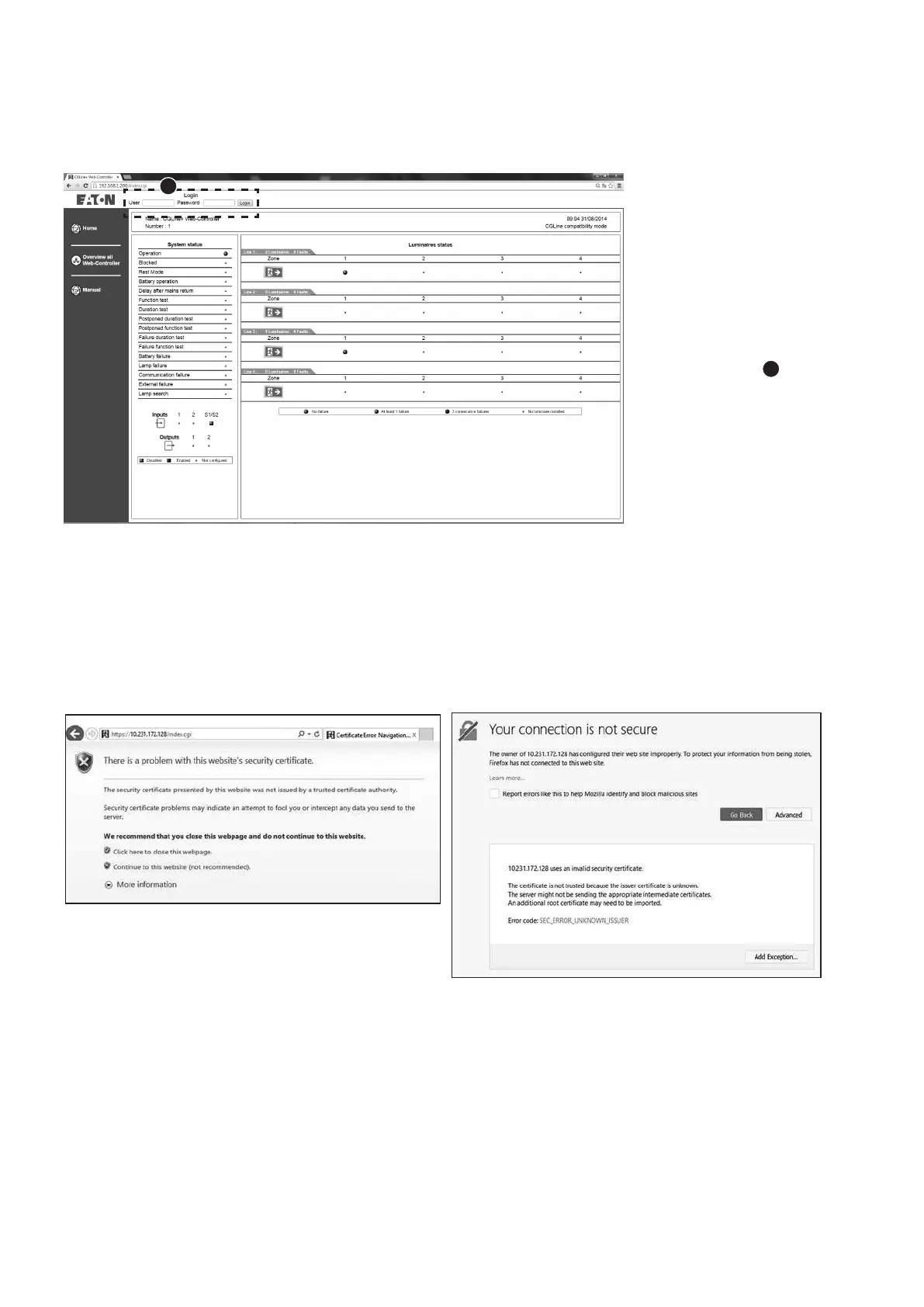
Open a web browser
and enter the IP address
“192.168.1.200” into the
address bar. The start
screen of the CGLine+ Web
Controller opens.
The screen shows an over-
view of the installed CGLine
+ system with sum status
information.
To have access to the
submenus, a login
1
is
required.
1
Before accessing the web server, two security pages are displayed on the browser by security protocols.
The following web pages appear:
Click on Continue to this website on the first page.
Click on Advanced on the second page, and then on Add Exception.








 To Next Page