MAINTENANCE
STEP 6 – DATA RECOVERY
SOFTWARE VERSION 1.14.6 (OR HIGHER)
Recover all data from the XRGI
®
system.
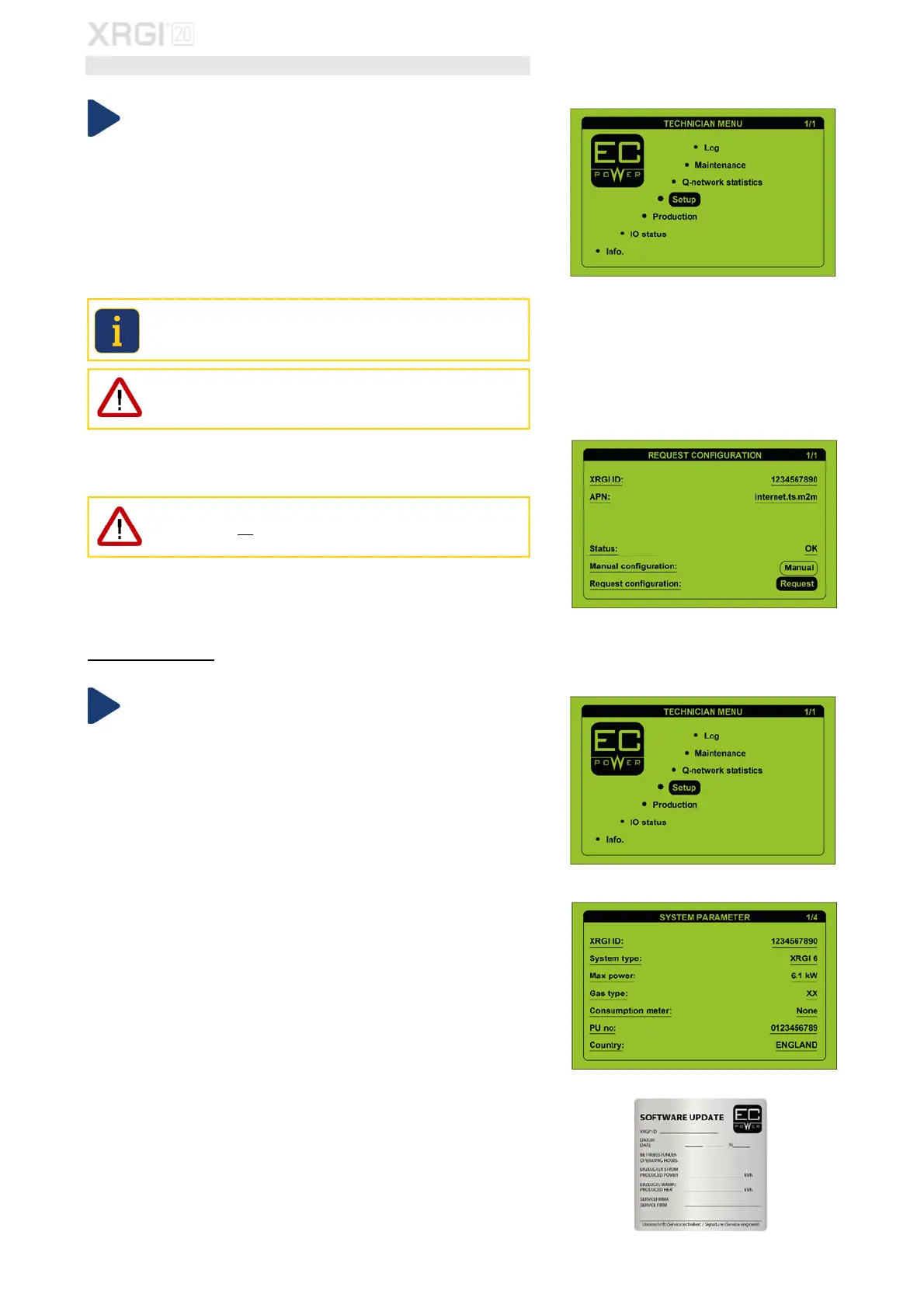
In the technician menu, move the cursor to Setup by using the ▲▼ buttons
and press OK on the user interface.
Move the cursor to XRGI-ID by using the ▲▼buttons and enter the XRGI
®
-
ID of the XRGI
®
system by using the ▲▼ and ENTER buttons.
Move the cursor to APN by using the ▲▼ buttons and enter the APN ad-
dress of the inserted SIM card.
EC POWER Telia SIM card: internet.ts.m2m
When using another SIM card than an EC POWER Telia SIM card, please
contact the SIM card provider for the APN address.
An incorrect APN address causes data transfer problems.
Move the cursor to Request by using the ▲▼ buttons and press ENTER
on the user interface.
Manual configuration may only be used when commissioning new
XRGI
®
systems, not during the software update of existing XRGI
®
sys-
tems.
The data from the XRGI
®
system will now be recovered and visible on the display
after a few minutes. Check that all data are the same as those noted before the
software update.
If the data are incorrect, please contact the EC POWER customer service at
support@ecpower.dk
SOFTWARE VERSION 1.9.17 (OR HIGHER)
Recover all data from the XRGI
®
system.
In the technician menu, move the cursor to Setup by using the ▲▼ buttons
and press OK on the user interface.
Move the cursor to the respective fields by using the ▲▼ and enter the data
of the XRGI
®
system, which have been noted before the software update,
using the ▲▼ and OK buttons.
Write the operating data of the XRGI
®
system, which you have noted before
the software update, on a label and place it in the inside of the iQ-Control
Panel door.
Fig. 7.51
Fig. 7.48
Fig. 7.47
Fig. 7.49
Fig. 7.50



 To Next Page