RECORDING
Once all maintenance tasks have been carried out, they must be recorded on site
in the service booklet and in the iQ-Control Panel.
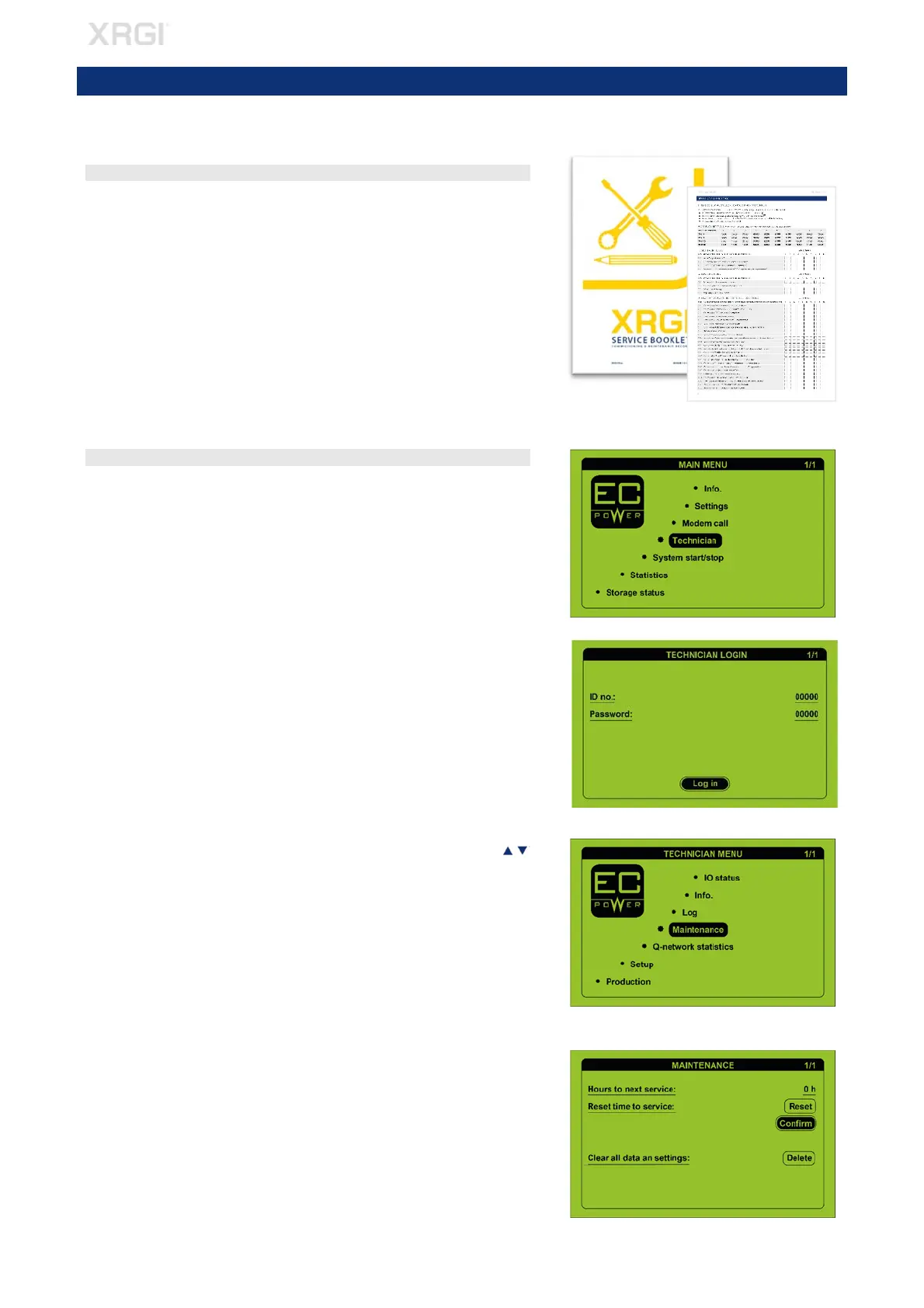
STEP 1 – SERVICE BOOKLET
Complete the maintenance record in the service booklet and confirm with
your signature.
STEP 2 – iQ-CONTROL PANEL
Press any key on the user interface to activate the display and enter the
menu.
Move the cursor to Technician by using the ▲▼ buttons and press OK on
the user interface.
Log on.
In the technician menu, move the cursor to Maintenance by using the
buttons and press OK
on the user interface.
While the cursor is on Reset time to service press OK on the user interface
to activate the field. Move the cursor to Confirm by using the ▲▼ buttons
and press OK on the user interface. The correct maintenance interval for
the XRGI® system will be displayed in Hours to next service.
Fig. 9.01
9. RECORDING
Fig. 9.02
Fig. 9.03
Fig. 9.04
Fig. 9.05



 To Next Page