Incorporating ECG and DA Signals
40 KOSMOS User Guide
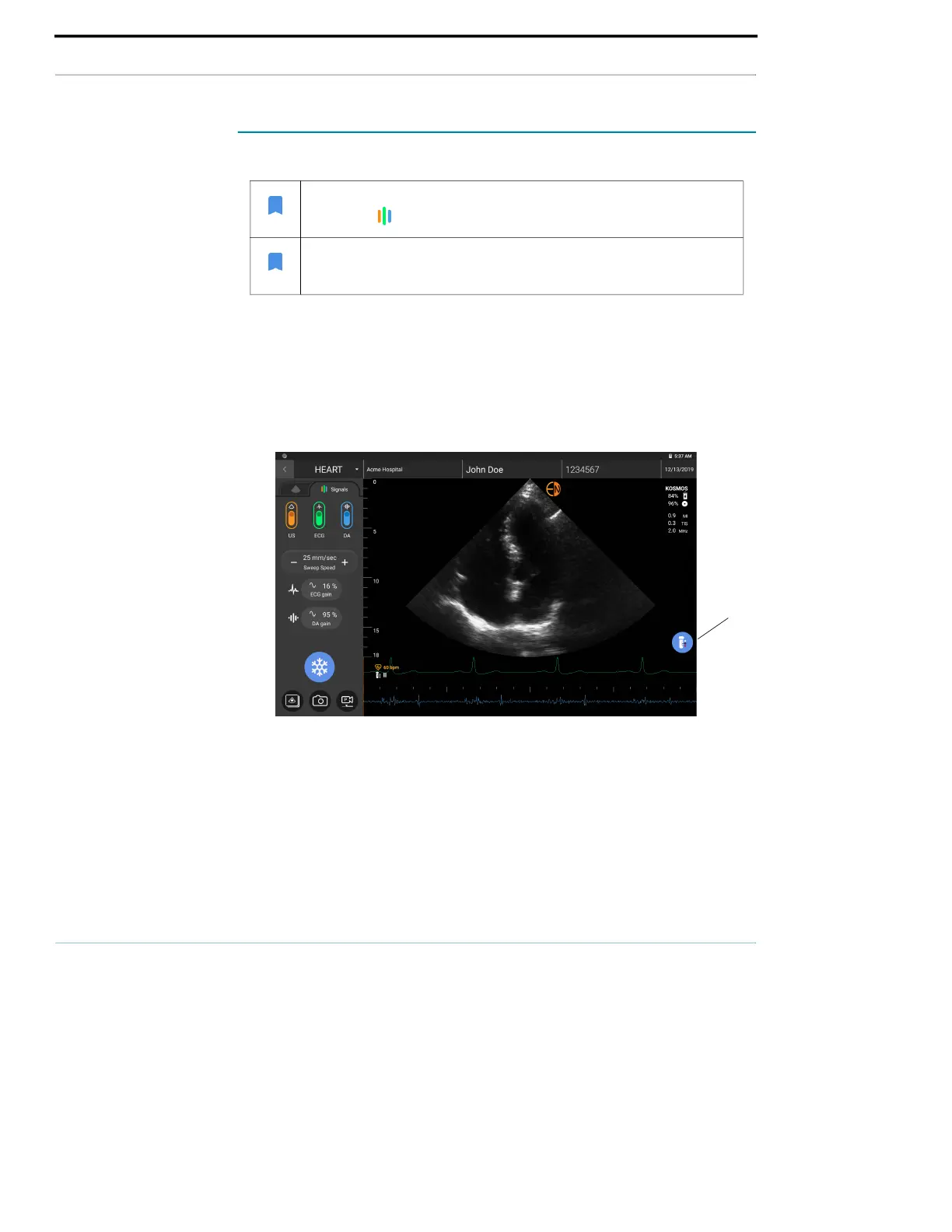
Viewing the ECG and DA signals
1. Tap the Signal tab to display the three signal controls. By default, only the
ultrasound image displays.
2. To view the ECG signals, tap ECG on; tap again to turn it off.
3. To view the DA signal, tap DA on; tap again to turn it off.
4. To select which ECG lead is to be acquired and displayed, tap the ECG button
on the bottom right side of the screen.
Signal scrolling
The ECG and DA signals scroll from left to right. The newest signals appear on the
left and are indicated by the orange cursor. When the scrolling begins, the area
to the right of the cursor is blank, while the new scrolling overlaps the old signals
from the second round of scrolling. The DA audio is synchronized with the DA
waveform scrolling.
• When the Signal tab is inactive, it is grayed out. Just tap the
Signal icon to bring up the ultrasound controls.
• The ECG and DA signals are only available in B-mode and
Color-mode.
ECG
button



 To Next Page