EasyManua.ls Logo

echosens FibroScan 502 touch - Usingthekeypad; Login Window

Default Icon
70 pages
Print Icon
To Next Page IconTo Next Page
To Previous Page IconTo Previous Page
Loading...
FibroScan
FIBROSCAN
502
TOUCH
USER
MANUAL
BEETS)
6.2.
USING
THE
KEYPAD
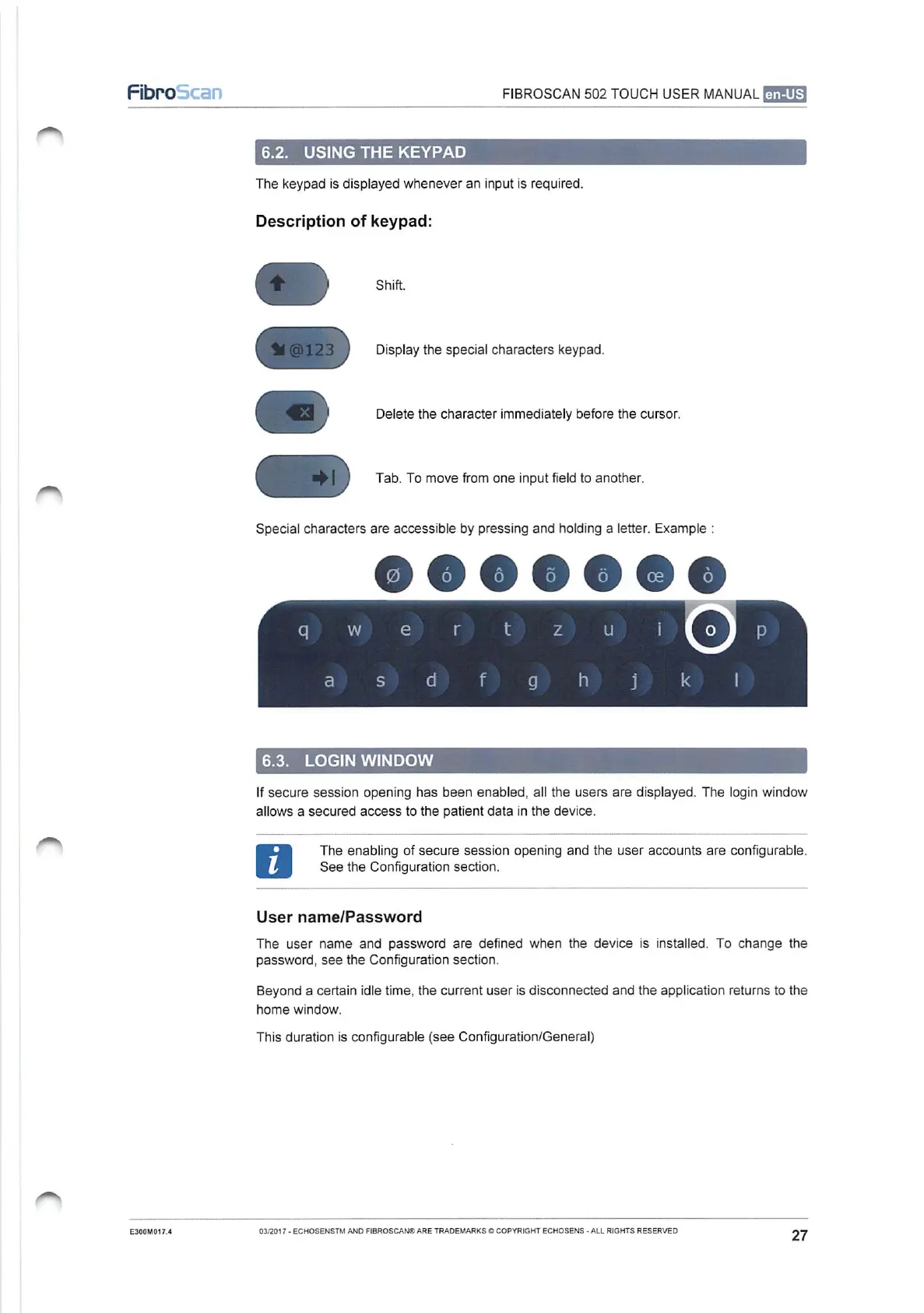
The
keypad
is
displayed
whenever
an input
is
required.
Description
of
keypad:
Shift.
Display
the
special
characters
keypad.
Delete
the
character
immediately
before
the
cursor.
Tab.
To
move
from
one
input
field
to
another.
Special
characters
are
accessible
by
pressing
and
holding
a
letter.
Example
:
6.3.
LOGIN
WINDOW
If
secure
session
opening
has
been
enabled,
all
the
users
are
displayed.
The
login
window
allows
a
secured
access
to
the
patient
data
in
the
device.
The
enabling
of
secure
session
opening
and
the
user
accounts
are
configurable.
See
the
Configuration
section.
User
name/Password
The
user
name
and
password
are
defined
when
the
device
is
installed.
To
change
the
password,
see
the
Configuration
section.
Beyond
a
certain
idle
time,
the
current
user
is
disconnected
and
the
application
returns
to
the
home
window.
This
duration
is
configurable
(see
Configuration/General)
E300M017.4
03/2017
-
ECHOSENSTM
AND
FIBROSCAN®
ARE
TRADEMARKS
©
COPYRIGHT
ECHOSENS
-
ALL
RIGHTS
RESERVED
27

Table of Contents