EasyManua.ls Logo

echosens FibroScan 502 touch - Status Bar

Default Icon
70 pages
Print Icon
To Next Page IconTo Next Page
To Previous Page IconTo Previous Page
Loading...
EX
FIBROSCAN
502
TOUCH
USER
MANUAL
FibroScan
6.4.
STATUS
BAR
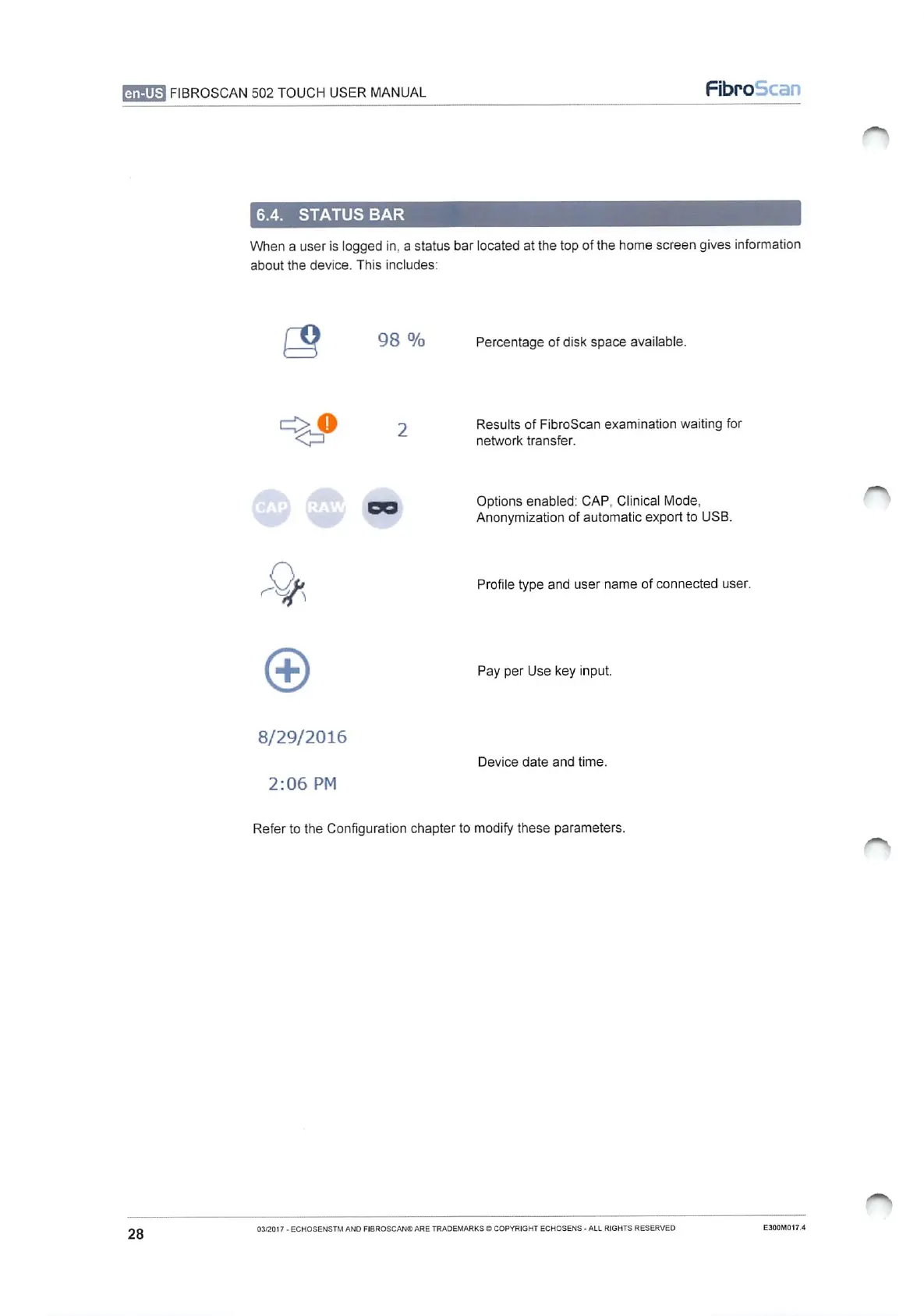
When
a
user
is
logged
in, a
status
bar
located
at
the top
of
the
home
screen
gives
information
about
the
device.
This
includes:
ο
98
%
Percentage
of
disk
space
available.
>
O
2
Results
of
FibroScan
examination
waiting
for
<=
network
transfer.
oa
Options
enabled:
CAP,
Clinical
Mode,
Anonymization
of
automatic
export
to
USB.
YA
Profile
type
and
user
name
of
connected
user.
©
Pay
per
Use
key
input.
8/29/2016
Device
date
and
time.
2:06
PM
Refer
to
the
Configuration
chapter
to
modify
these
parameters.
28
03/2017
-
ECHOSENSTM
AND
FIBROSCAN®
ARE
TRADEMARKS
©
COPYRIGHT
ECHOSENS
-
ALL
RIGHTS
RESERVED
E300M017.4

Table of Contents