EasyManua.ls Logo

echosens FibroScan 502 touch - Page 4

Default Icon
70 pages
Print Icon
To Next Page IconTo Next Page
To Previous Page IconTo Previous Page
Loading...
ETS
FIBROSCAN
502
TOUCH
USER
MANUAL
FibroScan
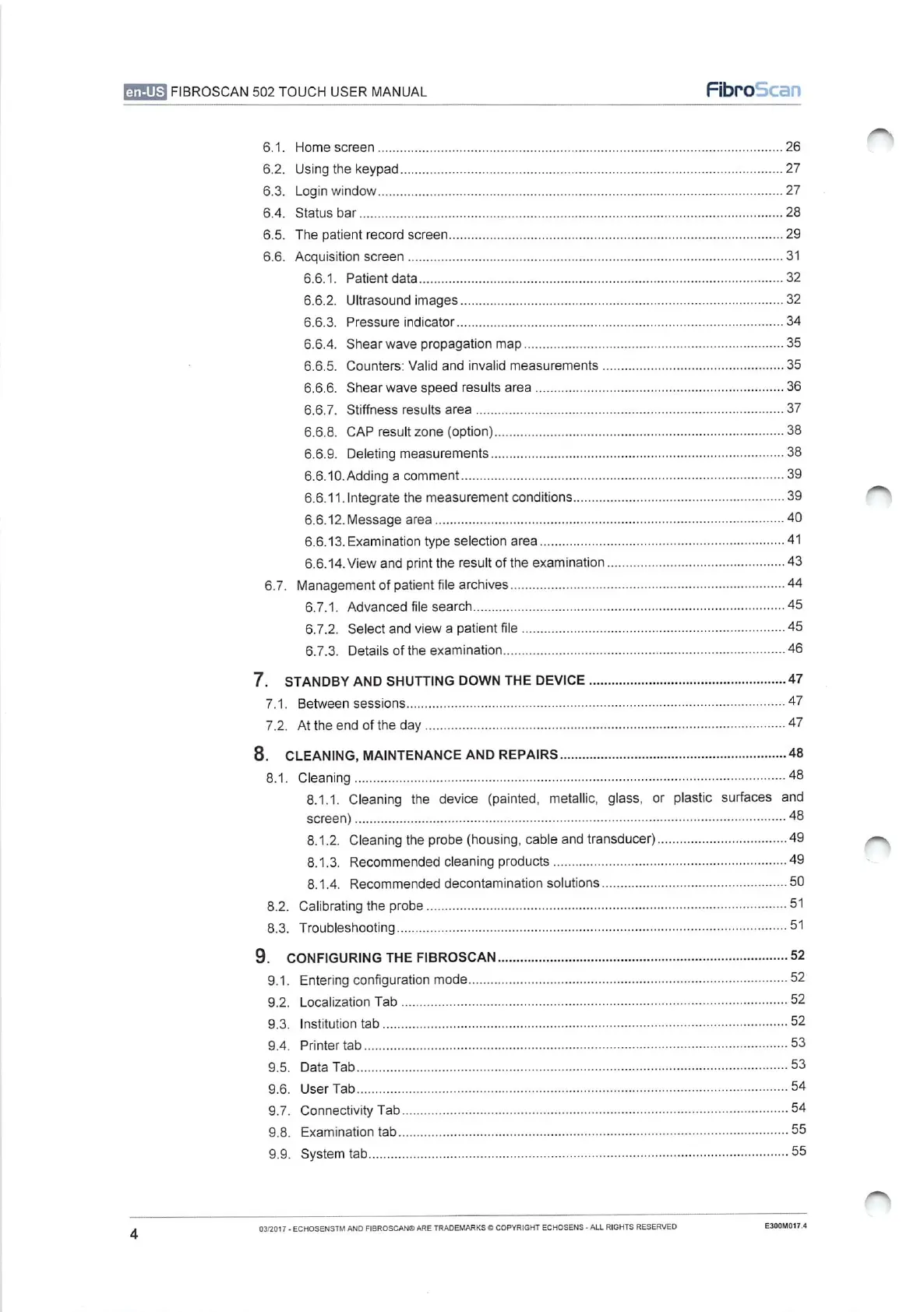
6.1.
6.2.
6.3.
6.4.
6.5.
6.6.
6.7.
7.
STANDBY
AND
SHUTTING
DOWN
THE
DEVICE.
τα,
Tdi
8.
CLEANING,
MAINTENANCE
AND
REPAIRS
8.1.
8.2.
8.3.
Home:SCresn
İŞ
YY
26
Usingthekeypad...........................................
erene
27
Login
Window...
sise
27
Status
bar
The
patient
record
screen
Acquisition
screen
6.6.1.
Patient
data
6.6.2.
Ultrasound
images...
6.6.3.
Pressure
indicator
6.6.4.
Shear
wave
propagation
map
6.6.5.
Counters:
Valid
and
invalid
measurements
......................
n
35
6.6.6.
Shear
wave
speed
results
area
6.6.7.
Stiffness
results
area
6.6.8.
CAP
result
zone
(option)
6.6.9.
Deleting
measurementS
nenene
6:6.10-Adding'a
GomMmMEN
tisser
6.6.11.Integrate
the
measurement
conditions
6.6.12.
Message
area...
6.6.13.
Examination
type
selection
area.
6.6.14.View
and
print
theresultoftheexamination.............................................
43
Management
of
patient
file
archives..
6.7.1.
Advanced
file
search
6.7.2.
Selectand
view
a
patient
file
6.7.3.
Details'of
the
examination...
ο
ο
P
ARE
RnR
nen
Er
Between
sessions
τε
At
the
end
of
the
day
sisi
ob
eee
47
Cleaning
8.1.1.
Cleaning
the
device
(painted,
metallic,
glass,
or
plastic
surfaces
and
screen)
8.1.2.
Cleaning
the
probe
(housing,
cable
and
transducer)
8.1.3.
Recommended
cleaning
products
ce
8.1.4.
Recommended
decontamination
solutions.................................................
Calibrating
the
probe
..
Troubleshooting
9.
CONFIGURING
THE
FIBROSCAN
ie
52
9.1.
9.2.
9.3.
9.4.
9.5.
9.6.
9.7.
9.8.
9.9.
Entering
configuration
mode
Localization
Tab
Institution
tab
....
Printer
tab…
em
Data
Tab
User
Tab
Connectivity
Tal
[ЕЕ
ος
ο
ο
ο
ο ο
ener
55
System
4аБ........
ο
ο
ο
ο
ο
55
4
03/2017
-
ECHOSENSTM
AND
FIBROSCAN®
ARE
TRADEMARKS
©
COPYRIGHT
ECHOSENS
-
ALL
RIGHTS
RESERVED
E300M017.4

Table of Contents