91
How to operate the Sound Adjustment Mode
When this deck is in advance mode, a single parametric
equalizer function is available in addition to the 13-band
graphic equalizer, so that points that cannot be adjusted using
the graphic equalizer can be corrected using the single-band
parametric equalizer.
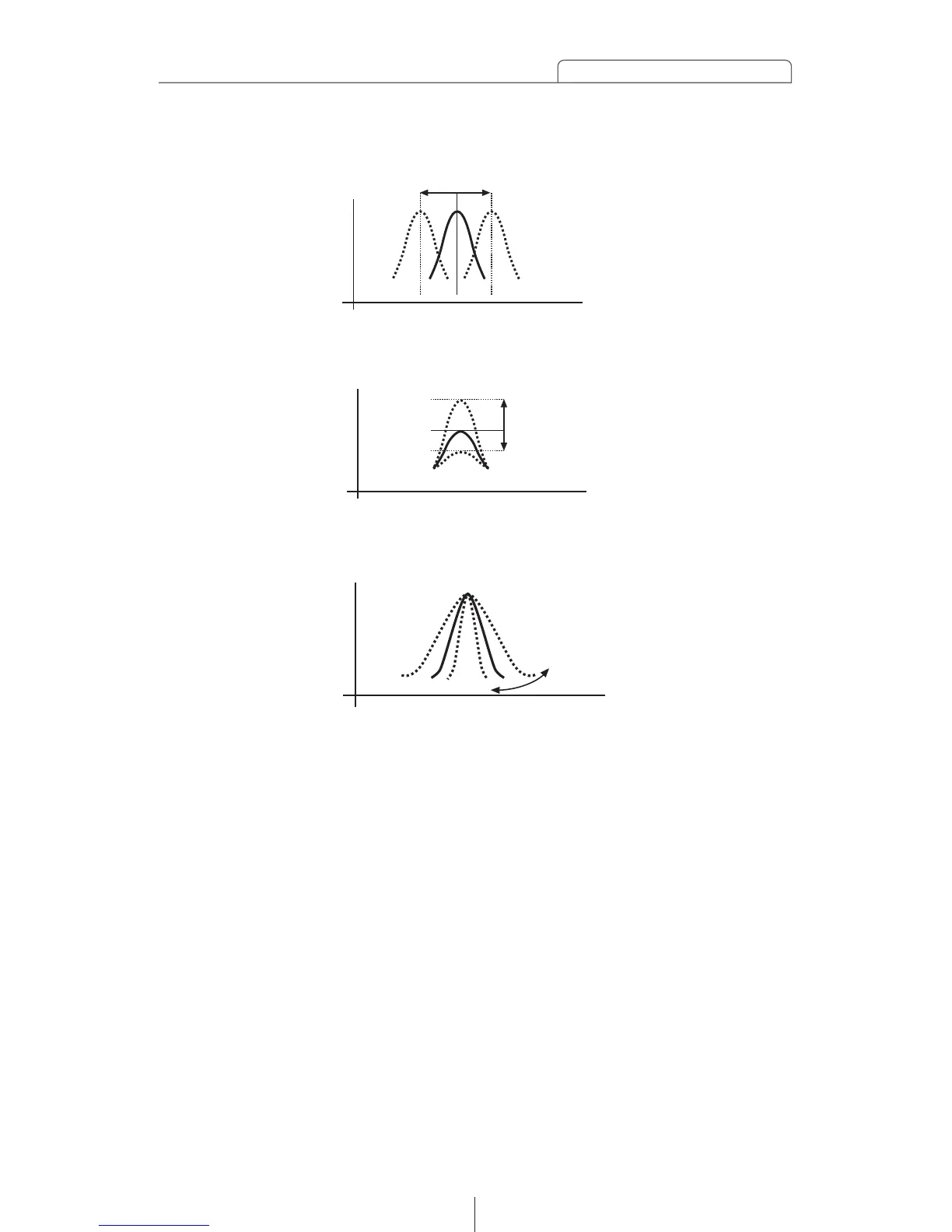
①. Median frequency can be varied.
[Parametric equalizer characteristics]
②. Gain can be varied.
③. Q (sharpness/band width) can be varied.
High
Low
[Sound pressure]
Low High[Frequency]
High
Low
[Sound pressure]
Low High[Frequency]
High
Low
[Sound pressure]
Low High[Frequency]



 To Next Page