The data, information and descriptions, and the technology described herein are the exclusive intellectual property of Snap-on Climate Solutions S.r.l. and
constitute industrial secrets. Said information is communicated in strict confidentiality; said information may be used only for the purpose for which it is
communicated; said information may not be divulged, communicated, or revealed to third parties and/or reproduced by any means for any reason whatsoever; said
information is protected under applicable Italian competition and industrial property law.
Service manual Cinquecento12 (VA21) [MANUY2V.SB0] ed.1 ver.0.1.doc pag.39 - 09/11/2021
INSERT OPERATOR NUMBER
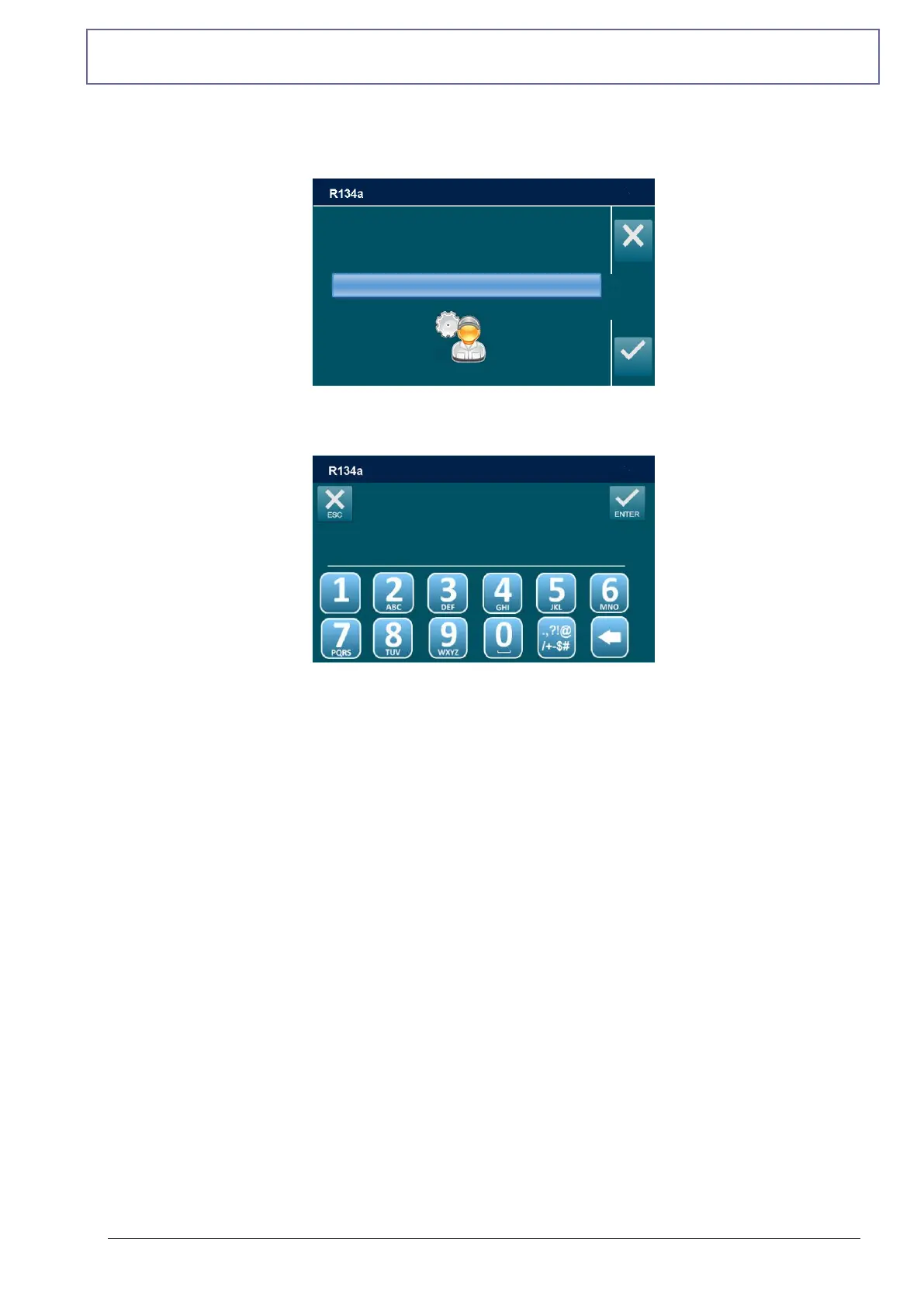
From the SETUP, select INSERT OPERATOR NUMBER:
It is possible to enter an alphanumeric code of 10 symbols to indicate the habilitation nr of the
operator. This number will be indicated in all printouts.
Use the keypad to modify operator number, then press ENTER to return to SETUP menu.
NOTE: the numerical keys include an alphabet that is used similar to text messaging; for
example: press “2” once to display “A”, twice to display “B”, three time for “C”, four time for “2”
INSERT OPERATOR CODE
OPERATOR1
________



 To Next Page