The data, information and descriptions, and the technology described herein are the exclusive intellectual property of Snap-on Climate Solutions S.r.l. and
constitute industrial secrets. Said information is communicated in strict confidentiality; said information may be used only for the purpose for which it is
communicated; said information may not be divulged, communicated, or revealed to third parties and/or reproduced by any means for any reason whatsoever; said
information is protected under applicable Italian competition and industrial property law.
Service manual Cinquecento12 (VA21) [MANUY2V.SB0] ed.1 ver.0.1.doc pag.58 - 09/11/2021
A/C PRESSURES CHECK
From MAINTENANCE scroll to page 2 with the arrow and select A/C PRESSURES
CHECK, the following screen will be displayed:
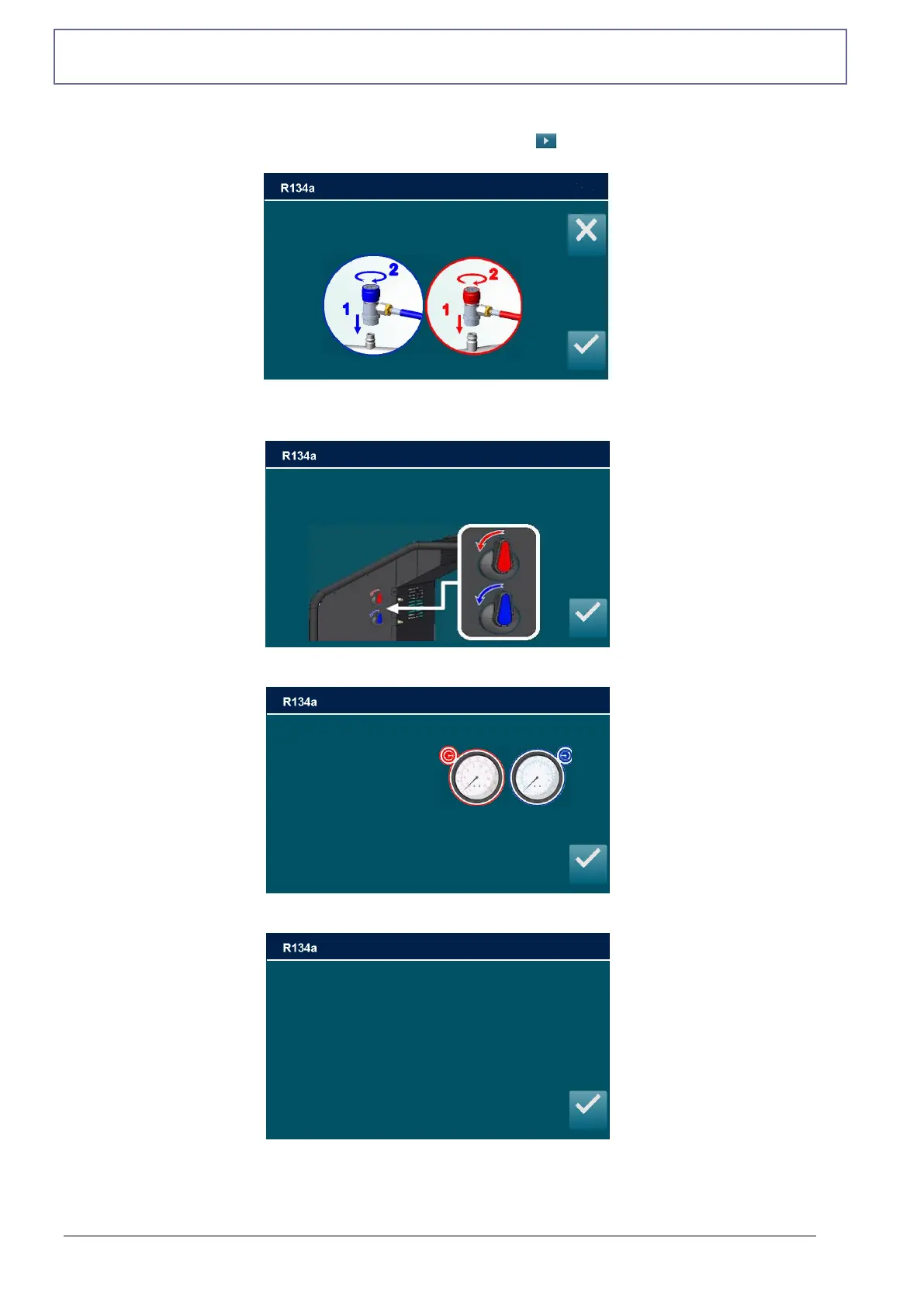
Connect and open the coupling connected to the A/C system, then press ENTER, press ESC
to return back; the following screen is displayed:
Close HP and LP valves. Press ENTER.
Turn on A/C system and check pressure using HP and LP gauges, then press ENTER:
Turn off A/C system and the vehicle’s engine, then press ENTER:
Close HP and LP valves
Press ENTER to continue
Connect and open HP and LP couplings
to A/C system and press ENTER
Turn on A/C system and
Check pressures using
Hp and LP gauges
Then press ENTER
Turn off A/C system and the vehicle’s engine
then press ENTER



 To Next Page