Chapter 1
| Switch Description
Key Technical Specifications
– 12 –
Reset Button
Pressing the reset button on the rear panel causes the switch to execute a hard
reset. For more information, see “How to Reset the Switch” on page 45.
Key Technical Specifications
The following table contains key system specifications for the switch.
Table 1: Key Technical Specifications
Item Specification
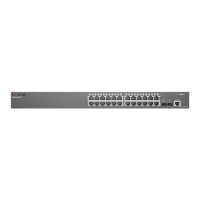
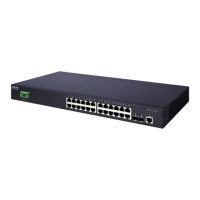
Ports 24 10/100/1000BASE-T RJ-45 ports with Auto-negotiation
2 Combination Gigabit SFP transceiver slots/1000BASE-T RJ-45 ports
Network Interface Ports 1~24: RJ-45
◆
RJ-45 connector, auto MDI/X
Ports 25~26: RJ-45 / SFP (combination)
◆
RJ-45 connector, auto MDI/X
◆
Gigabit SFP transceiver
Buffer Architecture 4 Mbytes
Aggregate Bandwidth 8.8 Gbps
Switching Database 8K MAC address entries
LEDs System: Power, Diag (Diagnostic)/PoE
Ports 1~28:
Status (link, activity, speed and PoE)
AC Input Power AC 100-240 V, 50-60 Hz, 3.0 A
Power Consumption 245 W Maximum
Weight
3.28 kg (7.23 lbs)
Size (W x D x H): 44.0 x 28 x 4.4 cm (17.32 x 11.0 x 1.73 in)
Temperature Operating: 0° C to 50° C (32° F to 122° F)
Storage: -40° C to 70° C (-40° F to 158° F)
Humidity Operating: 10% to 90% (non-condensing)
Out-of-Band Management Front Panel RJ-45 console port
In-Band Management SSH, Telnet, SNMP, or HTTP
Software Loading HTTP, FTP/TFTP in-band
Forwarding Mode Store-and-forward
Throughput Wire speed
Flow Control Full Duplex: IEEE 802.3x
Half Duplex: Back pressure


 To Next Page
 Loading...