11
2. After the installation is complete, double-click the “EdiView_Finder”
icon to execute the application.
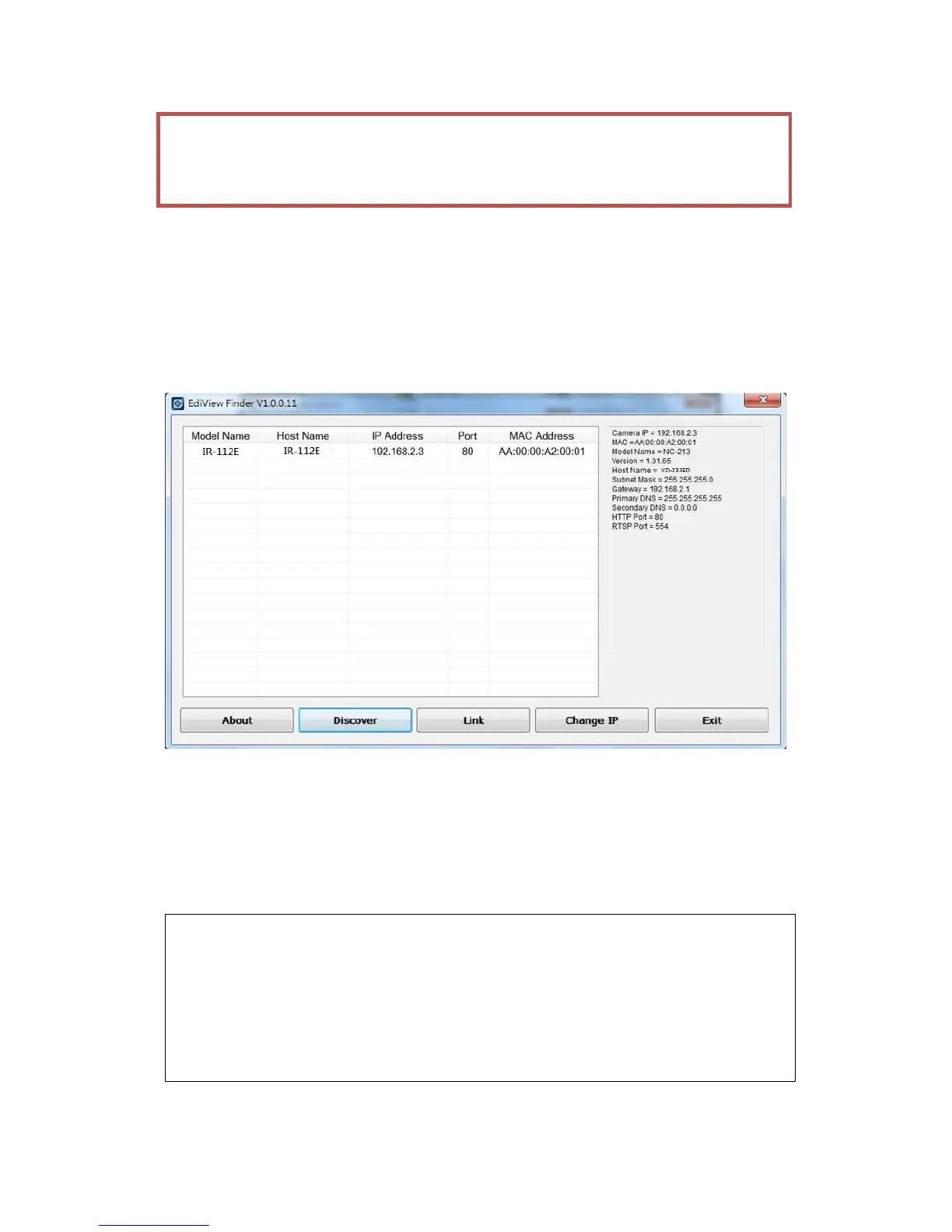
3. Press ‘Discover’ button to search for all IP Cameras on your local
network (make sure all IP Cameras are powered on and connect to local
network first). When you find any IP Camera, you can double click on it
or click ‘Link’ button to connect to it by your web browser.
If you need to change a certain IP Camera’s IP address, you can also click
on the IP Camera you wish to change IP address, then click ‘Change IP’
button to change select IP Camera’s IP address setting.
If you no longer need to use this utility, click ‘Exit’ button to close it.
Please note:
If you have several network connections, such as “Wireless
Function”, please disable the “Wireless Functions” or / and other
network connections that is not connected to IP camera,, or IP
finder may fail to search IP camera!



 To Next Page