24
3-3 Network
In this menu, you can configure IP camera’s network setting.
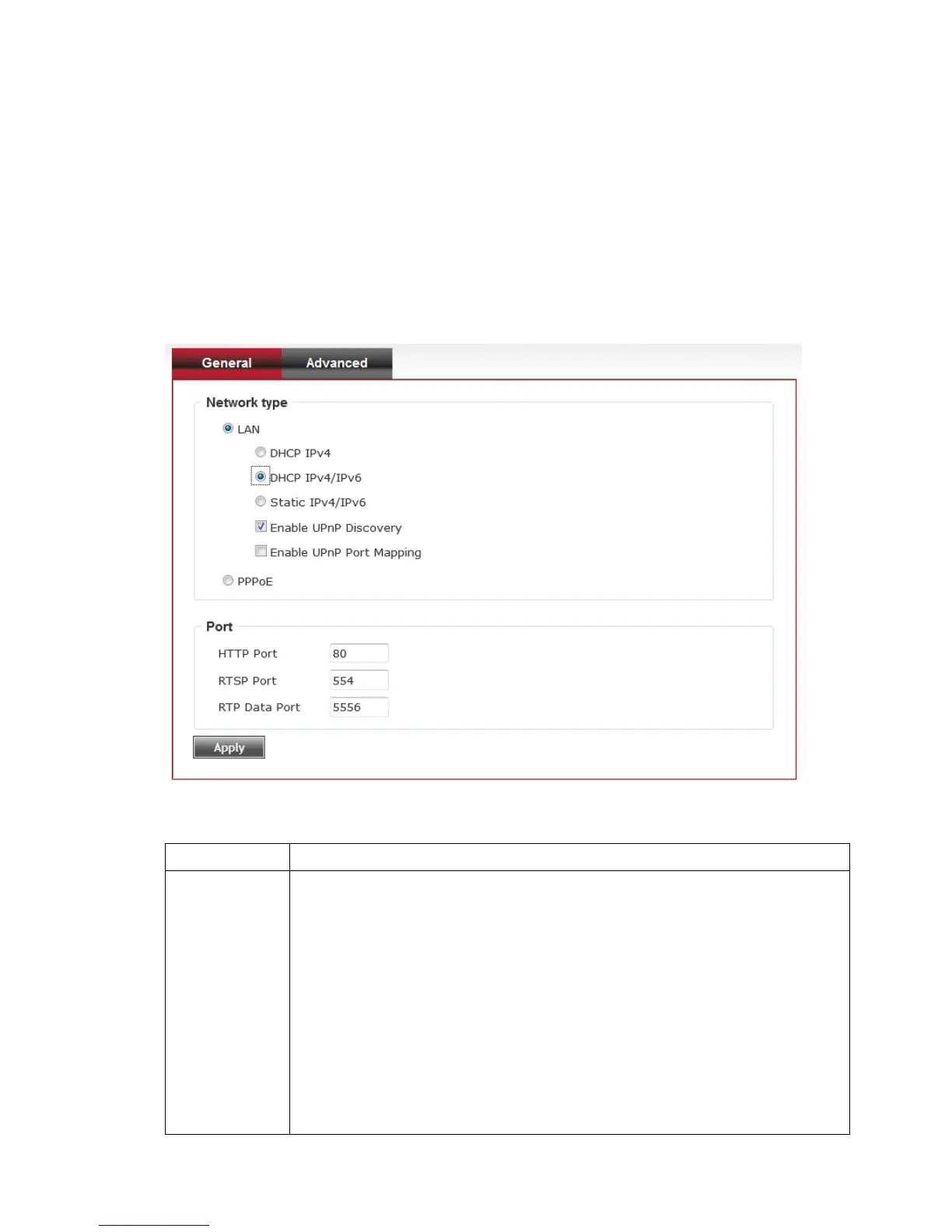
3-3-1 ‘General’ setup page
Setup IP address for this IP camera. This IP camera supports both IPv4 and
IPv6 IP address.
Here are the descriptions of every setup item:
Select this option to assign an IP address to LAN port (or obtain
an address from DHCP server automatically).
Available options are:
DHCP IPv4: Obtain an IPv4 IP address from DHCP server on LAN
automatically.
DHCP IPv4 / IPv6: Obtain both IPv4 and IPv6 address from DHCP
server on LAN automatically.
Static IPv4 / IPv6: Assign an IPv4 / IPv6 address to IP camera



 To Next Page