12
2.2 Connect to IP Camera’s Web User Interface and Install
ActiveX Plugin
When you know the IP address of IP Camera, you can connect to it by
Internet Explorer web browser by entering its IP address in address bar.
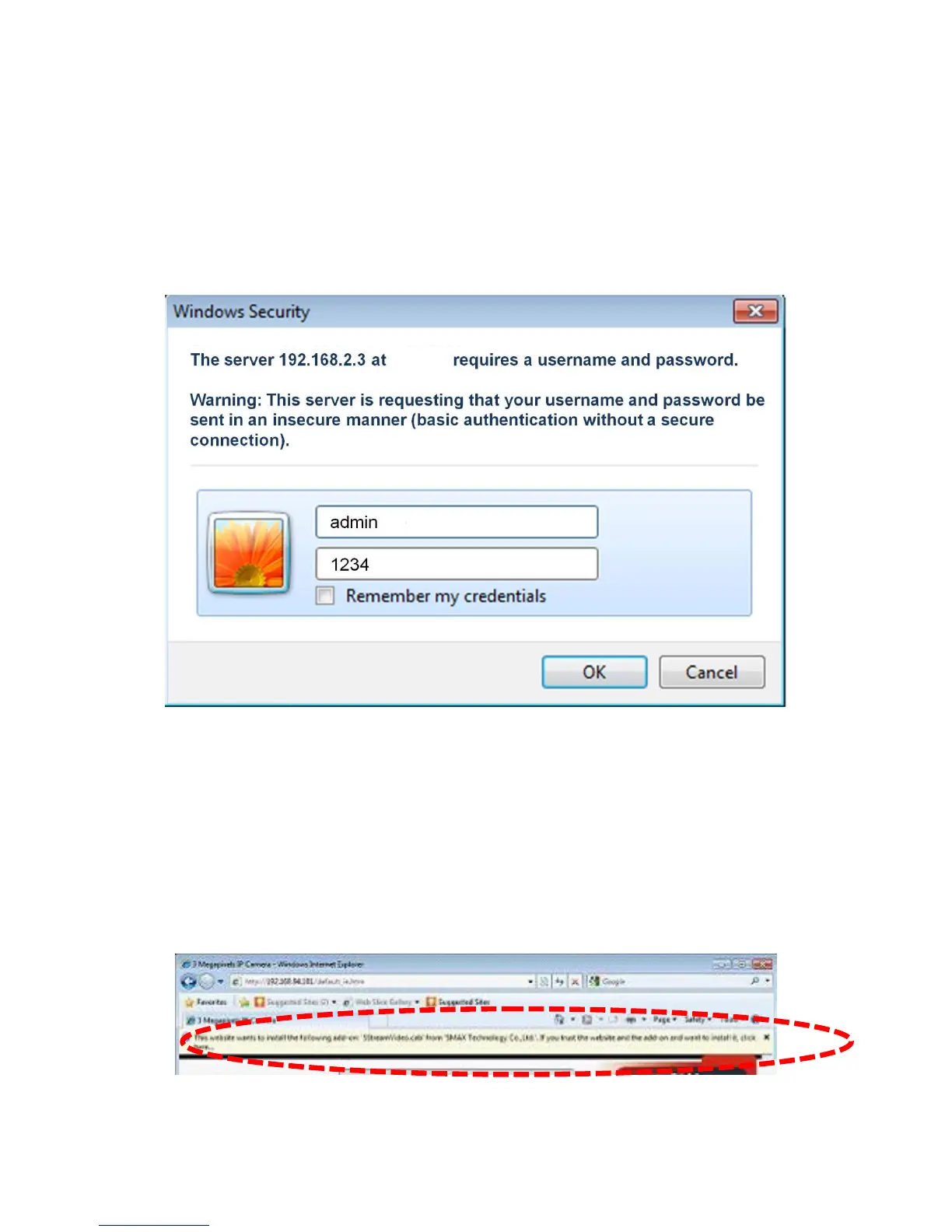
The use login screen will appear when you get connected:
IP Camera’s administrator username and password are ‘admin’ and
‘1234’(lower case) by default. Click ‘OK’ button or press ‘ENTER’ key on
your keyboard when you finish entering username and password.
When you connect to IP Camera for the first time, you’ll see the following
message. This message prompts you that you need to install ActiveX
plug-in before you can see the video from IP Camera.
For IE 8:
Right click the indication bar and click:‘‘Install This Add-on for All Users on
This Computer…’ to install ActiveX plugin.



 To Next Page