different than what you see through your eye), and most of IR lights
are coming from sunlight.
You can select the behavior or IR-cut filter:
- Auto: IR filter will act automatically. If you don’t know if you
should use IR filter, select this option.
- Always ON(B/W): IR filter is always on.
- Always OFF(Color): IR filter is always off.
IR-cut filter will only be switched on when there’s sunlight. You can
define the starting and ending time when IR-cut filter should be
switched on by select ‘Schedule’ and define starting and ending
time by dropdown menu.
When you finish with above settings, click ‘Apply’ button to save changes.
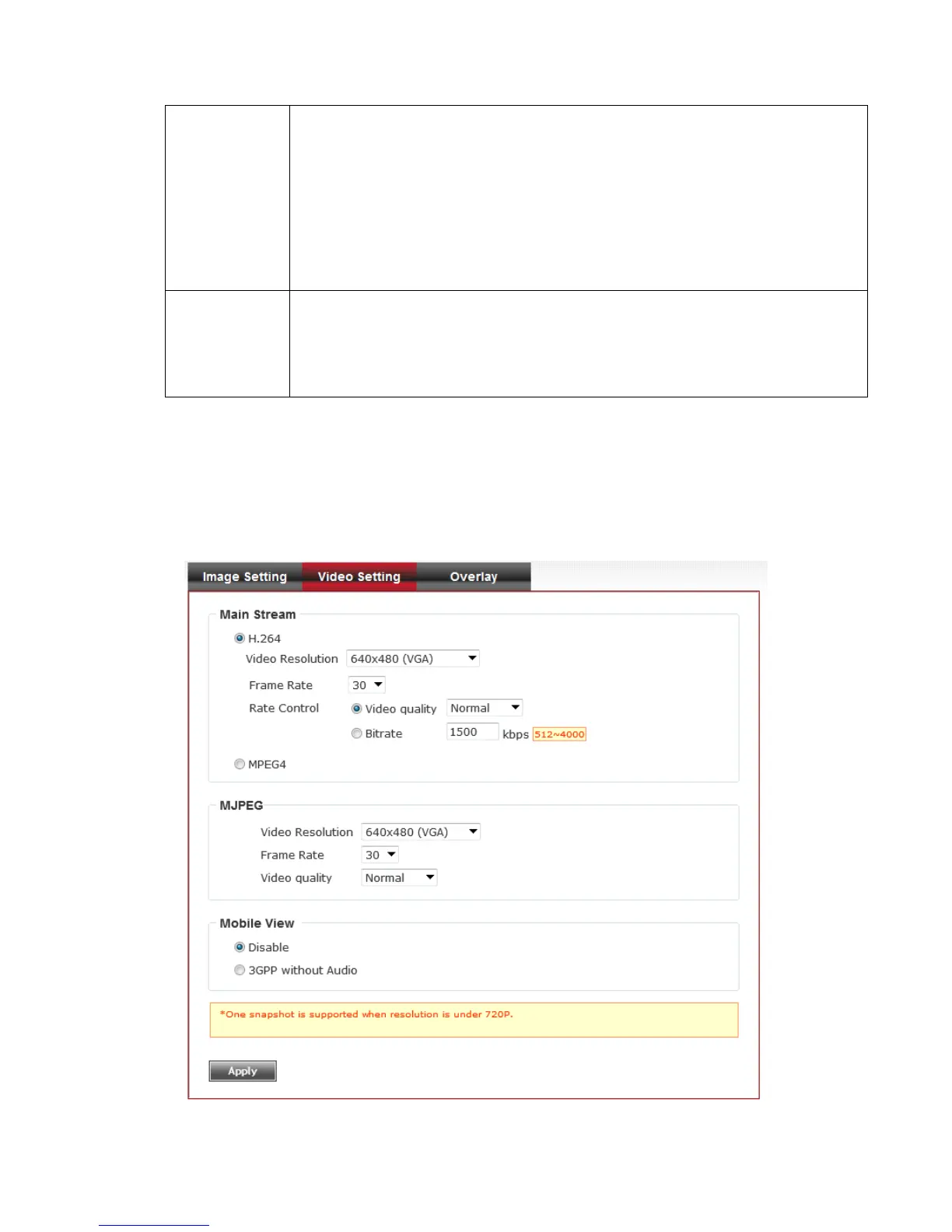
3-5-2 Video Setting
You can adjust the video transfer parameters in this page.



 To Next Page