20
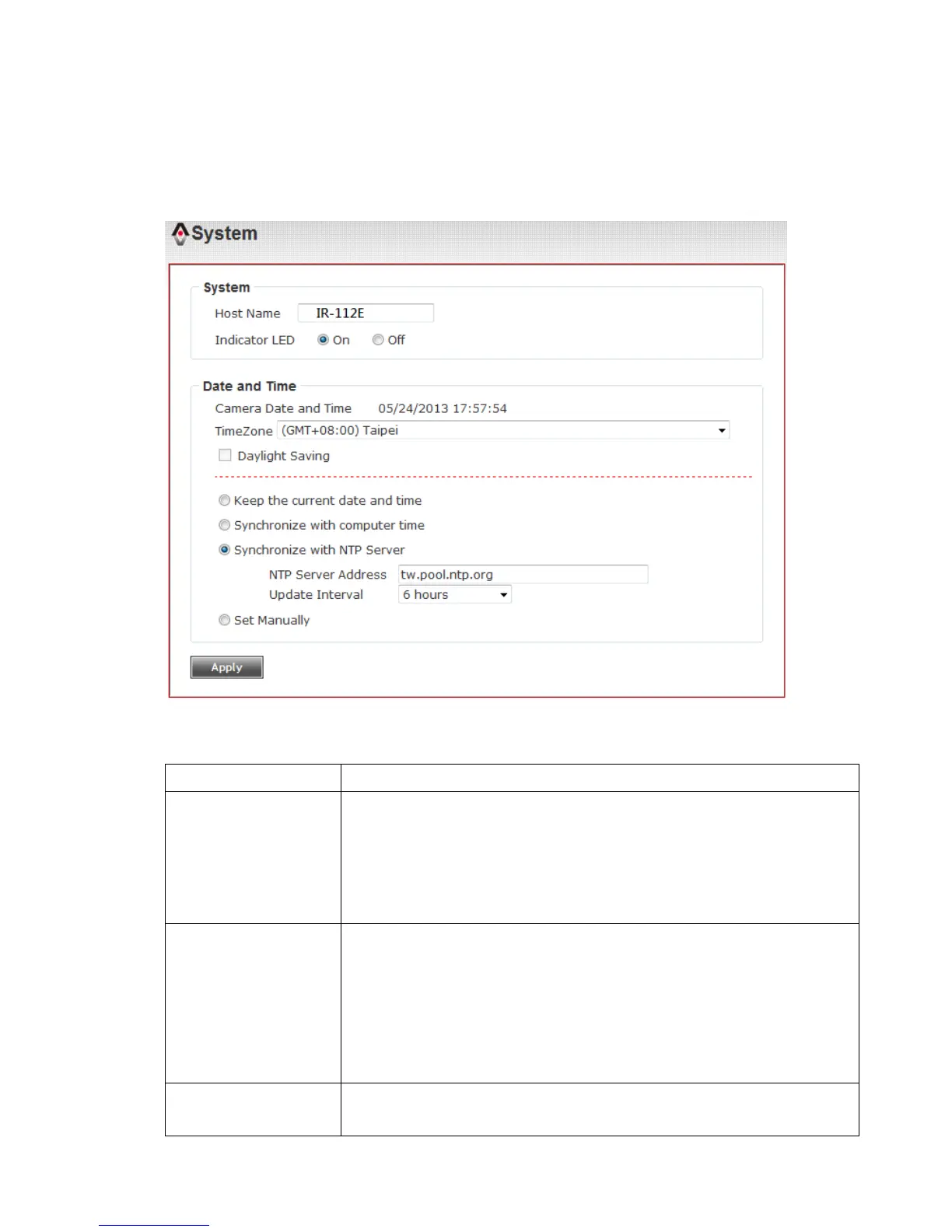
3-1 System
In this menu, you can configure basic IP camera settings like hostname and
time.
Here are the descriptions of every setup item:
Input the IP camera’s hostname here, it can be any
meaningful words or characters that will help you to identify
this IP camera. You can use IP camera’s installation location
as host name, and this will help you to identify IP camera
when you have many IP cameras installed.
The LED lights located at the back of IP camera is switched
on by default. But, if you don’t want other people to know
the status of this IP camera (so they will know this IP camera
is operating etc.), you can select ‘Off’ and LED lights will be
switched off.
Here shows the date and time.



 To Next Page