48
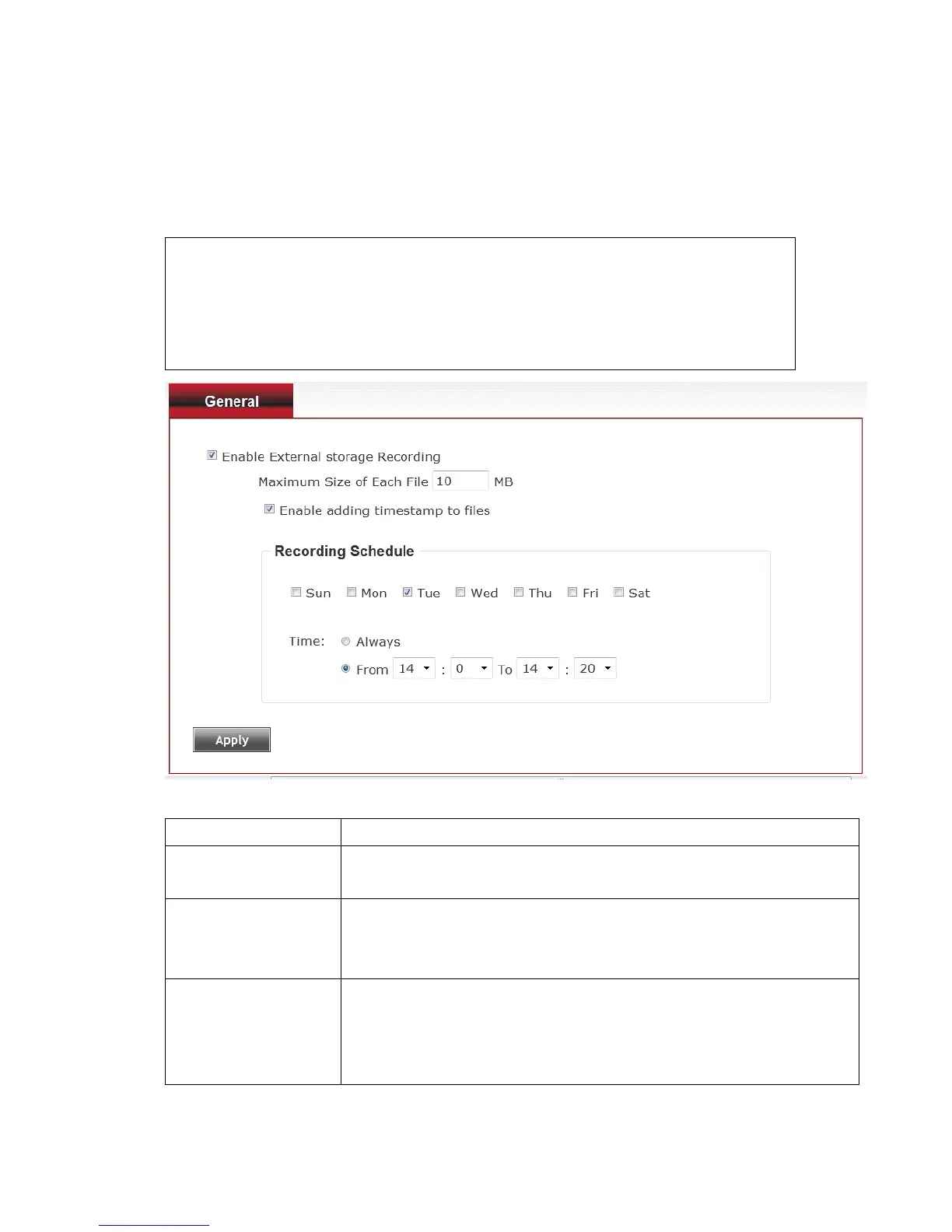
3-8 Recording to Micro SD Card
When a Micro SD card is inserted into IP camera, you can save video files
on it.
Note:
1. Be sure that the Micro SD Card format should be FAT32. The NTFS
format cannot be supported by this camera.
2. Unlink motion detection; this function will record video at specified
time period on selected weekday(s).
Here are the descriptions of every setup item:
Enable External
storage Recording
Check this box to record video on Micro-SD card.
Maximum Size of
Each File
Input the maximum size of every video file from 1MB to
50MB. IP camera will start a new video file when a
recording video file reaches the size limit stated here.
Define the recording schedule. You can check Sun to Sat
boxes to represent a weekday, and specify time period in
‘From’ and ‘To’ field. Select ‘Always’ to record 24 hours in
selected weekday(s).
When you finish with above settings, click ‘Apply’ button to save changes.



 To Next Page