horizontally, this will help to correct the orientation of image when
IP camera is hanged bottom-up by camera holder.
You can click both ‘Vertical’ and ‘Horizontal’ box at the same time.
The default setting is Auto. Camera is able to adjust Exposure
related settings automatically.
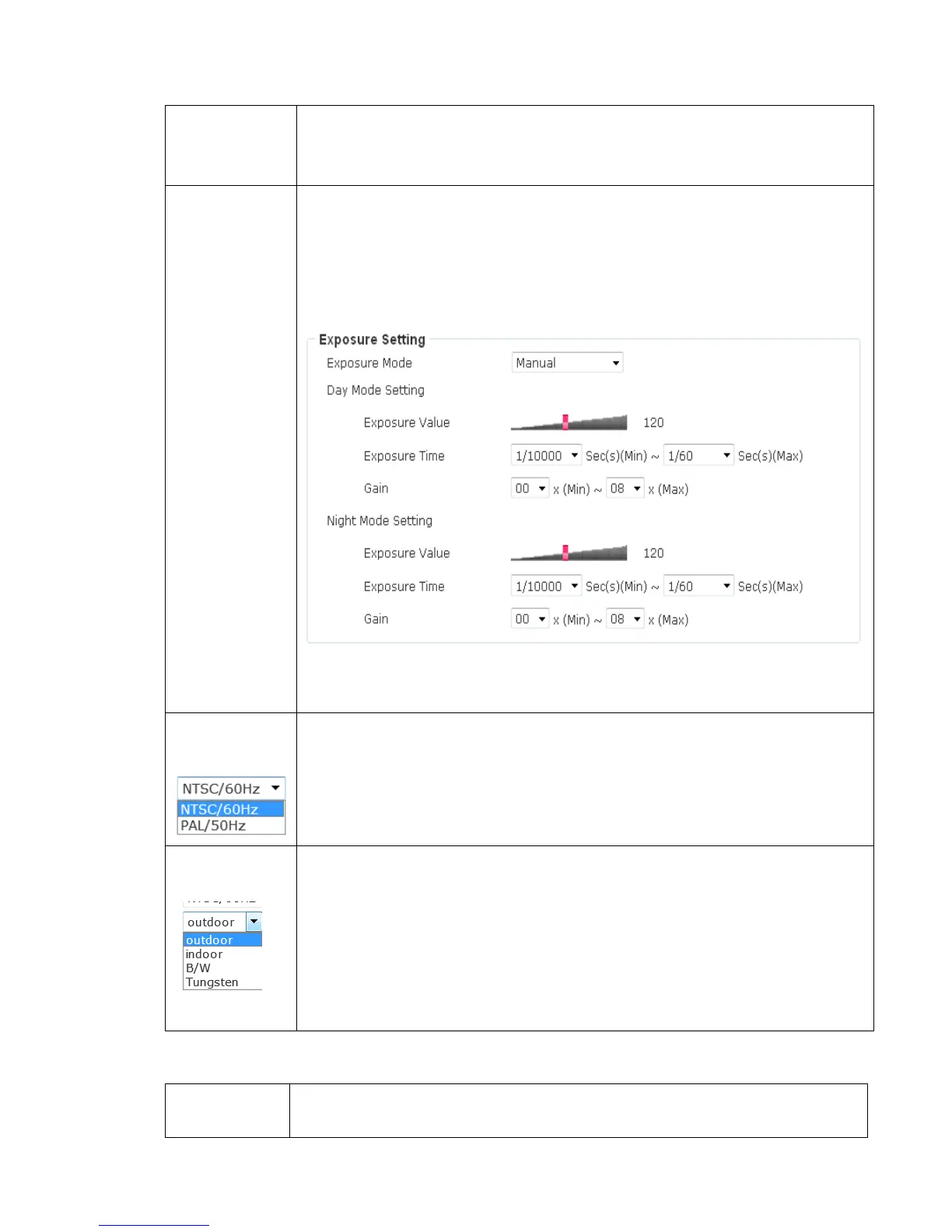
This camera is able to adjust the exposure setting automatically by
default. In this page, it allows user to define the exposure setting
manually.
Set up the values of exposure value, exposure time and gain to
create a profile and click “Apply” to enable it.
Select the frequency of power line of the place you’re using this IP
camera. This will help to reduce the flicker of certain lights in the
image.
Select the condition that you’ll be using this IP camera from
dropdown menu.
- outdoor: Outdoor environment using.
- indoor: Indoor environment using.
- B/W: You’ll be using this IP camera in dark places where lights
are insufficient.
- Tungsten: Low color temperature environment using.
An IR-cut filter is built in this IP camera to reduce the effect of IR
lights (which will change the color of image and makes it looks



 To Next Page