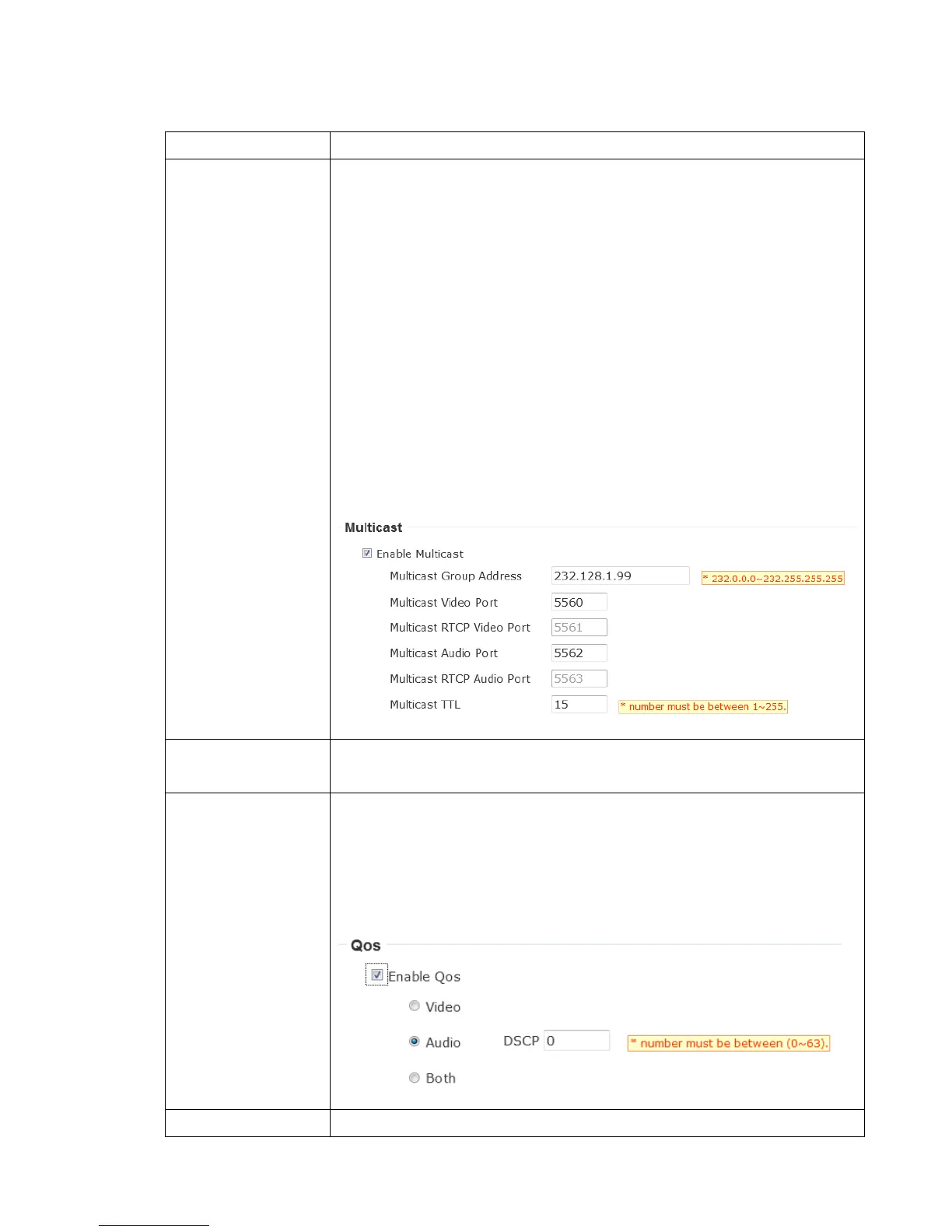
Enable video multicast:
Multicast Group Address: Input multicast group
address here, must be an address between 232.0.0.0 to
232.255.255.255.
Multicast video port: Input port number for video multicast
here.
Multicast RCTP video port: Input port number for RCTP video
here.
Multicast audio port: Input port number for audio here.
Multicast RCTP audio port: Input port number for RCTP audio
here.
Multicast TTL: Input TTL value for multicast here.
If you’re using MacOS and you have Bonjour installed, you can
use it to discover this IP camera.
Enable QoS to improve the data transfer priority of this IP
camera (Your local area network must support QoS).
You can select Video / Audio’s QoS DSCP value (0 to 63), or
both video and audio.



 To Next Page