22
II-6 Wi-Fi Protected Setup (WPS)
Wi-Fi Protected Setup is a simple way to establish connections between WPS
compatible devices. You can use the WPS button or the configuration
webpage activate the access point’s WPS function.
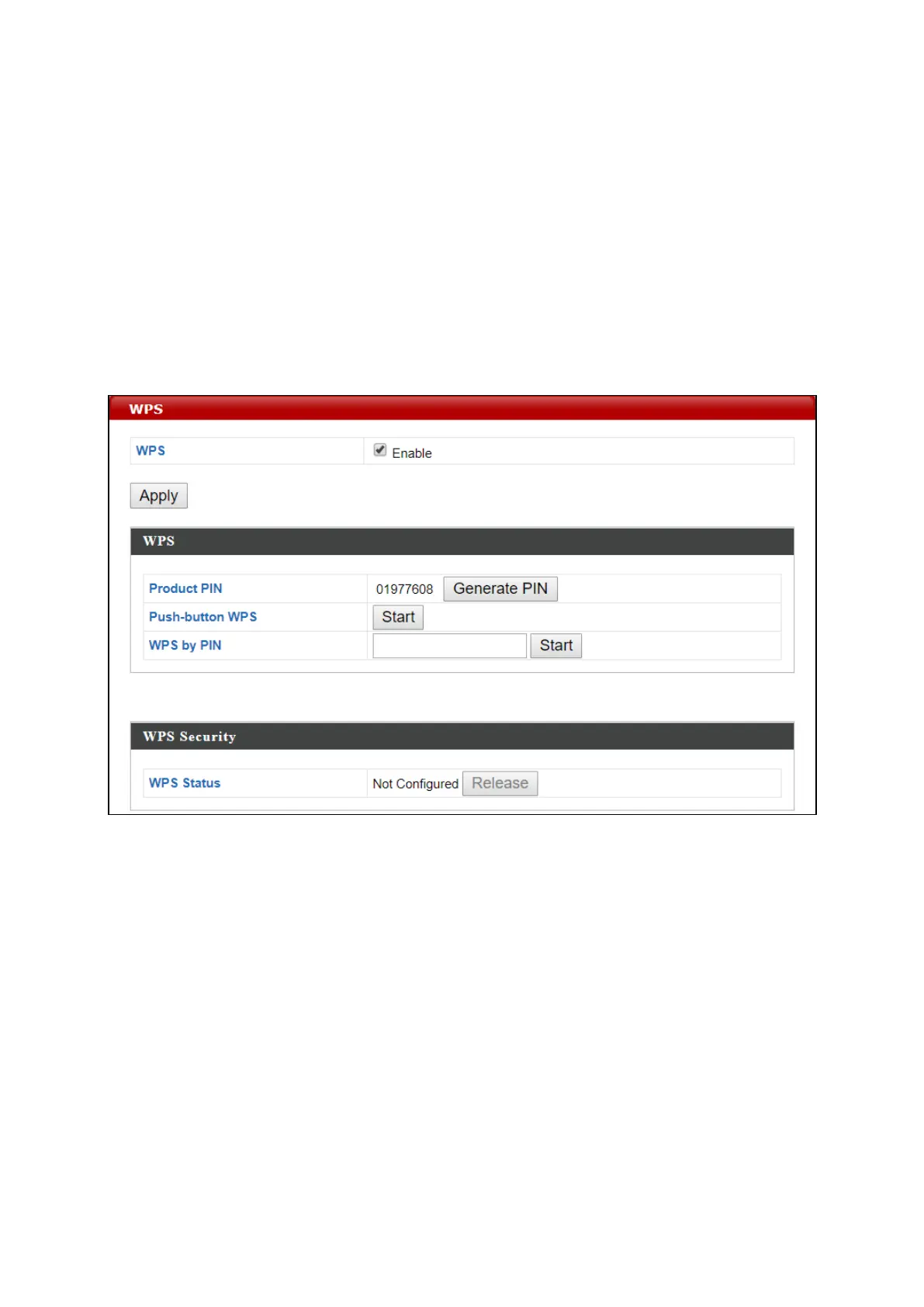
1. Go to “Wireless Settings” > “WPS” on your configuration webpage.
2. Check the checkbox of “Enable” and click “Apply”.
3. On the “Push-button WPS” line, click “Start” to activate WPS on the AP
for approximately 2 minutes.
(For more information on “WPS by PIN”, please refer to IV-3-3 WPS).
4. Within two minutes, activate WPS on your WPS-compatible wireless
device. Please check the documentation of your wireless device for
information regarding its WPS function.
5. The devices will establish a connection.


 To Next Page