95
IV-5-2 Update Firmware
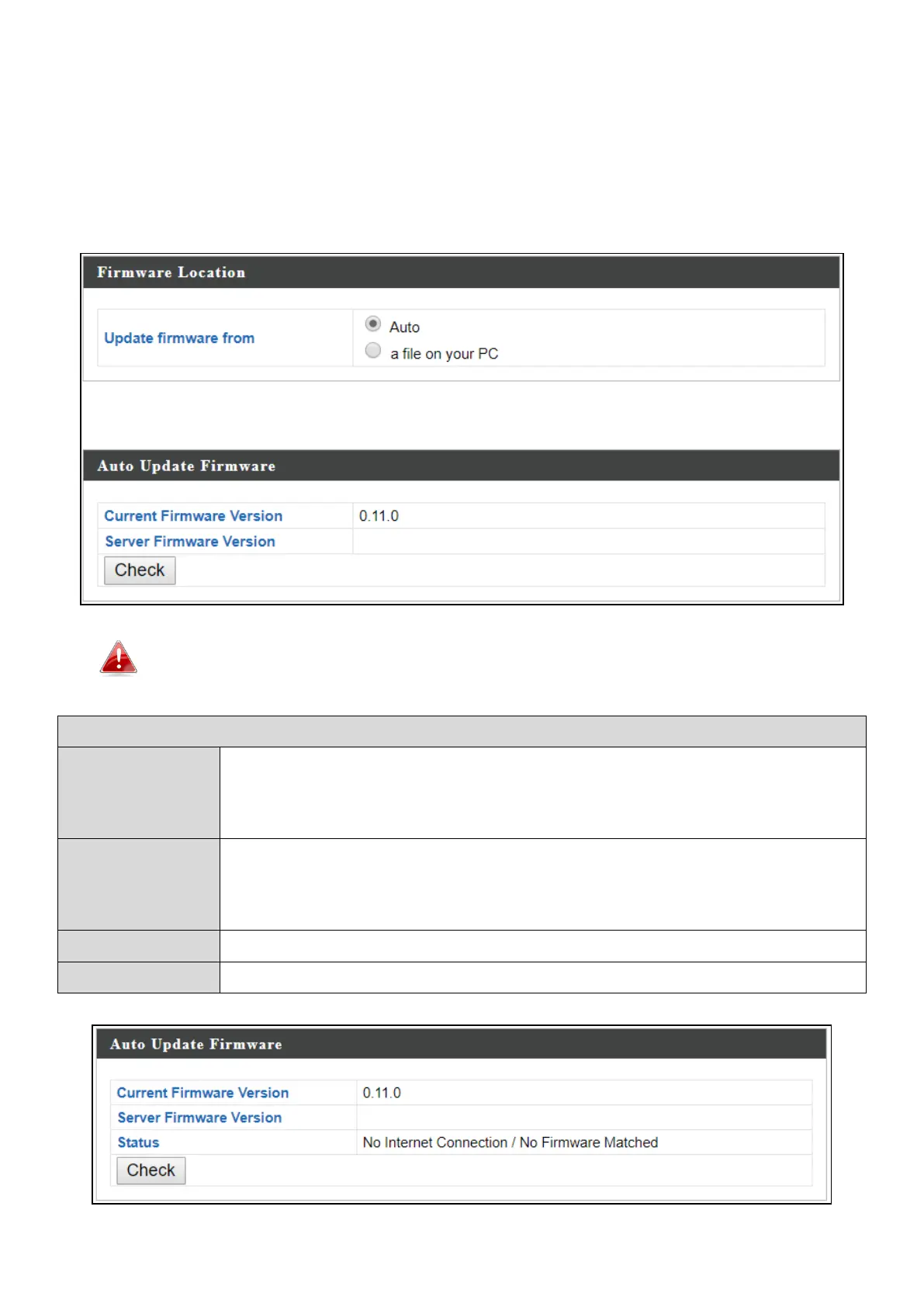
The “Firmware” page allows you to update the firmware of the system.
Updated firmware versions often offer increased performance and security, as
well as bug fixes. Download the latest firmware from the Edimax website.
Do not switch off or disconnect the access point during a firmware
upgrade, as this could damage the device.
Displays current firmware version.
Displays available firmware version on the server.
Displays availability of firmware.
Click to check available firmware version.


 To Next Page