24
III-2 Powering on the Access Point Outdoor
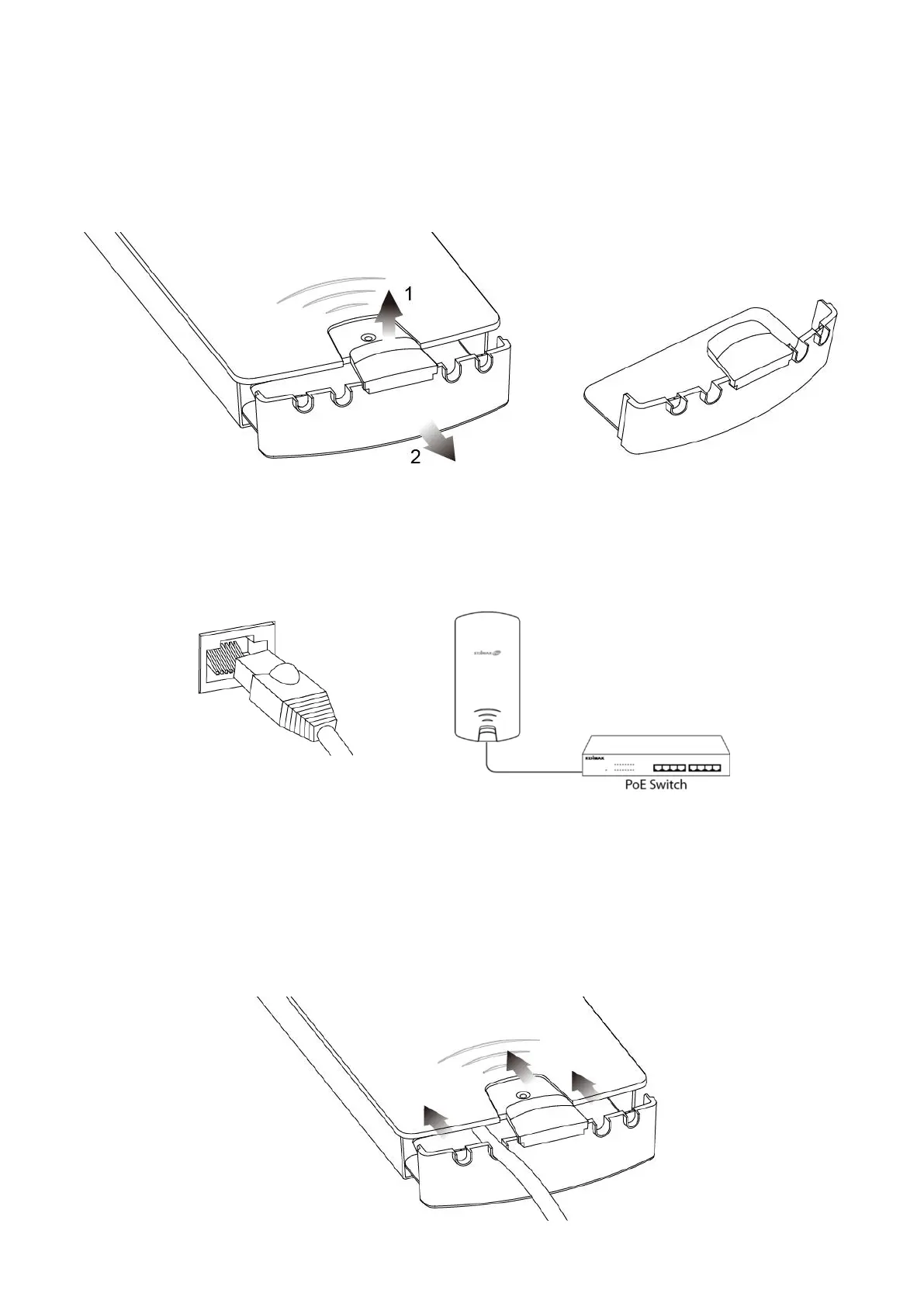
1. Remove the cap from the underside of the access point by 1) pulling
the hook upwards, and 2) pulling the cap downward, as shown below:
2. Wire an Ethernet cable to the LAN 1 (PoE-In) port of the access point
and the PoE switch to power up the access point.
3. The access point will be powered by the PoE switch. Connect another
Ethernet cable to LAN 2 where necessary.
4. Replace the cap and allow the cable(s) to rest in the arch(es) of the cap.


 To Next Page